
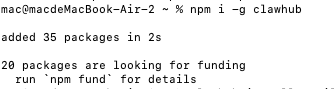
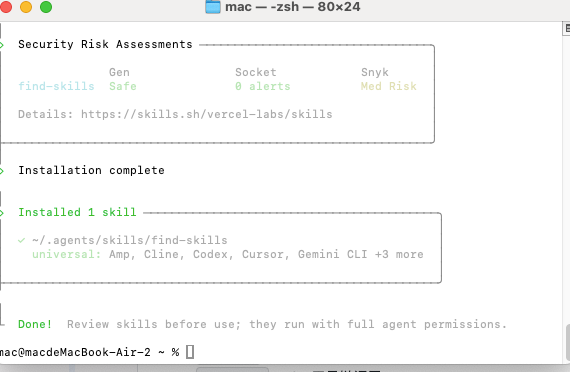
如图所示,安装成功
异常情况:
shine@ShinedeMacBook-Pro ~ % npm i -g clawhub npm error code EACCES npm error syscall mkdir npm error path /usr/local/lib/node_modules/clawhub npm error errno -13 npm error Error: EACCES: permission denied, mkdir '/usr/local/lib/node_modules/clawhub' npm error at async mkdir (node:internal/fs/promises:856:10) npm error at async /usr/local/lib/node_modules/npm/node_modules/@npmcli/arborist/lib/arborist/reify.js:576:20 npm error at async Promise.allSettled (index 0) npm error at async [reifyPackages] (/usr/local/lib/node_modules/npm/node_modules/@npmcli/arborist/lib/arborist/reify.js:313:11) npm error at async Arborist.reify (/usr/local/lib/node_modules/npm/node_modules/@npmcli/arborist/lib/arborist/reify.js:125:5) npm error at async Install.exec (/usr/local/lib/node_modules/npm/lib/commands/install.js:150:5) npm error at async Npm.exec (/usr/local/lib/node_modules/npm/lib/npm.js:208:9) npm error at async module.exports (/usr/local/lib/node_modules/npm/lib/cli/entry.js:67:5) { npm error errno: -13, npm error code: 'EACCES', npm error syscall: 'mkdir', npm error path: '/usr/local/lib/node_modules/clawhub' npm error } npm error npm error The operation was rejected by your operating system. npm error It is likely you do not have the permissions to access this file as the current user npm error npm error If you believe this might be a permissions issue, please double-check the npm error permissions of the file and its containing directories, or try running npm error the command again as root/Administrator. npm error A complete log of this run can be found in: /Users/shine/.npm/_logs/2026-03-07T03_17_05_207Z-debug-0.log
原因:macOS / Linux 下 npm 全局安装权限问题,意思是你当前用户 没有权限在 目录下创建文件夹,所以 安装失败。
解决办法:
1)新建一个全局 npm 目录在你的 home 目录:
GPT plus 代充 只需 145
2)设置 npm 使用这个目录作为全局安装路径:
3)配置环境变量:
- 编辑 或 ,加
GPT plus 代充 只需 145
然后执行:
到这步可能会报错:
ource ~/.zshrc /Users/shine/.openclaw/completions/openclaw.zsh:3829: command not found: compdef
原因:说明 命令在当前 shell 环境中不可用。这是 zsh 的 命令补全功能(completion)相关的问题。原因和解决办法如下:
解决办法:在 中,建议顺序如下:
GPT plus 代充 只需 145
然后再加载:
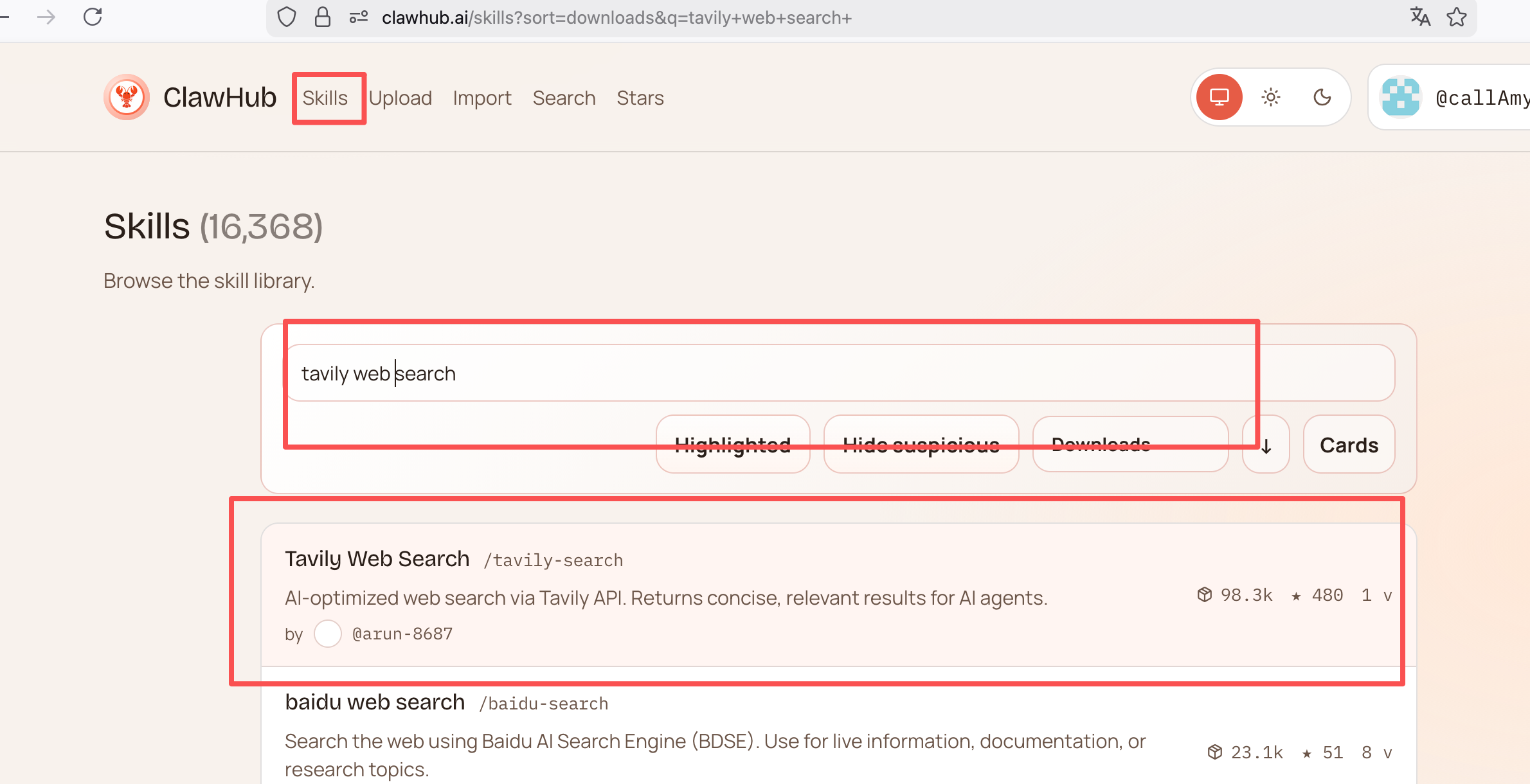
可以看到我们这个插件的名称是:tavily-search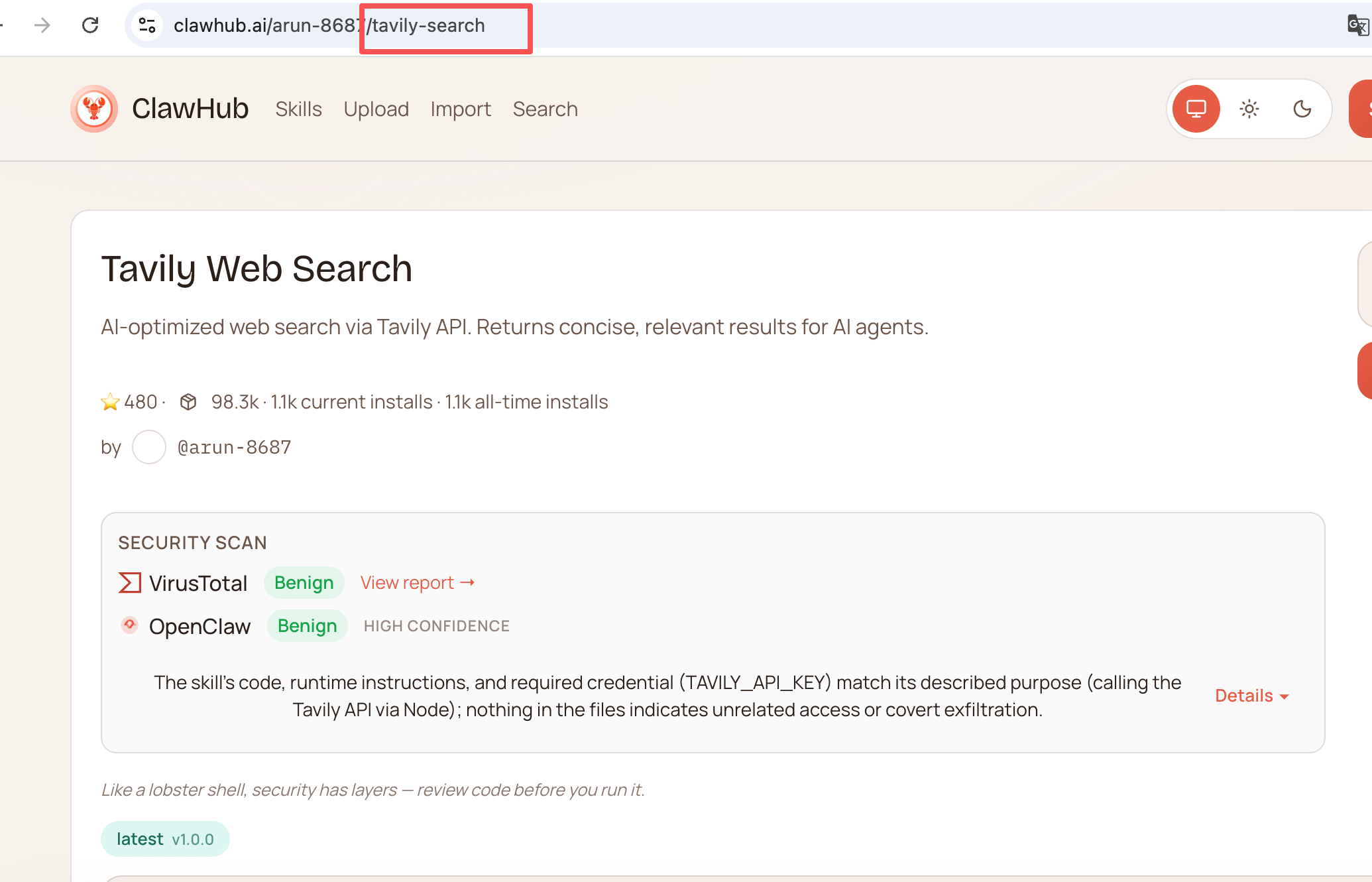
GPT plus 代充 只需 145
异常情况:
原因:
执行的测试命令返回了 (401) 错误,这明确表示你当前使用的 GitHub Token 无效或已过期。
解决办法:
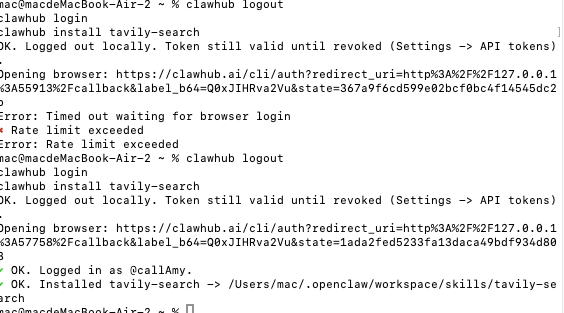
重新登录 ClawHub
安装成功;
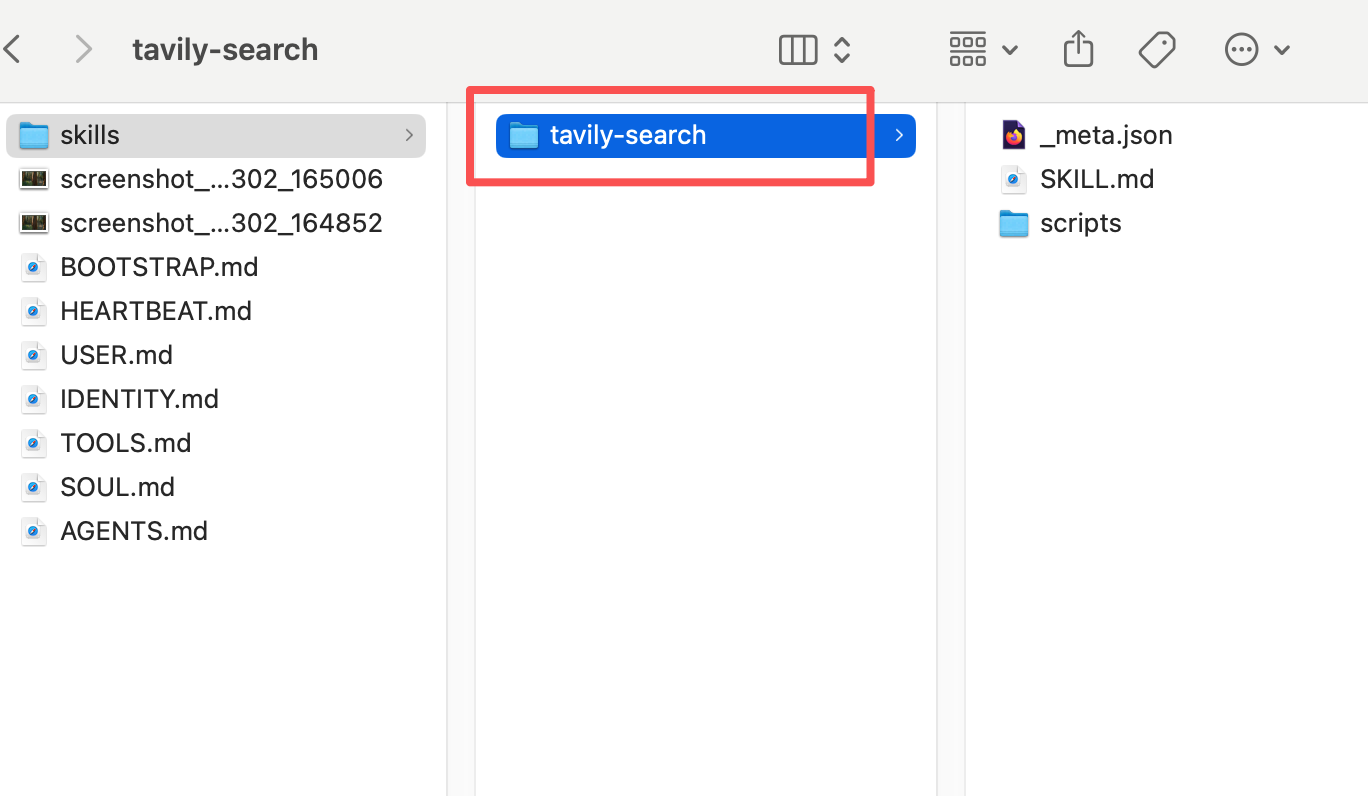
1、到openclaw>workspace>skill 文件夹下查看是否有该插件
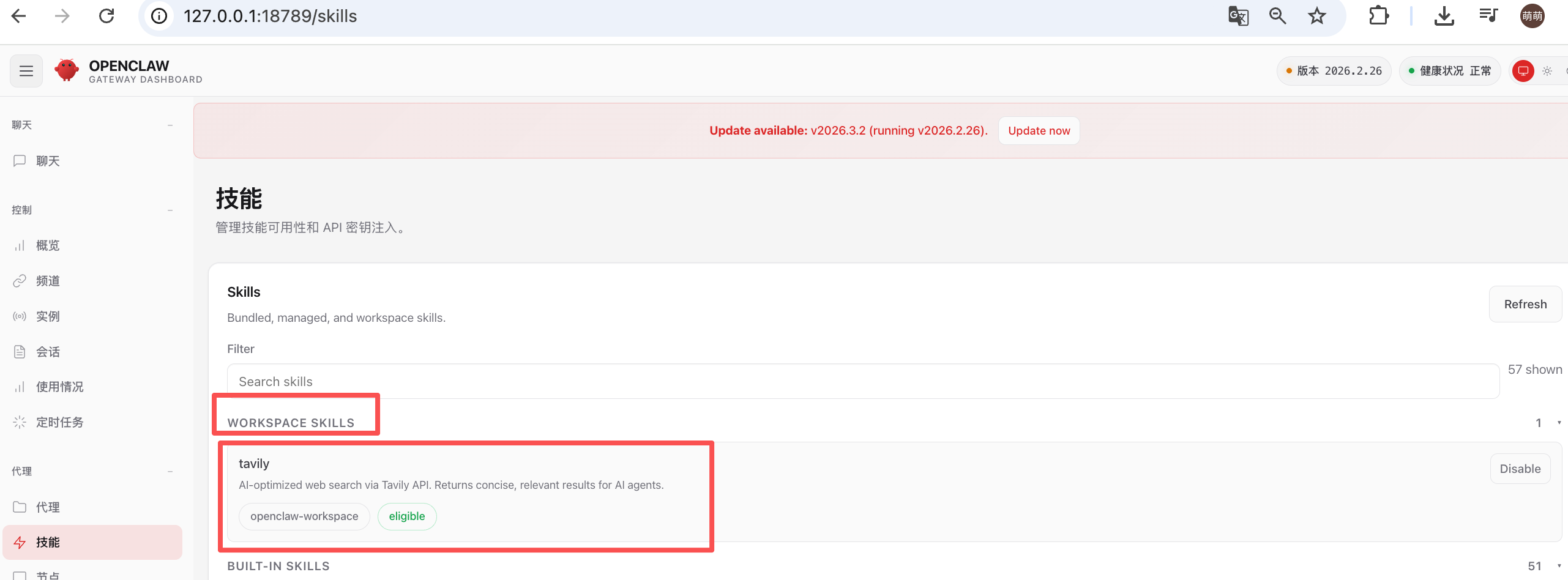
2、查看面板中是否有该技能
1)安装skill仓库名称
GPT plus 代充 只需 145
2)知道skill链接,通过链接安装
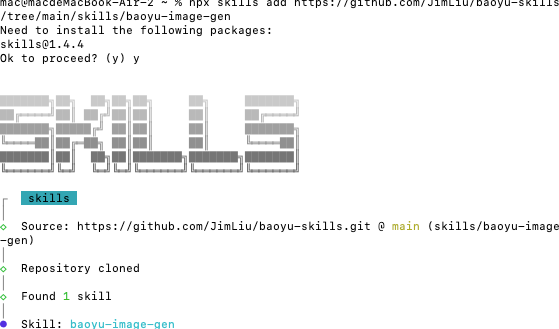
3、安装示例:
1、选择要安装到仓库地址
2、执行命令
GPT plus 代充 只需 145
我选择的是openclaw
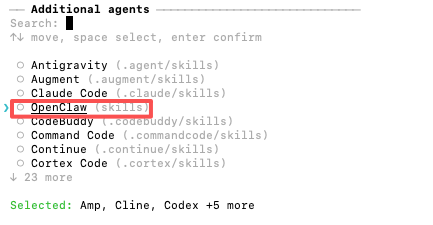
一般选择全局安装,即Global
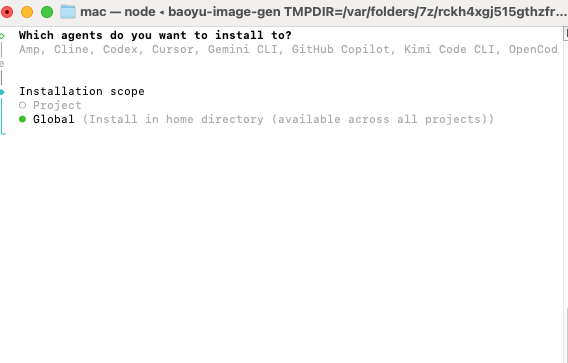
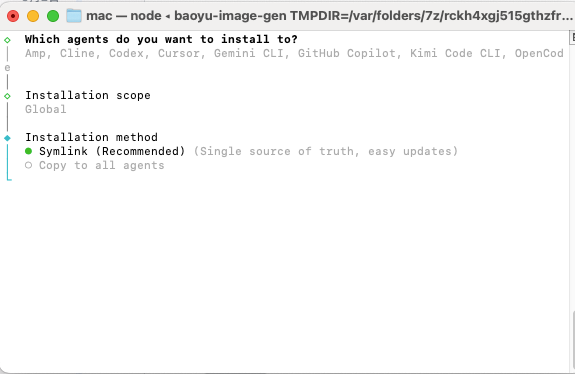
然后默认选择第一个symlink;
安装成功界面如图
版权声明:本文内容由互联网用户自发贡献,该文观点仅代表作者本人。本站仅提供信息存储空间服务,不拥有所有权,不承担相关法律责任。如发现本站有涉嫌侵权/违法违规的内容,请联系我们,一经查实,本站将立刻删除。
如需转载请保留出处:https://51itzy.com/kjqy/233413.html