
目录
Jasypt 加密概述
Jasypt 快速使用
引入 jasypt-spring-boot 依赖
获取密文
配置密钥、密文
自定义的前后缀标记
StringEncryptor 加解密
Jasypt 配置详解
哪些信息要加密呢?
一般来说,项目配置文件里,所有涉及信息安全的配置项都应该做处理,最起码不能用明文直接写在配置文件里,例如:
- 用到的数据库、缓存的密码
- 用到的中间件、消息队列的密码
- 用到的各种第三方服务的Access_Key
- 其他第三方服务的通信信息
- ......等等
Jasypt 加密概述
1、Jasypt Spring Boot 为 spring boot 应用程序中的属性源提供加密支持,出于安全考虑,Spring boot 配置文件中的敏感信息通常需要对它进行加密/脱敏处理,尽量不使用明文,要实现这一点,办法有很多,自己手动对敏感信息进行加解密也是可以的。
2、有需求就有人奉献,Jasypt 开源安全框架就是专门用于处理 Spring boot 属性加密的,在配置文件中使用特定格式直接配置密文,然后应用启动的时候,Jasypt 会自动将密码解密成明文供程序使用。
1)Jasypt 加密属性配置格式:secret.property=ENC(nrmZtkF7T0kjG/VodDvBw93Ct8EgjCA+),ENC() 就是它的标识,程序启动的时候,会自动解密其中的内容,如果解密失败,则会报错。
2)所以获取这些属性值和平时没有区别,直接使用如 @Value("${secret.property}") 获取即可,取值并不需要特殊处理。
3、jasypt 同一个密钥(secretKey)对同一个内容执行加密,每次生成的密文都是不一样的,但是根据这些密文解密成原内容都是可以的.
4、jasypt 官网:https://github.com/ulisesbocchio/jasypt-spring-boot。
Jasypt 快速使用
不管三七二十一,先入个门再说。
引入 jasypt-spring-boot 依赖
1、在项目中集成 jasypt-spring-boot 有三种方法:
方法一(常用方式)
1、如果是 Spring Boot 应用程序,使用了注解 @SpringBootApplication 或者 @EnableAutoConfiguration,那么只需添加 jasypt-spring-boot-starter 依赖,此时整个 Spring 环境就会支持可加密属性配置(这意味着任何系统属性、环境属性、命令行参数,yaml、properties 和任何其他自定义属性源可以包含加密属性):
<dependency> <groupId>com.github.ulisesbocchio</groupId> <artifactId>jasypt-spring-boot-starter</artifactId> <version>3.0.2</version> </dependency> 讯享网
https://gitee.com/wangmx1993/h2-smil/blob/master/pom.xml/
方法二
1、如果没有使用 @SpringBootApplication 或者 @EnableAutoConfiguration,则将 jasypt-spring-boot 添加到类路径:
讯享网<dependency> <groupId>com.github.ulisesbocchio</groupId> <artifactId>jasypt-spring-boot</artifactId> <version>3.0.2</version> </dependency>
2、然后将 @EnableEncryptableProperties 添加到配置类中,以便在整个 Spring 环境中启用可加密属性:
@Configuration @EnableEncryptableProperties public class MyApplication { ... }方法三
1、如果不使用 @SpringBootApplication 或者 @EnableAutoConfiguration 自动配置注解,并且不想在整个 Spring 环境中启用可加密的属性,则有本方法,首先将以下依赖项添加到项目中:
讯享网<dependency> <groupId>com.github.ulisesbocchio</groupId> <artifactId>jasypt-spring-boot</artifactId> <version>3.0.2</version> </dependency>
2、然后在配置文件中添加任意数量的 @EncryptablePropertySource 注解,就像使用 Spring 的 @PropertySource 注解一样:
@Configuration @EncryptablePropertySource(name = "EncryptedProperties", value = "classpath:encrypted.properties") public class MyApplication { ... } 3、或者还可以使用 @EncryptablePropertySources 注解来对 @EncryptablePropertySource 类型的注解进行分组:

讯享网@Configuration @EncryptablePropertySources({@EncryptablePropertySource("classpath:encrypted.properties"), @EncryptablePropertySource("classpath:encrypted2.properties")}) public class MyApplication { ... }
从 1.8 版起,@EncryptablePropertySource 支持 YAML 文件
获取密文
1、第一步就是要获取密文,就是将需要加密的数据进行加密,方法有很多,官方提供了 jar 包,可以从命令行操作,也可以直接使用代码进行加密。
2、推荐使用代码自己加密即可,下面提供一个工具类进行加密,注意事项:
1、Jasypt 默认使用 StringEncryptor 解密属性,所以加密时默认也得使用 StringEncryptor 加密,否则启动时解密失败报错
2、加密与解密对 StringEncryptor 设置的属性必须要一致,比如加密时使用什么算法,那么解密时也得一样,否则启动时解密失败报错
3、下面使用的加密算法为 "PBEWithMD5AndDES",官网默认的是 "PBEWITHHMACSHA512ANDAES_256",前者是 md5 加 des 标准加密,后者是 sha512 加 AES 高级加密。4、如果想使用 “PBEWITHHMACSHA512ANDAES_256” 算法,需要 Java JDK 1.9 及以上支持,或者添加 JCE 无限强度权限策略文件,否则运行会报错:加密引发异常,一个可能的原因是您正在使用强加密算法,并且您没有在这个Java虚拟机中安装Java加密扩展(JCE)无限强权限策略文件。
public class JasyptUtils { / * {@link StringEncryptor} 加解密。 * 同一个密钥(secretKey)对同一个内容执行加密,生成的密文都是不一样的,但是根据根据这些密文解密成明文都是可以. * 1、Jasypt 默认使用 {@link StringEncryptor} 来解密全局配置文件中的属性,所以提供密文时,也需要提供 {@link StringEncryptor} 加密的密文 * 2、{@link StringEncryptor} 接口有很多的实现类,比如常用的 {@link PooledPBEStringEncryptor} * 3、setConfig(final PBEConfig config):为对象设置 {@link PBEConfig} 配置对象 * 4、encrypt(final String message):加密内容 * 5、decrypt(final String encryptedMessage):解密内容 * * @param secretKey :密钥。加/解密必须使用同一个密钥 * @param message :加/解密的内容 * @param isEncrypt :true 表示加密、false 表示解密 * @return */ public static String stringEncryptor(String secretKey, String message, boolean isEncrypt) { PooledPBEStringEncryptor pooledPBEStringEncryptor = new PooledPBEStringEncryptor(); pooledPBEStringEncryptor.setConfig(getSimpleStringPBEConfig(secretKey)); String result = isEncrypt ? pooledPBEStringEncryptor.encrypt(message) : pooledPBEStringEncryptor.decrypt(message); return result; } / * 设置 {@link PBEConfig} 配置对象,SimpleStringPBEConfig 是它的实现类 * 1、所有的配置项建议与全局配置文件中的配置项保持一致,特别是 password、algorithm 等等选项,如果不一致,则应用启动时解密失败而报错. * 2、setPassword(final String password):设置加密密钥,必须与全局配置文件中配置的保存一致,否则应用启动时会解密失败而报错. * 3、setPoolSize(final String poolSize):设置要创建的加密程序池的大小. * 4、setAlgorithm(final String algorithm): 设置加密算法的值, 此算法必须由 JCE 提供程序支持 * 5、setKeyObtentionIterations: 设置应用于获取加密密钥的哈希迭代次数。 * 6、setProviderName(final String providerName):设置要请求加密算法的安全提供程序的名称 * 7、setSaltGeneratorClassName:设置 Sal 发生器 * 8、setIvGeneratorClassName:设置 IV 发生器 * 9、setStringOutputType:设置字符串输出的编码形式。可用的编码类型有 base64、hexadecimal * * @param secretKey * @return */ private static SimpleStringPBEConfig getSimpleStringPBEConfig(String secretKey) { SimpleStringPBEConfig config = new SimpleStringPBEConfig(); config.setPassword(secretKey); config.setPoolSize("1"); config.setAlgorithm("PBEWithMD5AndDES"); config.setKeyObtentionIterations("1000"); config.setProviderName("SunJCE"); config.setSaltGeneratorClassName("org.jasypt.salt.RandomSaltGenerator"); config.setIvGeneratorClassName("org.jasypt.iv.RandomIvGenerator"); config.setStringOutputType("base64"); return config; } public static void main(String[] args) throws Exception { String message = "@.com"; String password = "wangmaox"; //一个同样的密码和秘钥,每次执行加密,密文都是不一样的。但是解密是没问题的。 String jasyptEncrypt = stringEncryptor(password, message, true); System.out.println(jasyptEncrypt); String jasyptEncrypt1 = stringEncryptor(password, "UVgGJ4BAS8XrVNsamg60RO0ADCzdCKuR2+bvINv7Wyej3YTqVmxp5g1", false); System.out.println(jasyptEncrypt1); } } https://gitee.com/wangmx1993/h2-smil/blob/master/src/main/java/com/wmx/utils/JasyptUtils.java/
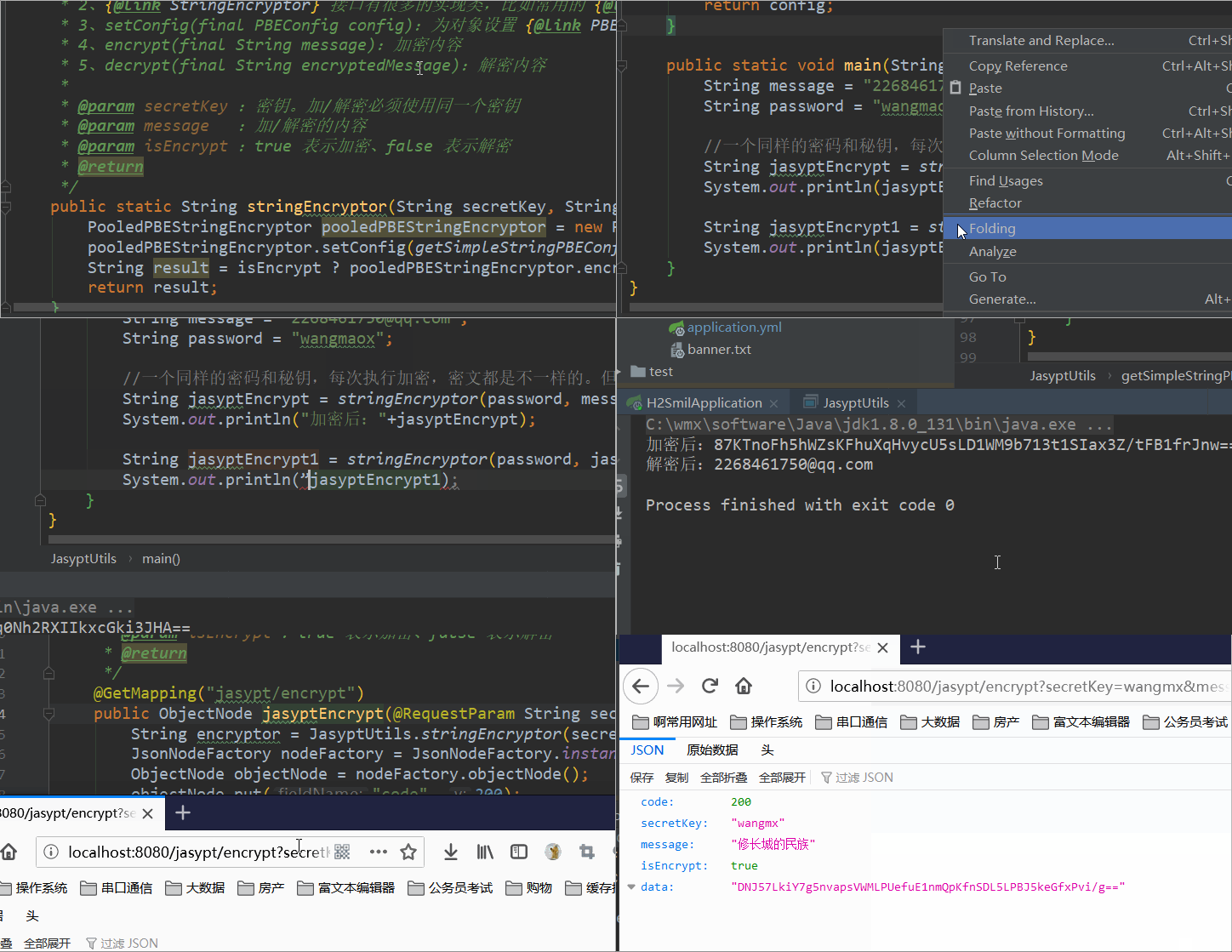
2、可以直接从 main 方法运行,也可以提供一个 Controller 接口,从浏览器访问:
讯享网 / * http://localhost:8080/jasypt/encrypt?secretKey=wangmx&message=修长城的民族&isEncrypt=true * 在线使用 {@link StringEncryptor} 加解密消息。 * * @param secretKey :密钥。加/解密必须使用同一个密钥 * @param message :加/解密的内容 * @param isEncrypt :true 表示加密、false 表示解密 * @return */ @GetMapping("jasypt/encrypt") public ObjectNode jasyptEncrypt(@RequestParam String secretKey, @RequestParam String message, @RequestParam boolean isEncrypt) { String encryptor = JasyptUtils.stringEncryptor(secretKey, message, isEncrypt); JsonNodeFactory nodeFactory = JsonNodeFactory.instance; ObjectNode objectNode = nodeFactory.objectNode(); objectNode.put("code", 200); objectNode.put("secretKey", secretKey); objectNode.put("message", message); objectNode.put("isEncrypt", isEncrypt); objectNode.put("data", encryptor); return objectNode; }
src/main/java/com/wmx/controller/JasyptController.java · 汪少棠/h2Smil - Gitee.com/
配置密钥、密文
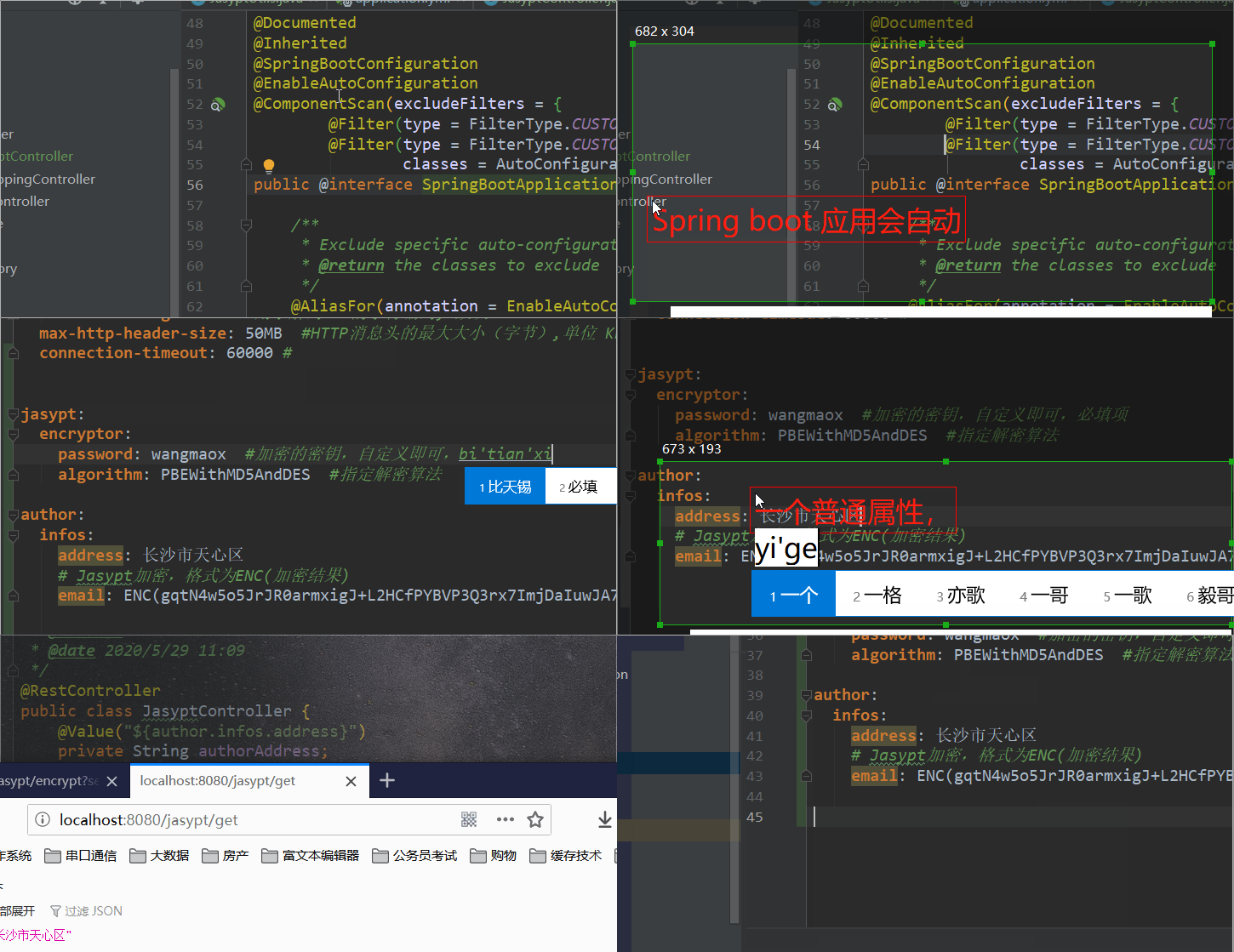
1、全局配置文件中配置如下,必须设置 jasypt.encryptor.password 属性(密钥),algorithm 算法需要与加密时使用的算法一致。
2、想要对哪个属性进行加密,则获取到它的密文之后,使用 ENC() 包裹起来,应用启动时会自动解密。
jasypt: encryptor: password: wangmaox #加密的密钥,自定义即可,必填项,与加密密文时的密钥保持一致. algorithm: PBEWithMD5AndDES #指定解密算法 author: infos: address: 长沙市天心区 # Jasypt加密,格式为ENC(加密结果) email: ENC(gqtN4w5o5JrJR0armxigJ+L2HCfPYBVP3Q3rx7ImjDaIuwJA7eMRvw==)src/main/resources/application.yml · 汪少棠/h2Smil - Gitee.com/
3、对于 Spring Boot 应用,接着不用在做任何设置,程序里面正常取值即可,不用任何特殊处理,比如对数据源的地址、账户、密码等进行加密,因为程序启动时会自动解密,所以不需要担心取值问题,程序启动后就会正常连接数据库,无需任何额外操作。
讯享网@RestController public class JasyptController { @Value("${author.infos.address}") private String authorAddress; @Value("${author.infos.email}") private String authorEmail; / * 获取属性值 * http://localhost:8080/jasypt/get * * @return */ @GetMapping("/jasypt/get") public ObjectNode getJasypt() { JsonNodeFactory nodeFactory = JsonNodeFactory.instance; ObjectNode objectNode = nodeFactory.objectNode(); objectNode.put("authorAddress", authorAddress); objectNode.put("authorEmail", authorEmail); return objectNode; } }
src/main/java/com/wmx/controller/JasyptController.java · 汪少棠/h2Smil - Gitee.com/
自定义的前后缀标记
1、加密密钥默认必须放在ENC()中,否则不会自动解密,可以自定义的前后缀标记,如下所示,此时使用 CODE() 包裹密文信息,应用启动时会自动解密。
jasypt: encryptor: property: prefix: CODE( suffix: )StringEncryptor 加解密
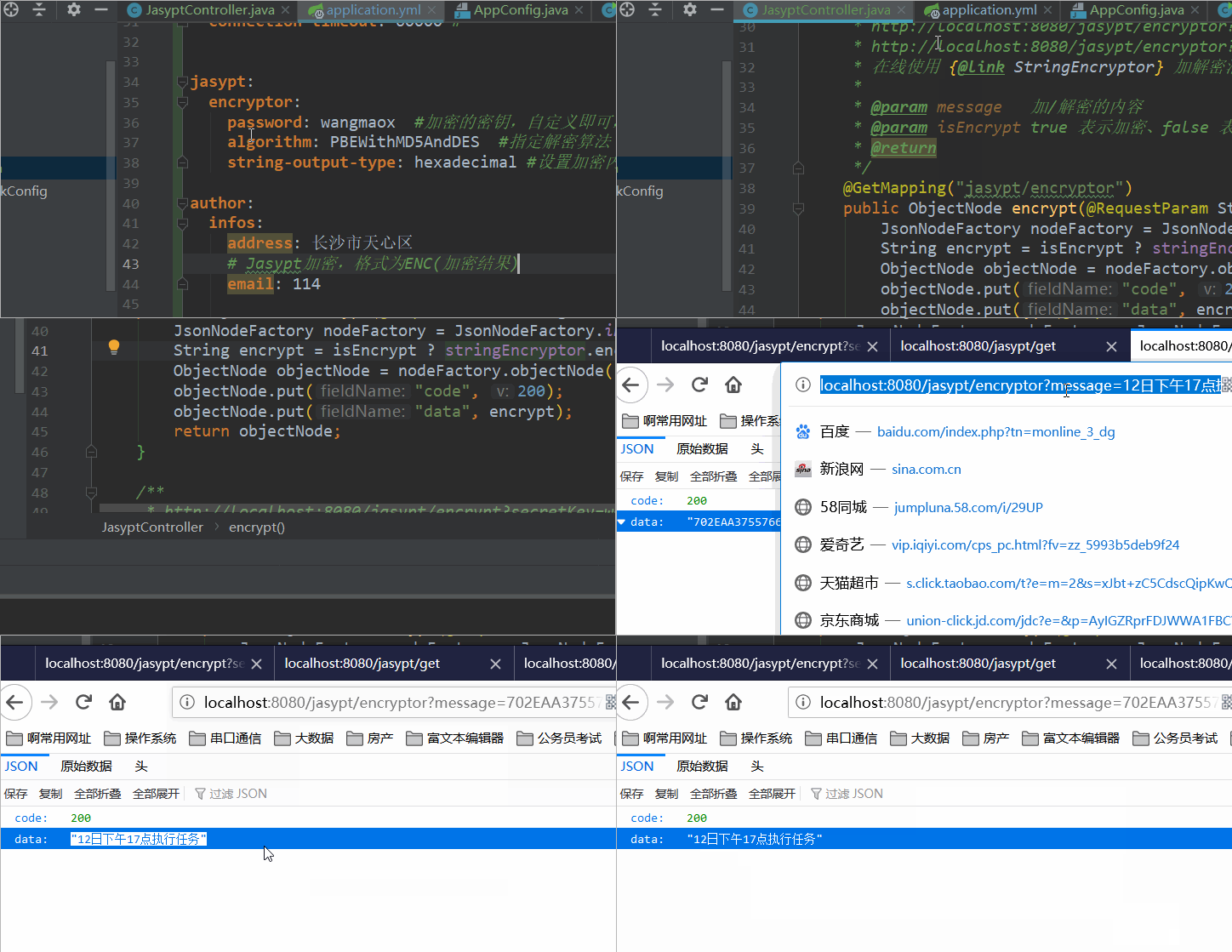
1、Jasypt 默认使用 StringEncryptor 解密属性,所以它默认就已经放置在了 Spring 容器中,可以直接获取使用,比如除了对配置文件中的属性加解密后,还可以做其它任何加解密操作,比如下面提供一个 Controller 接口用于在线加解密。
2、因为浏览器地址栏对于特殊字符比较敏感,所以不使用默认的 base64、而改为使用 16 进制字符串。
讯享网jasypt: encryptor: password: wangmaox #加密的密钥,自定义即可,必填项 algorithm: PBEWithMD5AndDES #指定解密算法 string-output-type: hexadecimal #设置加密内容输出的编码形式,可用的编码类型有 base64、hexadecimal(16进制)
3、然后想要使用 StringEncryptor 的地方直接获取使用即可。
@Resource private StringEncryptor stringEncryptor; / * http://localhost:8080/jasypt/encryptor?message=12日下午17点执行任务&isEncrypt=true * http://localhost:8080/jasypt/encryptor?message=702EAAC567F62EA90DC684B6AFADD5CDDAF4A1466E13CE0720E8BABC06081A5D6DBD90EA1&isEncrypt=false * 在线使用 {@link StringEncryptor} 加解密消息。 * * @param message 加/解密的内容 * @param isEncrypt true 表示加密、false 表示解密 * @return */ @GetMapping("jasypt/encryptor") public ObjectNode encrypt(@RequestParam String message, @RequestParam boolean isEncrypt) { JsonNodeFactory nodeFactory = JsonNodeFactory.instance; String encrypt = isEncrypt ? stringEncryptor.encrypt(message) : stringEncryptor.decrypt(message); ObjectNode objectNode = nodeFactory.objectNode(); objectNode.put("code", 200); objectNode.put("data", encrypt); return objectNode; } src/main/java/com/wmx/controller/JasyptController.java · 汪少棠/h2Smil - Gitee.com/
Jasypt 配置详解
1、Jasypt 默认使用 StringEncryptor 解密属性,如果在 Spring 上下文中找不到自定义的 StringEncryptor,则使用如下默认值:
| 配置属性 | 是否必填项 | 默认值 |
|---|---|---|
| jasypt.encryptor.password | True | - |
| jasypt.encryptor.algorithm | False | PBEWITHHMACSHA512ANDAES_256 |
| jasypt.encryptor.key-obtention-iterations | False | 1000 |
| jasypt.encryptor.pool-size | False | 1 |
| jasypt.encryptor.provider-name | False | SunJCE |
| jasypt.encryptor.provider-class-name | False | null |
| jasypt.encryptor.salt-generator-classname | False | org.jasypt.salt.RandomSaltGenerator |
| jasypt.encryptor.iv-generator-classname | False | org.jasypt.iv.RandomIvGenerator |
| jasypt.encryptor.string-output-type | False | base64 |
| jasypt.encryptor.proxy-property-sources | False | false |
| jasypt.encryptor.skip-property-sources | False | empty list |
2、唯一需要的属性是 jasypt.encryptor.password ,其余的可以使用默认值。虽然所有这些属性都可以在属性文件中声明,但为了安全 password 属性官方不推荐存储在属性文件中,而应作为系统属性、命令行参数或环境变量传递。
讯享网方式一:作为程序启动时的命令行参数来带入 java -jar app.jar --jasypt.encryptor.password=xxxxxx 方式二:作为程序启动时的应用环境变量来带入 java -Djasypt.encryptor.password=xxxxxx -jar app.jar 方式三:作为系统环境变量的方式来带入
3、官网默认加解密算法为 "PBEWITHHMACSHA512ANDAES_256",它是 sha512 加 AES 高级加密,需要 Java JDK 1.9 及以上支持,或者添加 JCE 无限强度权限策略文件,否则运行会报错:加密引发异常,一个可能的原因是您正在使用强加密算法,并且您没有在这个Java虚拟机中安装Java加密扩展(JCE)无限强权限策略文件。此时换成 PBEWithMD5AndDES 算法即可,它是 md5 加 des 标准加密。
自定义加密器 StringEncryptor
1、所有的 StringEncryptor 属性,都可以在全局配置文件中进行配置。也可以在后台添加 StringEncryptor bean,此时默认的加密程序将被忽略。
2、相比之下这样安全性会更高一点,因为它没有在配置文件中直接暴露密钥。
import org.jasypt.encryption.StringEncryptor; import org.jasypt.encryption.pbe.PooledPBEStringEncryptor; import org.jasypt.encryption.pbe.config.SimpleStringPBEConfig; import org.springframework.context.annotation.Bean; import org.springframework.context.annotation.Configuration; / * @author wangmaoxiong * @version 1.0 * @date 2020/5/29 15:24 */ @Configuration public class AppConfig { / * 自定义 StringEncryptor,覆盖默认的 StringEncryptor * bean 名称是必需的,从 1.5 版开始按名称检测自定义字符串加密程序,默认 bean 名称为:jasyptStringEncryptor * * @return */ @Bean("jasyptStringEncryptor") public StringEncryptor jasyptStringEncryptor() { PooledPBEStringEncryptor encryptor = new PooledPBEStringEncryptor(); SimpleStringPBEConfig config = new SimpleStringPBEConfig(); config.setPassword("wangmaox"); config.setAlgorithm("PBEWithMD5AndDES"); config.setKeyObtentionIterations("1000"); config.setPoolSize("1"); config.setProviderName("SunJCE"); config.setSaltGeneratorClassName("org.jasypt.salt.RandomSaltGenerator"); config.setIvGeneratorClassName("org.jasypt.iv.RandomIvGenerator"); config.setStringOutputType("base64"); encryptor.setConfig(config); return encryptor; } } 2、请注意,bean 名称是必需的,因为 jasypt spring boot 从 1.5 版开始按名称检测自定义字符串加密程序,默认 bean 名称为:jasyptStringEncryptor,但也可以通过定义属性来覆盖,例如 jasypt.encryptor.bean=encryptorBean,然后使用该名称定义自定义加密程序:
讯享网@Bean("encryptorBean") public StringEncryptor stringEncryptor() { ... }
后记:
1、更多内容参考 jasypt 官网:https://github.com/ulisesbocchio/jasypt-spring-boot。
2、也可以参考 https://blog.csdn.net/wangmx1993328/category_10026548.html
3、有人说 jasypt 加密的内容后台 @Value 取值时可以看到解密的值,或者说 debug 时能看到解密的值,对于开发人员来说自然是可以的,只要加密是可逆的,自然能下毒就能解毒。如果换成生产环境上,就无法 debug 看到明文了呀。
其实关键在于加密时使用的密钥(password),只要密钥不丢失,密文是有保障的,即便你告诉它使用的算法,它也无济于事,就像官方说的,密钥不推荐直接写在配置文件中,比如可以启动的时候,通过参数传入。
版权声明:本文内容由互联网用户自发贡献,该文观点仅代表作者本人。本站仅提供信息存储空间服务,不拥有所有权,不承担相关法律责任。如发现本站有涉嫌侵权/违法违规的内容,请联系我们,一经查实,本站将立刻删除。
如需转载请保留出处:https://51itzy.com/kjqy/20140.html