
目录
1、复制、移动
(1)在/test目录下创建一个子目录dir,将/etc/passwd复制到该目录
(2)将/etc/ssh/sshd_config文件复制到/test目录
(3)将/etc/yum.repos.d/目录复制到/test目录
2、文件查找
(1)在$HOME目录及其子目录中,查找2天前被更改过的文件
(2)在/etc/目录下寻找以host开头的文件
(3)在/test/下面查找目录文件
3、打包压缩

(1)将/test目录下的所有文件和文件夹全部压缩成myfile.zip文件
(2)把myfile.zip文件解压到 /opt
(3)将/opt目录下的文件全部打包并用gzip压缩成/test/newfile.tar.gz
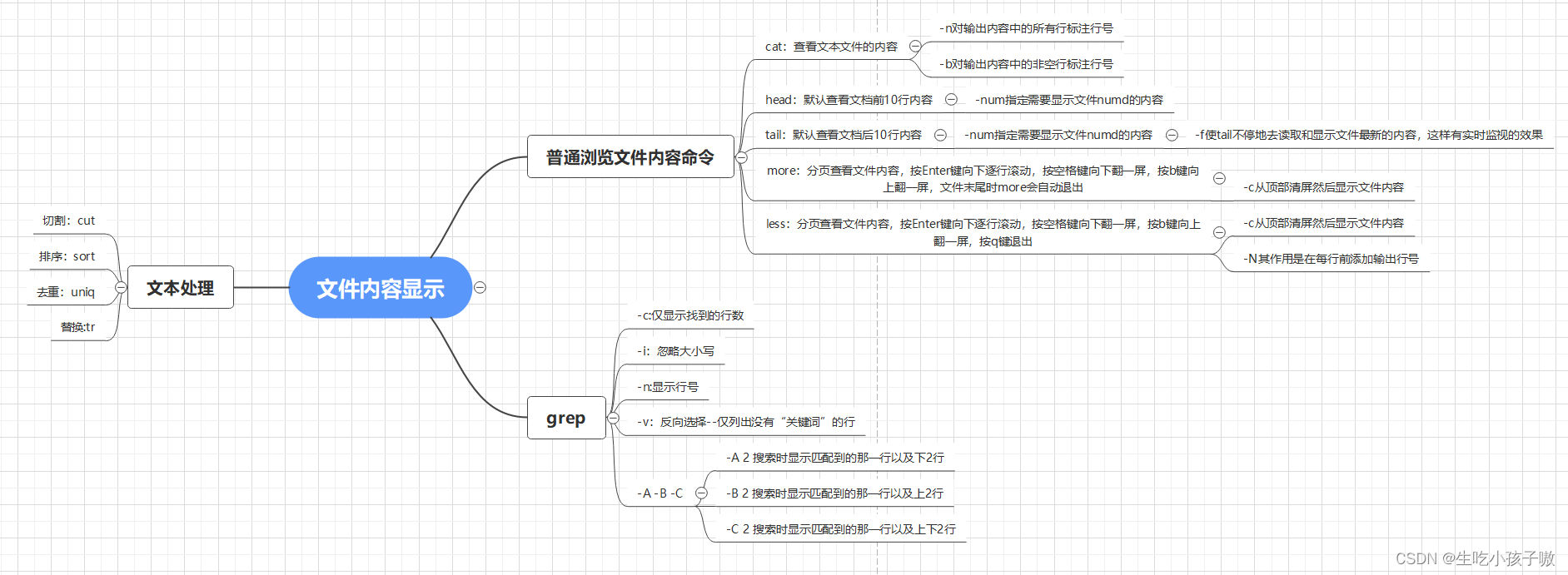
一、第五章课后思维导图总结
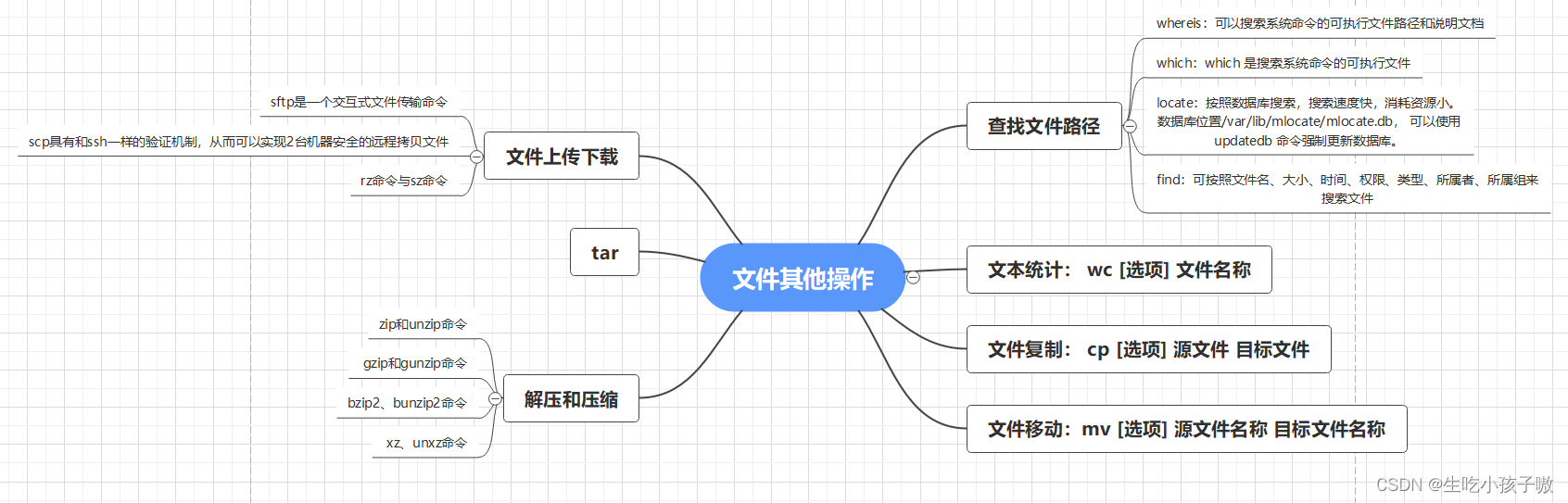
二、第六章课后思维导图总结
1、复制、移动
(1)在/test目录下创建一个子目录dir,将/etc/passwd复制到该目录
[root@localhost test]# mkdir dir [root@localhost test]# cp /etc/passwd dir [root@localhost test]# cd dir [root@localhost dir]# ls passwd [root@localhost dir]# 讯享网
(2)将/etc/ssh/sshd_config文件复制到/test目录
讯享网[root@localhost dir]# cp /etc/ssh/sshd-config /test [root@localhost test]# ll total 0 drwxr-xr-x. 2 root root 6 Aug 28 07:06 sshd-config
(3)将/etc/yum.repos.d/目录复制到/test目录
[root@localhost test]# cp -r /etc/yum.repos.d/ /test [root@localhost test]# ll total 0 drwxr-xr-x. 2 root root 6 Aug 28 07:06 sshd-config drwxr-xr-x. 2 root root 25 Aug 28 07:11 yum.repos.d2、文件查找
(1)在$HOME目录及其子目录中,查找2天前被更改过的文件
讯享网[root@localhost ~]# find -mtime +2 ./.bash_logout ./.bash_profile ./.bashrc ./.cshrc ./.tcshrc
(2)在/etc/目录下寻找以host开头的文件
[root@localhost test]# find /etc/ -name 'host*' /etc/host.conf /etc/hosts /etc/avahi/hosts /etc/hostname /etc/nvme/hostnqn /etc/nvme/hostid(3)在/test/下面查找目录文件
讯享网[root@localhost test]# find /test/ -type d /test/ /test/sshd-config /test/yum.repos.d
3、打包压缩
(1)将/test目录下的所有文件和文件夹全部压缩成myfile.zip文件
[root@localhost test]# zip -r myfile.zip /test adding: test/ (stored 0%) adding: test/sshd-config/ (stored 0%) adding: test/yum.repos.d/ (stored 0%) adding: test/yum.repos.d/redhat.repo (deflated 37%) (2)把myfile.zip文件解压到 /opt
讯享网[root@localhost test]# unzip myfile.zip -d /opt Archive: myfile.zip creating: /opt/test/ creating: /opt/test/sshd-config/ creating: /opt/test/yum.repos.d/ inflating: /opt/test/yum.repos.d/redhat.repo
(3)将/opt目录下的文件全部打包并用gzip压缩成/test/newfile.tar.gz
[root@localhost test]# tar czf /test/newfile.tar.gz /opt tar: Removing leading `/' from member names [root@localhost test]# ls dir myfile.zip
版权声明:本文内容由互联网用户自发贡献,该文观点仅代表作者本人。本站仅提供信息存储空间服务,不拥有所有权,不承担相关法律责任。如发现本站有涉嫌侵权/违法违规的内容,请联系我们,一经查实,本站将立刻删除。
如需转载请保留出处:https://51itzy.com/kjqy/19818.html