
<p><strong>swagger Restful文档生成工具 2017-9-30</strong></p> 讯享网
官方地址:https://swagger.io/docs/specification/about/
官方Github:https://github.com/swagger-api/swagger-core/wiki/Annotations
启动项目,访问http://localhost:8082/swagger-ui.html查看API
注意,此项目示例中,使用了三种ui依赖,每种依赖对应的访问页面不同:
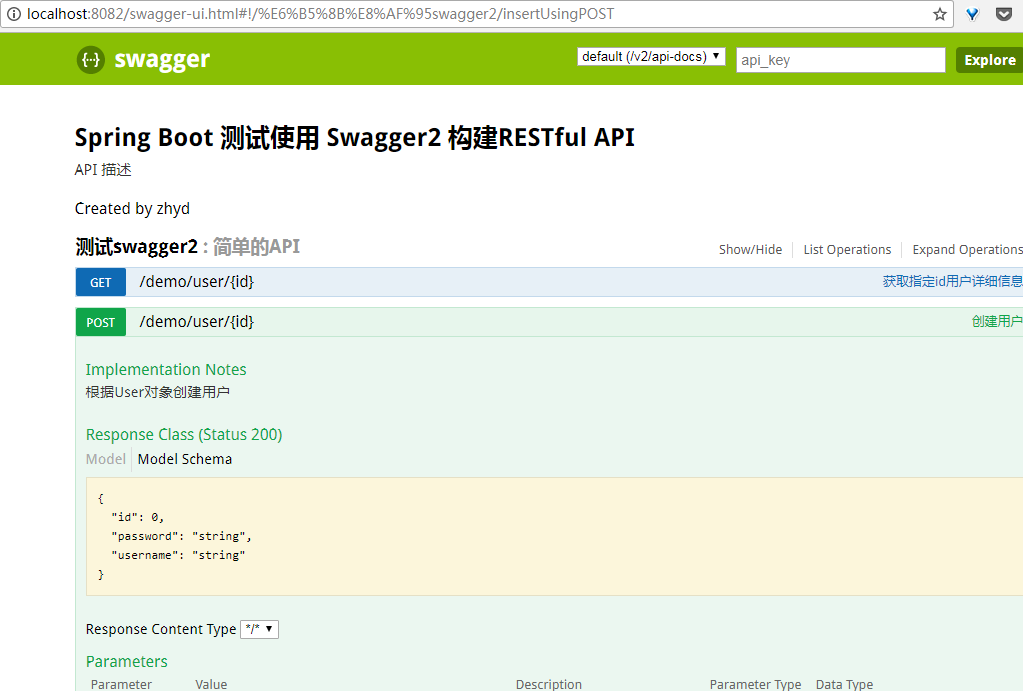
springfox-swagger-ui -> http://localhost:8082/swagger-ui.html
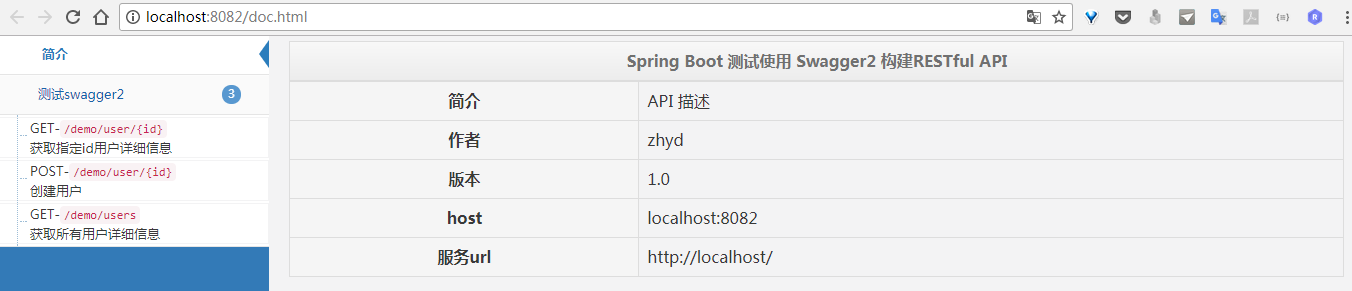
swagger-bootstrap-ui -> http://localhost:8082/doc.html
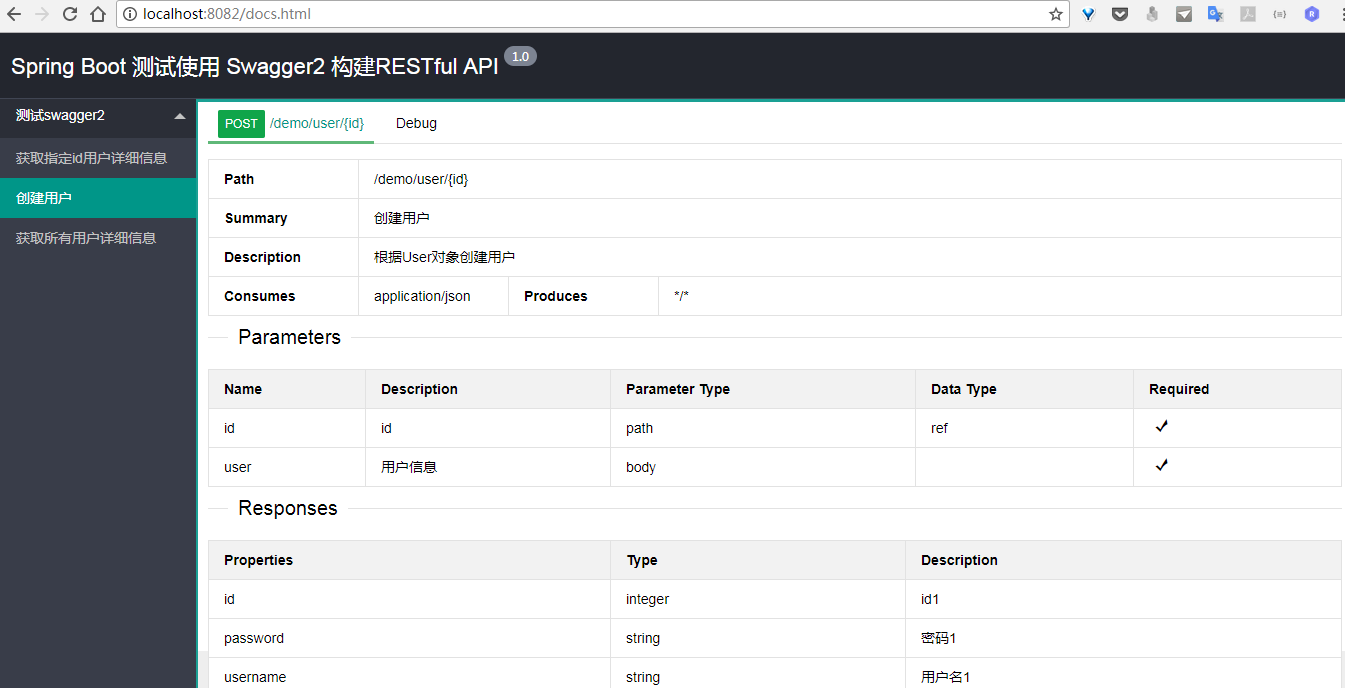
swagger-ui-layer -> http://localhost:8082/docs.html
使用方法:
1.添加依赖(springfox-swagger2依赖是必须的,三种ui依赖只需要使用一个就行)
2.创建配置文件Swagger2Config.java
注:注解一定不要漏掉
3.编写文档
注意:如果api文档只是针对开发人员使用的,就需要后台对v2/api-docs路径进行过滤,对非开发人员应该是不可见的。
自定义api页面
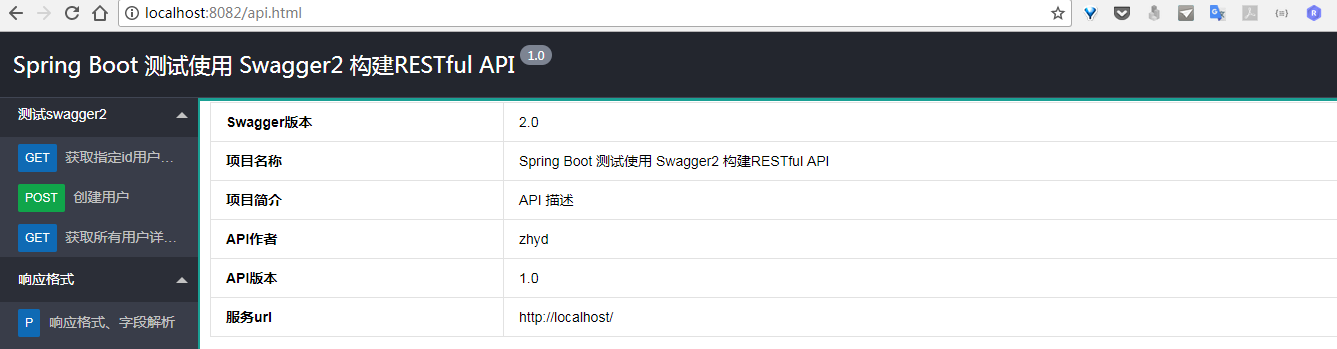
本例是使用的swagger-ui-layer主题(链接请见本文最后)。使用自定义api页面就不需要在pom中配置ui依赖了,详情查看static目录

api页面访问地址:http://localhost:8082/api.html
页面效果参考
swagger-ui.html
bootstrap-ui.html
layer-ui.html.html
layer-ui-custom.html
参考链接
swagger-ui-layer地址:https://github.com/caspar-chen/swagger-ui-layer
Swagger-Bootstrap-UI地址:https://github.com/xiaoymin/Swagger-Bootstrap-UI
有问题欢迎留言(可能回复有延迟,见谅)。
其他
源码请移步:Github源码
相关文章导读
- SpringBoot项目实战(8):四种读取properties文件的方式
- SpringBoot项目实战(7):自定义异常处理界面
- SpringBoot项目实战(6):开启定时任务
- SpringBoot项目实战(5):集成分页插件
- SpringBoot项目实战(4):集成Mybatis
- SpringBoot项目实战(3):整合Freemark模板
- SpringBoot项目实战(2):集成SpringBoot
- SpringBoot项目实战(1):新建Maven项目
版权声明:本文内容由互联网用户自发贡献,该文观点仅代表作者本人。本站仅提供信息存储空间服务,不拥有所有权,不承担相关法律责任。如发现本站有涉嫌侵权/违法违规的内容,请联系我们,一经查实,本站将立刻删除。
如需转载请保留出处:https://51itzy.com/kjqy/181433.html