
先自我介绍一下,小编浙江大学毕业,去过华为、字节跳动等大厂,目前阿里P7
深知大多数程序员,想要提升技能,往往是自己摸索成长,但自己不成体系的自学效果低效又漫长,而且极易碰到天花板技术停滞不前!
因此收集整理了一份《2024年最新Python全套学习资料》,初衷也很简单,就是希望能够帮助到想自学提升又不知道该从何学起的朋友。

讯享网
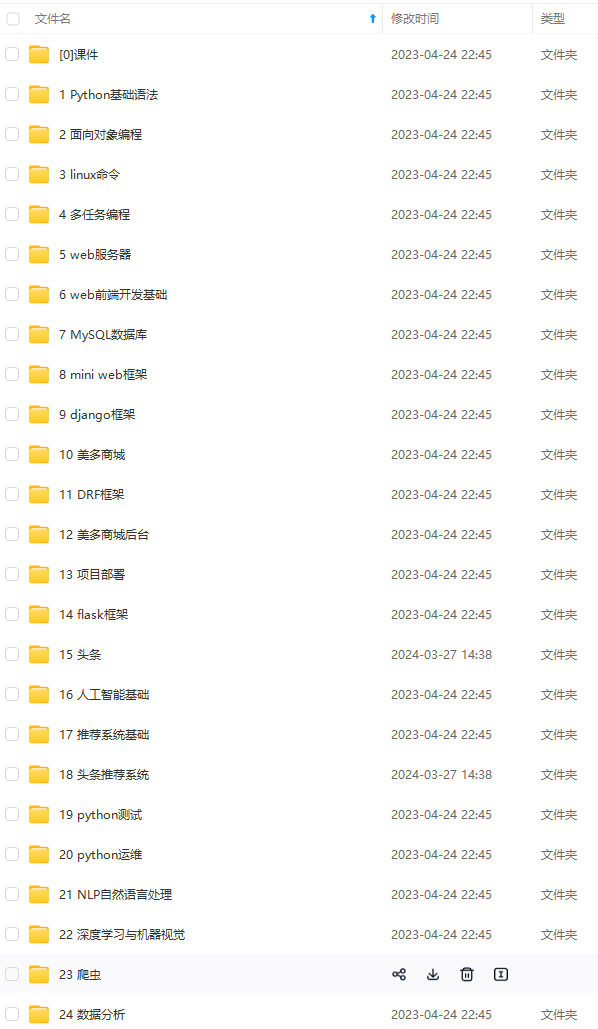
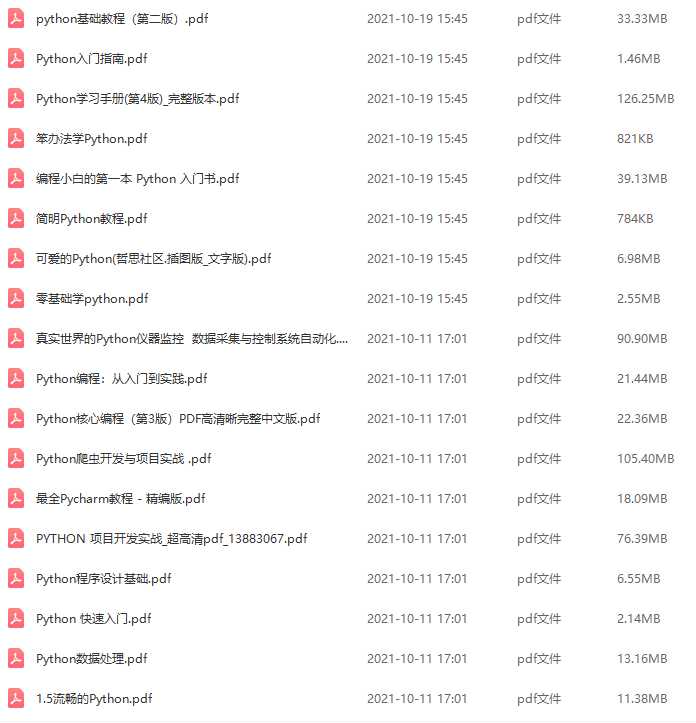
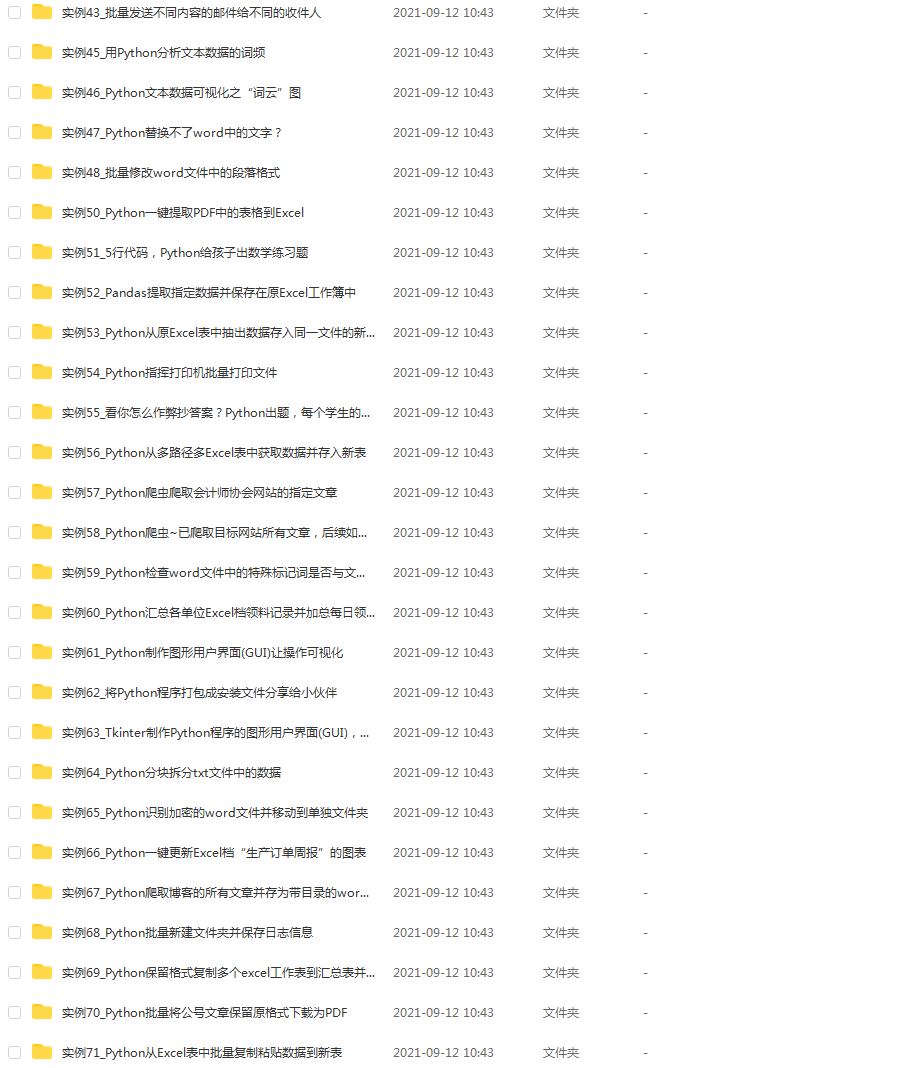
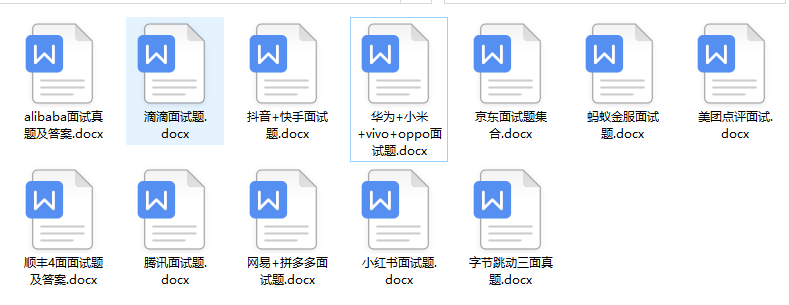
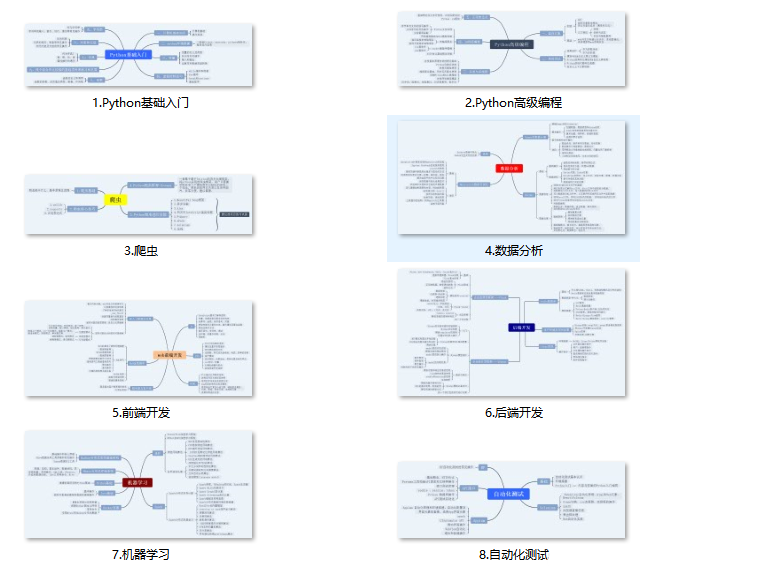
既有适合小白学习的零基础资料,也有适合3年以上经验的小伙伴深入学习提升的进阶课程,涵盖了95%以上Python知识点,真正体系化!
由于文件比较多,这里只是将部分目录截图出来,全套包含大厂面经、学习笔记、源码讲义、实战项目、大纲路线、讲解视频,并且后续会持续更新
如果你需要这些资料,可以添加V获取:vip1024c (备注Python)

正文
# 获取当前时间 def get_current_time(): now = datetime.now() format_time = now.strftime("_%Y-%m-%d__%H-%M-%S-%f__") return format_time # 下载的作品保存的路径,以作者主页的 id 号命名 ABS_BASE_URL = f'G:\\c006023' # 检查作品是否已经下载过 def check_download_or_not(work_id, is_pictures): end_str = 'pictures' if is_pictures else 'video' # work_id 是每一个作品的目录,检查目录是否存在并且是否有内容,则能判断对应的作品是否被下载过 path = f'{ABS_BASE_URL}/{work_id}-{end_str}' if os.path.exists(path) and os.path.isdir(path): if os.listdir(path): return True return False # 下载资源 def download_resource(url, save_path): response = requests.get(url, stream=True) if response.status_code == 200: with open(save_path, 'wb') as file: for chunk in response.iter_content(1024): file.write(chunk) 讯享网
读入文件,判断作品数量然后进行任务分配:
讯享网# 读入文件 content = '' with open('./xhs_works.txt', mode='r', encoding='utf-8') as f: content = json.load(f) # 转换成 [[href, is_pictures],[href, is_pictures],...] 类型 # 每一维中分别是作品页的URL、作品类型 url_list = [list(pair) for pair in content.items()] # 有多少个作品 length = len(url_list) if length > 3: ul = [url_list[0: int(length / 3) + 1], url_list[int(length / 3) + 1: int(length / 3) * 2 + 1],url_list[int(length / 3) * 2 + 1: length]] # 开启三个线程并分配任务 for child_ul in ul: thread = threading.Thread(target=thread_task, args=(child_ul,)) thread.start() else: thread_task(url_list)
若使用多线程,每一个线程处理自己被分配到的作品列表:
# 每一个线程遍历自己分配到的作品列表,进行逐项处理 def thread_task(ul): for item in ul: href = item[0] is_pictures = (True if item[1] == 0 else False) res = work_task(href, is_pictures) if res == 0: # 被阻止正常访问 break 处理每一项作品:

讯享网# 处理每一项作品 def work_task(href, is_pictures): # href 中最后的一个路径参数就是博主的id work_id = href.split('/')[-1] # 判断是否已经下载过该作品 has_downloaded = check_download_or_not(work_id, is_pictures) # 没有下载,则去下载 if not has_downloaded: if not is_pictures: res = deal_video(work_id) else: res = deal_pictures(work_id) if res == 0: return 0 # 无法正常访问 else: print('当前作品已被下载') return 2 return 1
4、处理图文类型作品
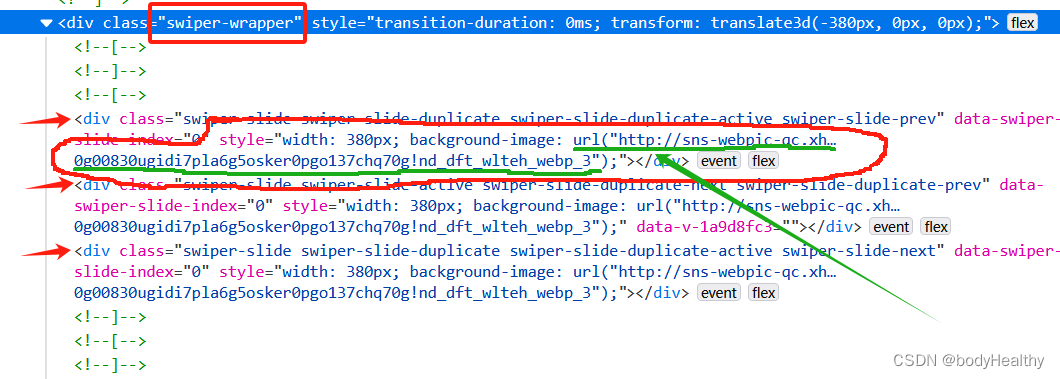
对于图文类型,每一张图片都作为 div 元素的背景图片进行展示,图片对应的 URL 在 div 元素的 style 中。 可以先获取到 style 的内容,然后根据圆括号进行分隔,最后得到图片的地址。
这里拿到的图片是没有水印的。
# 处理图片类型作品的一系列操作
def download_pictures_prepare(res_links, path, date):
    # 下载作品到目录
    index = 0
    for src in res_links:
        download_resource(src, f'{path}/{date}-{index}.webp')
        index += 1

# 处理图片类型的作品
def deal_pictures(work_id):
    # 直接 requests 请求回来,style 是空的,使用 webdriver 获取当前界面的源代码
    temp_driver = webdriver.Chrome()
    temp_driver.set_page_load_timeout(5)
    temp_driver.get(f'https://www.xiaohongshu.com/explore/{work_id}')
    sleep(1)
    try:
        # 如果页面中有 class='feedback-btn' 这个元素,则表示不能正常访问
        temp_driver.find_element(By.CLASS_NAME, 'feedback-btn')
    except NoSuchElementException:        # 没有该元素,则说明能正常访问到作品页面
        WebDriverWait(temp_driver, 5).until(EC.presence_of_element_located((By.CLASS_NAME, 'swiper-wrapper')))

        # 获取页面的源代码
        source_code = temp_driver.page_source
        temp_driver.quit()

        html = BeautifulSoup(source_code, 'lxml')
        swiper_sliders = html.find_all(class_='swiper-slide')
        # 当前作品的发表日期
        date = html.find(class_='bottom-container').span.string.split(' ')[0].strip()

        # 图片路径
        res_links = []
        for item in swiper_sliders:
            # 在 style 中提取出图片的 url
            url = item['style'].split('url(')[1].split(')')[0].replace('"', '').replace('"', '')
            if url not in res_links:
                res_links.append(url)

        #为图片集创建目录
        path = f'{ABS_BASE_URL}/{work_id}-pictures'
        try:
            os.makedirs(path)
        except FileExistsError:
            # 目录已经存在,则直接下载到该目录下
            download_pictures_prepare(res_links, path, date)
        except Exception as err:
            print(f'deal_pictures 捕获到其他错误:{err}')
        else:
            download_pictures_prepare(res_links, path, date)
        finally:
            return 1
    except Exception as err:
        print(f'下载图片类型作品 捕获到错误:{err}')
        return 1
    else:
        print(f'访问作品页面被阻断,下次再试')
        return 0
5、处理视频类型作品
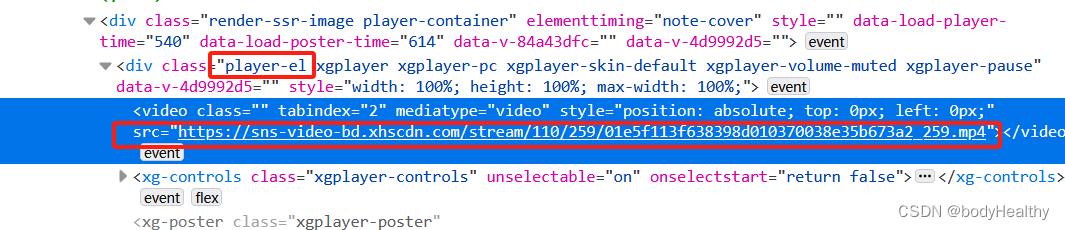
获取到的视频有水印。
讯享网# 处理视频类型的作品
def deal_video(work_id):
    temp_driver = webdriver.Chrome()
    temp_driver.set_page_load_timeout(5)
    temp_driver.get(f'https://www.xiaohongshu.com/explore/{work_id}')
    sleep(1)
    try:
        temp_driver.find_element(By.CLASS_NAME, 'feedback-btn')
    except NoSuchElementException:
        WebDriverWait(temp_driver, 5).until(EC.presence_of_element_located((By.CLASS_NAME, 'player-container')))
        source_code = temp_driver.page_source
        temp_driver.quit()

        html = BeautifulSoup(source_code, 'lxml')
        video_src = html.find(class_='player-el').video['src']
        # 作品发布日期
        date = html.find(class_='bottom-container').span.string.split(' ')[0].strip()

        # 为视频作品创建目录,以 作品的id号 + video 命名目录
        path = f'{ABS_BASE_URL}/{work_id}-video'
        try:
            os.makedirs(path)
        except FileExistsError:
            download_resource(video_src, f'{path}/{date}.mp4')
        except Exception as err:
            print(f'deal_video 捕获到其他错误:{err}')
        else:
            download_resource(video_src, f'{path}/{date}.mp4')
        finally:
            return 1
    except Exception as err:
        print(f'下载视频类型作品 捕获到错误:{err}')
        return 1
    else:
        print(f'访问视频作品界面被阻断,下次再试')
        return 0
6、异常访问而被中断的现象
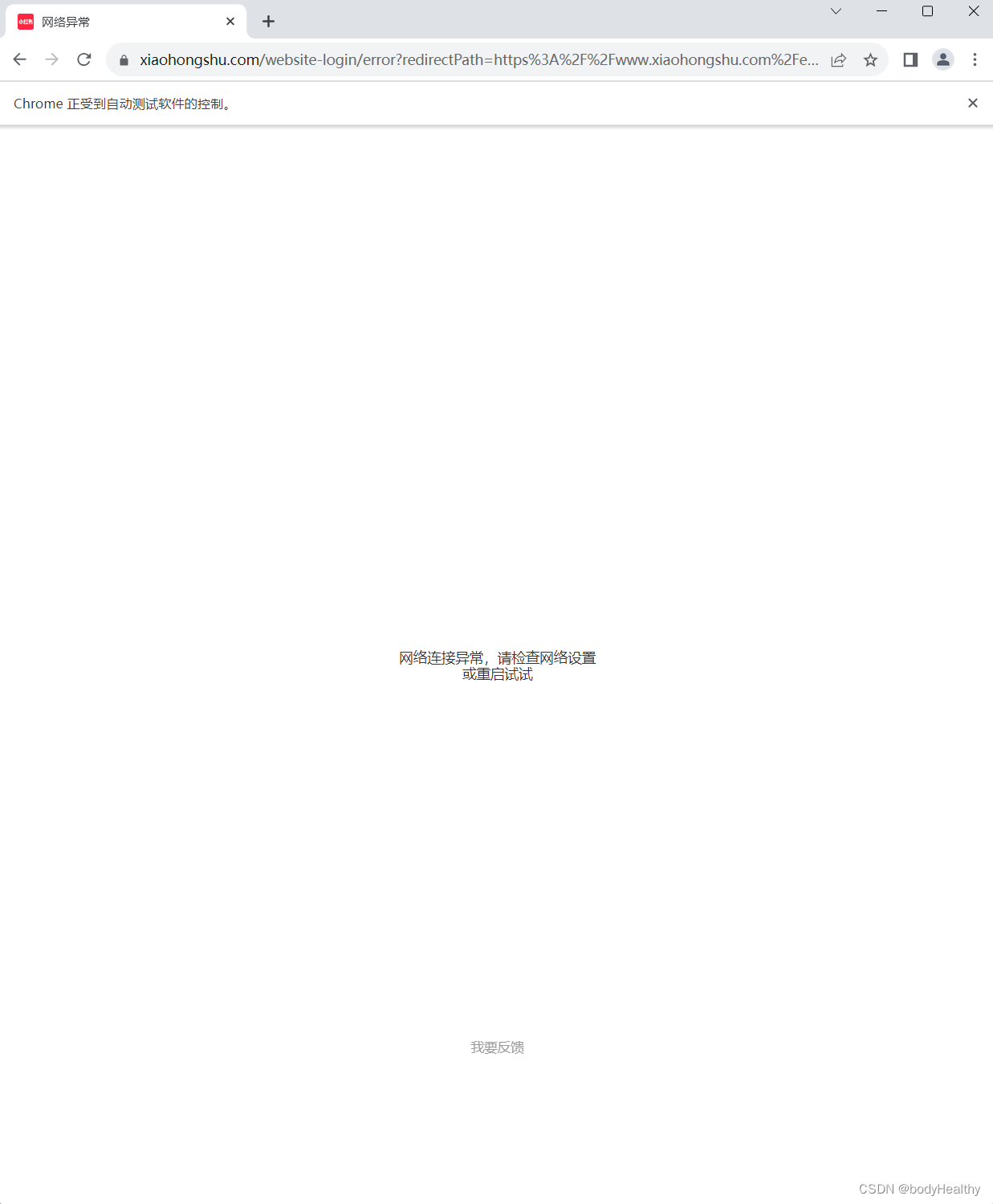
频繁的访问和下载资源会被重定向到如下的页面,可以通过获取到该页面的特殊标签来判断是否被重定向连接,如果是,则及时中断访问,稍后再继续。
使用 webdriver 访问页面,页面打开后,在 try 中查找是否有 class=‘feedback-btn’ 元素(即下方的 我要反馈 的按钮)。如果有该元素,则在 else 中进行提示并返回错误码退出任务。如果找不到元素,则会触发 NoSuchElementException 的错误,在 except 中继续任务即可。
try: temp_driver.find_element(By.CLASS_NAME, 'feedback-btn') except NoSuchElementException: # 正常访问到作品页面 pass except Exception as err: # 其他的异常 return 1 else: # 不能访问到作品页面 return 0 7、完整参考代码
讯享网
import json
import threading
import requests,os
from selenium.webdriver.common.by import By
from selenium.common.exceptions import NoSuchElementException
from selenium.webdriver.support import expected_conditions as EC
from selenium.webdriver.support.wait import WebDriverWait
from datetime import datetime
from selenium import webdriver
from time import sleep
from bs4 import BeautifulSoup
# 获取当前时间
def get_current_time():
now = datetime.now()
format_time = now.strftime("_%Y-%m-%d__%H-%M-%S-%f__")
return format_time
# 下载的作品保存的路径,以作者主页的 id 号命名
ABS_BASE_URL = f'G:\\639476c10000000026006023'
# 检查作品是否已经下载过
def check_download_or_not(work_id, is_pictures):
end_str = 'pictures' if is_pictures else 'video'
# work_id 是每一个作品的目录,检查目录是否存在并且是否有内容,则能判断对应的作品是否被下载过
path = f'{ABS_BASE_URL}/{work_id}-{end_str}'
if os.path.exists(path) and os.path.isdir(path):
if os.listdir(path):
return True
return False
# 下载资源
def download_resource(url, save_path):
response = requests.get(url, stream=True)
if response.status_code == 200:
with open(save_path, 'wb') as file:
for chunk in response.iter_content(1024):
file.write(chunk)
# 处理图片类型作品的一系列操作
def download_pictures_prepare(res_links, path, date):
# 下载作品到目录
index = 0
for src in res_links:
download_resource(src, f'{path}/{date}-{index}.webp')
index += 1
# 处理图片类型的作品
def deal_pictures(work_id):
# 直接 requests 请求回来,style 是空的,使用 webdriver 获取当前界面的源代码
temp_driver = webdriver.Chrome()
temp_driver.set_page_load_timeout(5)
temp_driver.get(f'https://www.xiaohongshu.com/explore/{work_id}')
sleep(1)
try:
temp_driver.find_element(By.CLASS_NAME, 'feedback-btn')
except NoSuchElementException:
WebDriverWait(temp_driver, 5).until(EC.presence_of_element_located((By.CLASS_NAME, 'swiper-wrapper')))
source_code = temp_driver.page_source
temp_driver.quit()
html = BeautifulSoup(source_code, 'lxml')
swiper_sliders = html.find_all(class_='swiper-slide')
# 当前作品的发表日期
date = html.find(class_='bottom-container').span.string.split(' ')[0].strip()
# 图片路径
res_links = []
for item in swiper_sliders:
url = item['style'].split('url(')[1].split(')')[0].replace('"', '').replace('"', '')
if url not in res_links:
res_links.append(url)
#为图片集创建目录
path = f'{ABS_BASE_URL}/{work_id}-pictures'
try:
os.makedirs(path)
except FileExistsError:
# 目录已经存在,则直接下载到该目录下
download_pictures_prepare(res_links, path, date)
except Exception as err:
如果你也是看准了Python,想自学Python,在这里为大家准备了丰厚的免费学习大礼包,带大家一起学习,给大家剖析Python兼职、就业行情前景的这些事儿。
一、Python所有方向的学习路线
Python所有方向路线就是把Python常用的技术点做整理,形成各个领域的知识点汇总,它的用处就在于,你可以按照上面的知识点去找对应的学习资源,保证自己学得较为全面。

二、学习软件
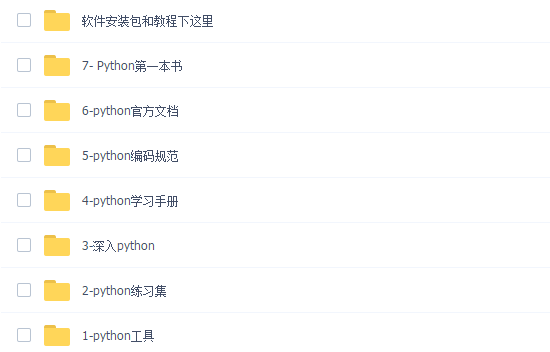
工欲善其必先利其器。学习Python常用的开发软件都在这里了,给大家节省了很多时间。
三、全套PDF电子书
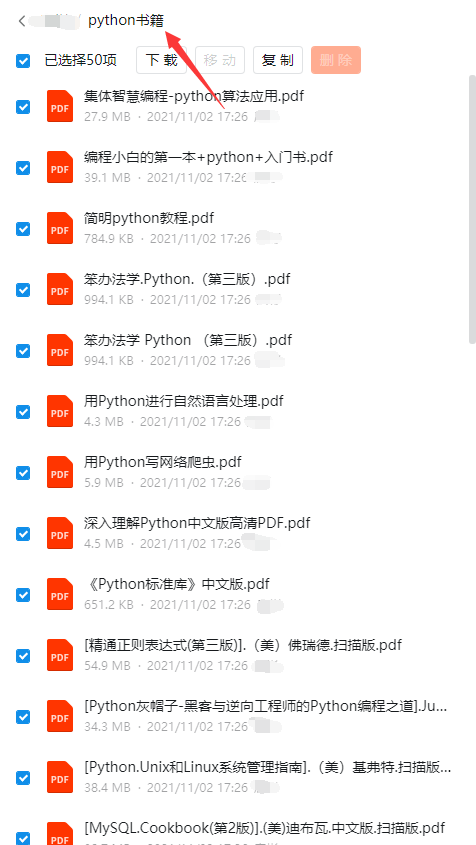
书籍的好处就在于权威和体系健全,刚开始学习的时候你可以只看视频或者听某个人讲课,但等你学完之后,你觉得你掌握了,这时候建议还是得去看一下书籍,看权威技术书籍也是每个程序员必经之路。
四、入门学习视频
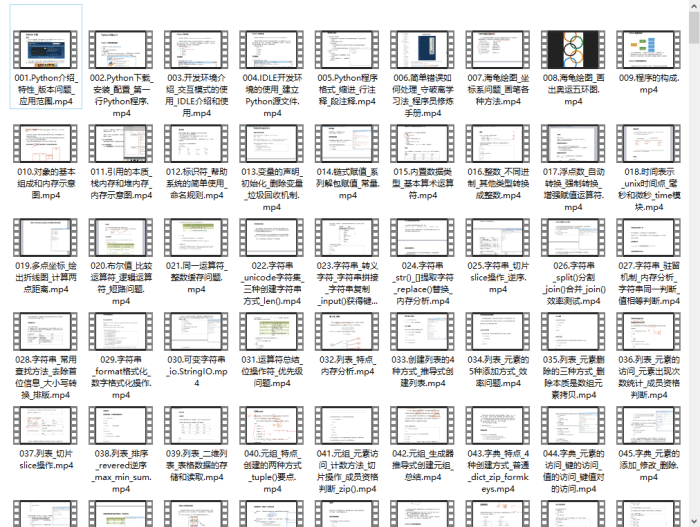
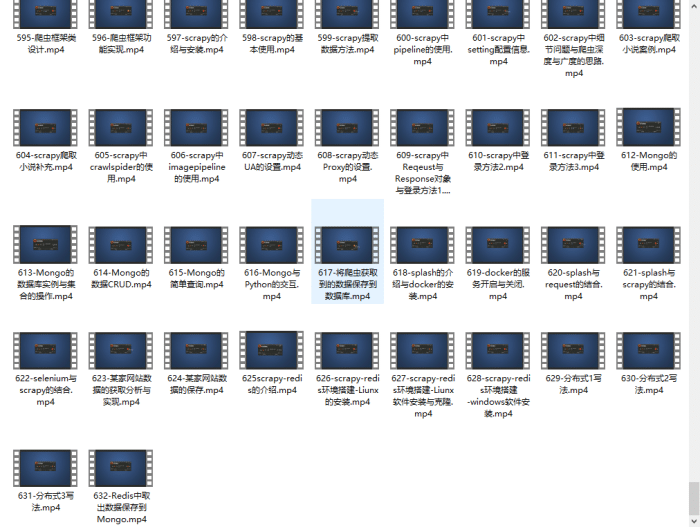
我们在看视频学习的时候,不能光动眼动脑不动手,比较科学的学习方法是在理解之后运用它们,这时候练手项目就很适合了。
四、实战案例
光学理论是没用的,要学会跟着一起敲,要动手实操,才能将自己的所学运用到实际当中去,这时候可以搞点实战案例来学习。

五、面试资料
我们学习Python必然是为了找到高薪的工作,下面这些面试题是来自阿里、腾讯、字节等一线互联网大厂最新的面试资料,并且有阿里大佬给出了权威的解答,刷完这一套面试资料相信大家都能找到满意的工作。

成为一个Python程序员专家或许需要花费数年时间,但是打下坚实的基础只要几周就可以,如果你按照我提供的学习路线以及资料有意识地去实践,你就有很大可能成功!
最后祝你好运!!!
网上学习资料一大堆,但如果学到的知识不成体系,遇到问题时只是浅尝辄止,不再深入研究,那么很难做到真正的技术提升。
需要这份系统化的资料的朋友,可以添加V获取:vip1024c (备注python)

一个人可以走的很快,但一群人才能走的更远!不论你是正从事IT行业的老鸟或是对IT行业感兴趣的新人,都欢迎加入我们的的圈子(技术交流、学习资源、职场吐槽、大厂内推、面试辅导),让我们一起学习成长!
](https://img-blog.csdnimg.cn/img_convert/6c361282296f86381401c05e862fe4e9.png)
成为一个Python程序员专家或许需要花费数年时间,但是打下坚实的基础只要几周就可以,如果你按照我提供的学习路线以及资料有意识地去实践,你就有很大可能成功!
最后祝你好运!!!
网上学习资料一大堆,但如果学到的知识不成体系,遇到问题时只是浅尝辄止,不再深入研究,那么很难做到真正的技术提升。
需要这份系统化的资料的朋友,可以添加V获取:vip1024c (备注python)
[外链图片转存中...(img-lvnbLVQZ-1713372052089)]
一个人可以走的很快,但一群人才能走的更远!不论你是正从事IT行业的老鸟或是对IT行业感兴趣的新人,都欢迎加入我们的的圈子(技术交流、学习资源、职场吐槽、大厂内推、面试辅导),让我们一起学习成长!
版权声明:本文内容由互联网用户自发贡献,该文观点仅代表作者本人。本站仅提供信息存储空间服务,不拥有所有权,不承担相关法律责任。如发现本站有涉嫌侵权/违法违规的内容,请联系我们,一经查实,本站将立刻删除。
如需转载请保留出处:https://51itzy.com/kjqy/15728.html