
将服务注册到Eureka
1.在前面创建的生产者微服务的项目中导入客户端的依赖
<!-- Eureka Server客户端依赖--> <dependency> <groupId>org.springframework.cloud</groupId> <artifactId>spring-cloud-starter-netflix-eureka-client</artifactId> </dependency>
讯享网2.编写核心配置文件application.properties
讯享网eureka.client.service-url.defaultZone= http://localhost:9200/eureka eureka.client.fetch-register= true eureka.instance.prefer-ip-address= true eureka.instance.instance-id= ${spring.cloud.client.ipaddress}:${spring.application.name}:${server.port}:@project.version@3.在启动类上标记该类为注册中心的客户端
@EnableEurekaClient声明当前项目是Eureka Client(Eureka客户端),将信息注册到Eureka Seever @EnableDiscoveryClient作用和上述的注解一样,但是在所有的组件中都可以使用,所以我们使用这个讯享网import org.mybatis.spring.annotation.MapperScan; import org.springframework.boot.SpringApplication; import org.springframework.boot.autoconfigure.SpringBootApplication; import org.springframework.cloud.client.discovery.EnableDiscoveryClient; @EnableDiscoveryClient @MapperScan("com.leq.product.mapper") @SpringBootApplication public class Product900Application { public static void main(String[] args) { SpringApplication.run(Product900Application.class,args); } }4.在前面创建的page微服务的项目中导入客户端的依赖
<!-- Eureka Server客户端依赖--> <dependency> <groupId>org.springframework.cloud</groupId> <artifactId>spring-cloud-starter-netflix-eureka-client</artifactId> </dependency>5.编写核心配置文件application.properties
讯享网eureka.client.service-url.defaultZone= http://localhost:9200/eureka eureka.client.fetch-register= true eureka.instance.prefer-ip-address= true eureka.instance.instance-id= ${spring.cloud.client.ipaddress}:${spring.application.name}:${server.port}:@project.version@6.在启动类上标记该类为注册中心的客户端
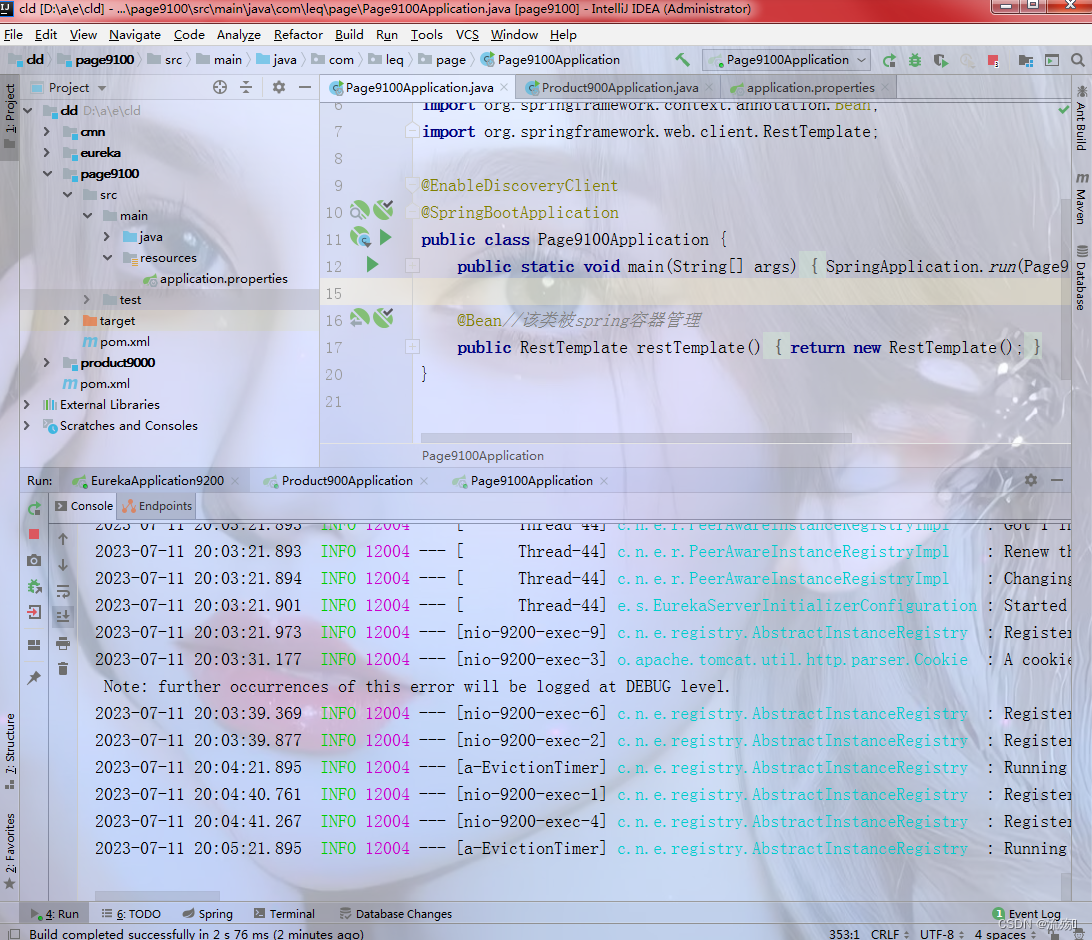
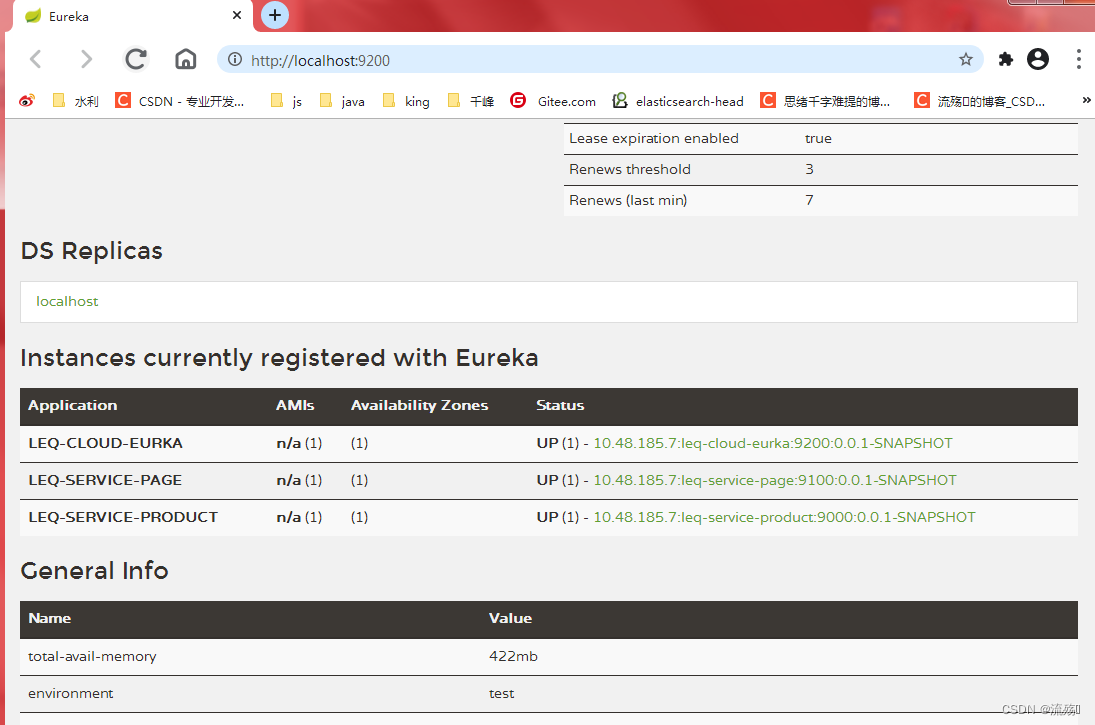
import org.springframework.boot.SpringApplication; import org.springframework.boot.autoconfigure.SpringBootApplication; import org.springframework.cloud.client.discovery.EnableDiscoveryClient; import org.springframework.context.annotation.Bean; import org.springframework.web.client.RestTemplate; @EnableDiscoveryClient @SpringBootApplication public class Page9100Application { public static void main(String[] args) { SpringApplication.run(Page9100Application.class,args); } @Bean//该类被spring容器管理 public RestTemplate restTemplate(){ return new RestTemplate(); } }7.重启项目,先重启eureka的服务器,然后再启动生产者和page的,然后我们重新刷新这个页面就可以看到生产者和page的消息 ,并且都是运行的状态
eureka集群的搭建
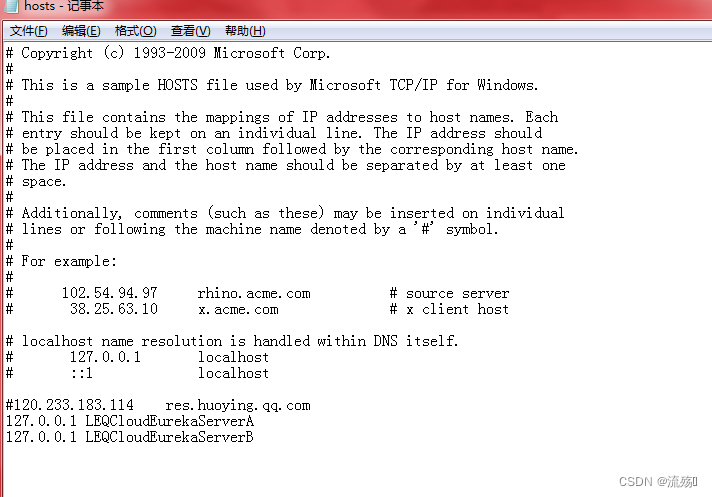
1.找到该目录下的C:\Windows\System32\drivers\etc\hosts 文件,如果不是win7的系统需要通过管理员的权限打开该文件,在文件中添加集群信息
讯享网127.0.0.1 LEQCloudEurekaServerA 127.0.0.1 LEQCloudEurekaServerB
添加完成后保存,保存完毕后重新打开该文件,看是否添加成功
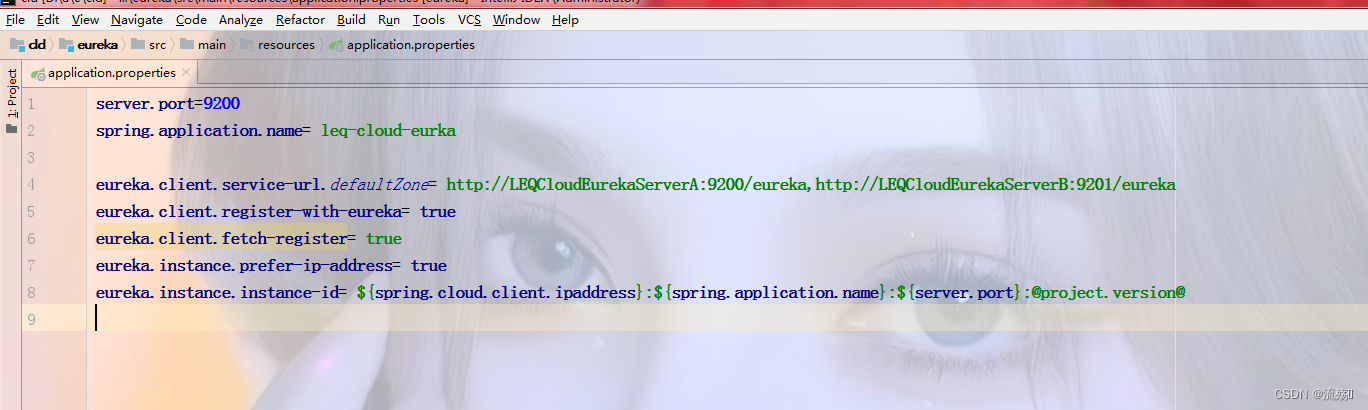
2.修改eureka项目的核心配置文件,将地址改为我们的集群信息
eureka.client.service-url.defaultZone= http://LEQCloudEurekaServerA:9200/eureka,http://LEQCloudEurekaServerB:9201/eureka
3.新建一个项目,名字为eureka9201,将eureka中的所有文件复制到该项目下
服务端依赖
讯享网<dependencies> <!-- Eureka Server服务端依赖--> <dependency> <groupId>org.springframework.cloud</groupId> <artifactId>spring-cloud-starter-eureka-server</artifactId> <version>1.3.1.RELEASE</version> </dependency> </dependencies>核心配置文件,将端口号改为9201
server.port=9201 spring.application.name= leq-cloud-eurka eureka.client.service-url.defaultZone= http://LEQCloudEurekaServerA:9200/eureka,http://LEQCloudEurekaServerB:9201/eureka eureka.client.register-with-eureka= true eureka.client.fetch-register= true eureka.instance.prefer-ip-address= true eureka.instance.instance-id= ${spring.cloud.client.ipaddress}:${spring.application.name}:${server.port}:@project.version@启动类
讯享网import org.springframework.boot.SpringApplication; import org.springframework.boot.autoconfigure.SpringBootApplication; import org.springframework.cloud.netflix.eureka.server.EnableEurekaServer; @EnableEurekaServer//标记该项目是一个Eureka Server (Eureka服务注册中心) @SpringBootApplication public class EurekaApplication9200 { public static void main(String[] args) { SpringApplication.run(EurekaApplication9200.class,args); } }4.修改生产项目和page项目的核心配置文件,访问的路径也改为集群
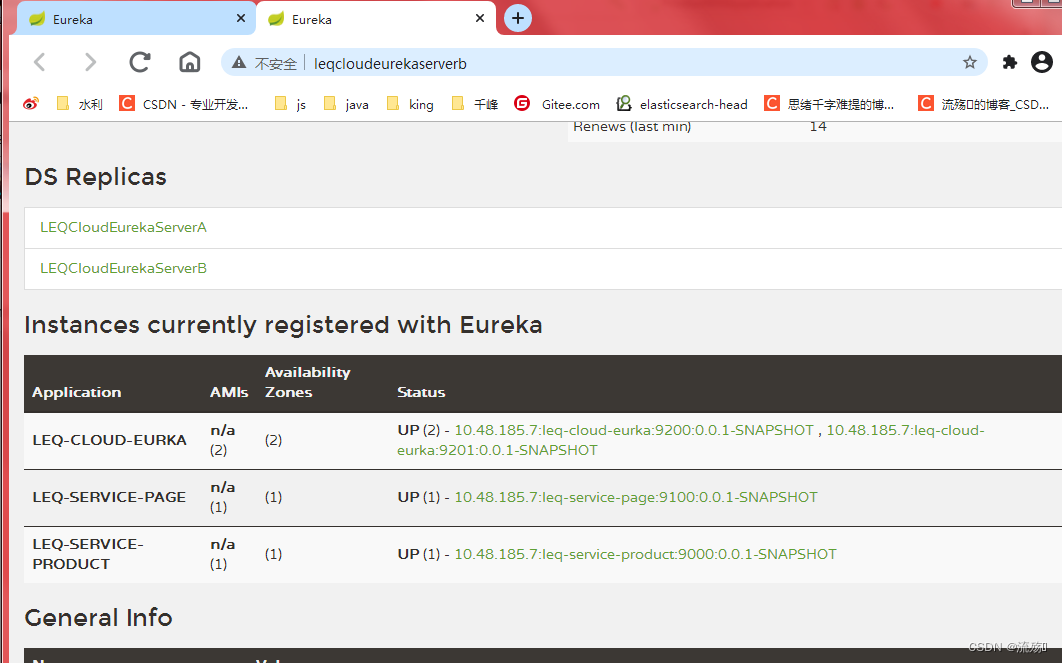
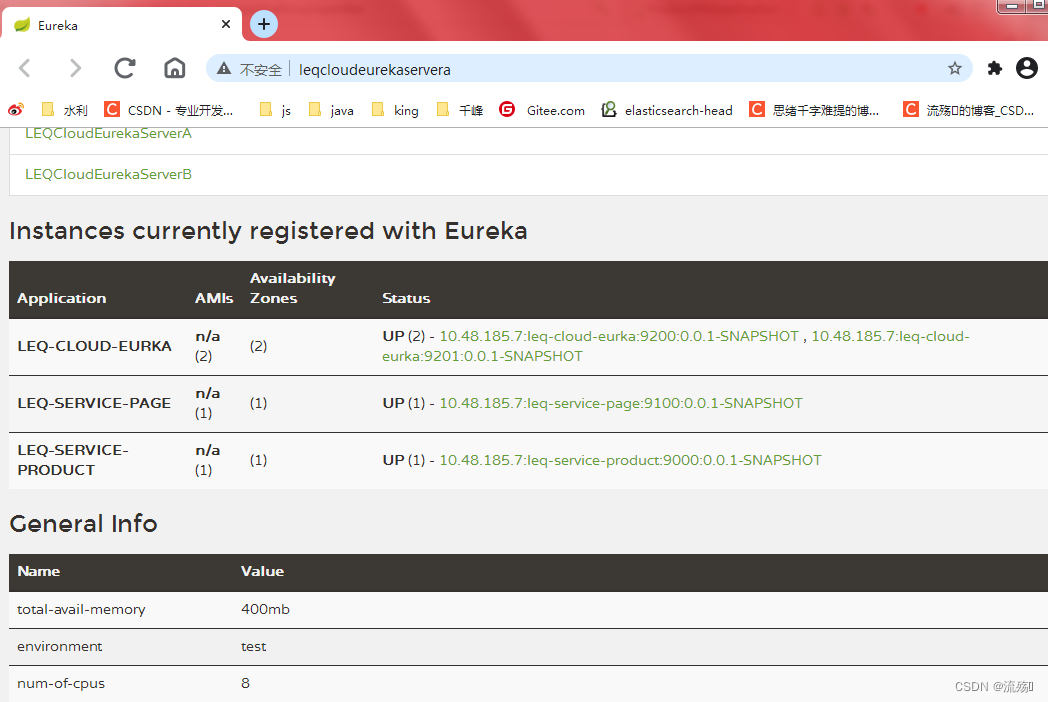
eureka.client.service-url.defaultZone= http://LEQCloudEurekaServerA:9200/eureka,http://LEQCloudEurekaServerB:9201/eureka5.先启动两个注册中心,然后再启动生产和page的项目,启动后浏览器访问,就能看到我们的注册中心有两个,表示集群搭建成功
http://leqcloudeurekaservera:9200 http://leqcloudeurekaserverb:9201

版权声明:本文内容由互联网用户自发贡献,该文观点仅代表作者本人。本站仅提供信息存储空间服务,不拥有所有权,不承担相关法律责任。如发现本站有涉嫌侵权/违法违规的内容,请联系我们,一经查实,本站将立刻删除。
如需转载请保留出处:https://51itzy.com/kjqy/130374.html