
目录:
01-EMCC课程概述
02-EMCC架构概述
03-EMCC安装部署-1
04-Redhat配置使用yum
05-EMCC安装部署-2
06-OMS管理
07-agent管理
08-使用EMCC在Linux系统部署agent代理
09-使用EMCC监控Oracle数据库
10-使用EMCC监控CDB容器数据库
11-使用EMCC监控RAC集群
12-在Windows系统手工部署agent代理
02-EMCC架构概述
Oracle Enterprise Manager Cloud Control(EMCC)
Grid control:
13.3:
10g/11g EM 管理单机
12c em express 轻量级
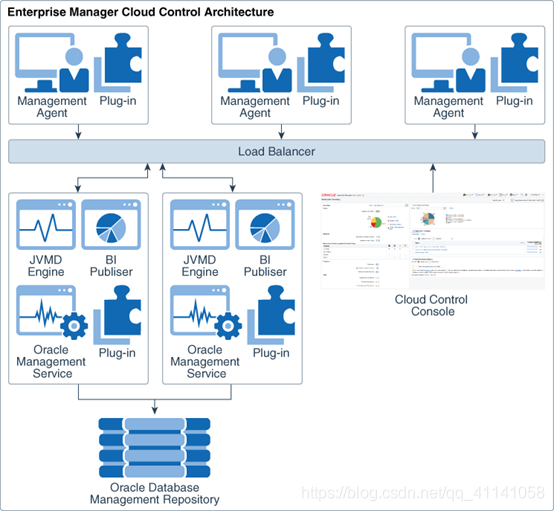
企业管理器云控制架构:
Enterprise Manager Cloud Control包括以下组件:
1.Oracle Management Agent(管理代理)
2.Oracle Management Service(管理服务)
3.Oracle Management Repository(管理资料档案库)12c数据库
4.Plug-Ins(插件)
5.Enterprise Manager Cloud Control Console(EMCC控制台)web界面
讯享网
Java虚拟机诊断(JVMD)引擎能够诊断生产环境中Java应用程序中的性能问题。
Oracle商业智能(BI)发布者是Oracle的主要报告工具。
企业管理器管理重点领域:
- 框架和基础设施
- 企业监控
- 应用管理
- 数据库管理
- 中间件管理
- 硬件和虚拟化管理
- 异构(非Oracle)管理
- 云管理
- 混合云管理
- 生命周期管理
- 应用性能管理
- 应用质量管理
03-EMCC安装部署
3.1安装包及环境参数准备
chmod a+x em13300_linux64.bin 讯享网
EMCC的硬件要求:
Oracle Management Service的CPU,RAM,堆大小和硬盘空间要求:
CPU:4核,内存:10GB
Oracle Management Agent的CPU,RAM和硬盘空间要求
CPU:2核,内存:512M
Oracle Management Repository的CPU,RAM和硬盘空间要求
CPU:4核,内存:7GB
操作系统:
Redhat Linux 6/7
Oracle Linux 6/7
Centos 不受支持,但是可以安装,安装的时候有些项目不会进行检查。
内存:本课程使用16GB
数据库字符集:AL32UTF8
操作系统:Redhat 7.6 64位
CPU:本课程使用4核
设置kernel.shmmax内核参数:
如果OMS和OMR位于不同的主机上:
将kernel.shmmax参数设置为小于4 GB的1字节值或。
如果OMS和OMR位于同一主机上:
和oracle配置保持一致
/etc/sysctl.d/97-oracledatabase-sysctl.conf
建立目录:
讯享网mkdir -p /u02/middleware mkdir -p /u02/agent chown -R oracle:oinstall /u02 chmod -R 775 /u02
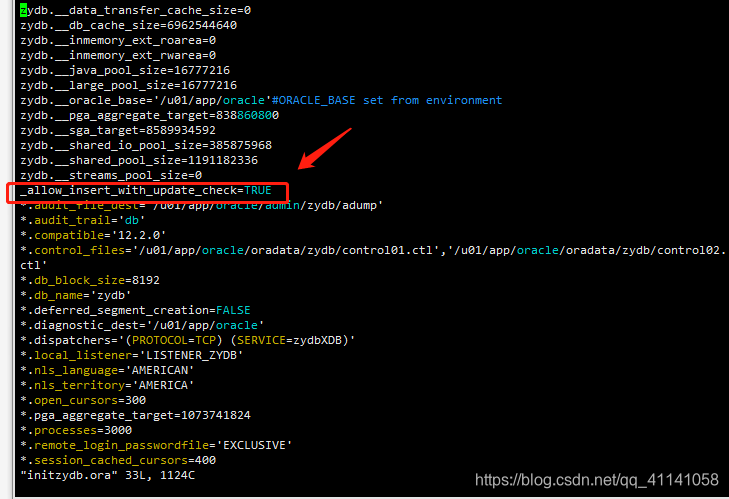
_allow_insert_with_update_check=TRUE alter system set session_cached_cursors=400 scope=spfile; alter system set shared_pool_size=1G scope=spfile; alter system set sga_target=5G scope=spfile; alter system set pga_aggregate_target=1G scope=spfile; 注意: _allow_insert_with_update_check=TRUE设置说明:
讯享网SQL> show parameter _allow(查看设置情况) SQL> shutdown immediate SQL> create pfile from spfile;(通过spfile创建pfile) [oracle@ouzy ~]$ cd $ORACLE_HOME/dbs [oracle@ouzy dbs]$ ll [oracle@ouzy dbs]$ vi initzydb.ora (编辑pfiel) 添加: _allow_insert_with_update_check=TRUE [oracle@ouzy dbs]$ sqlplus / as sysdba SQL> create spfile from pfile; SQL> startup SQL> show parameter _allow
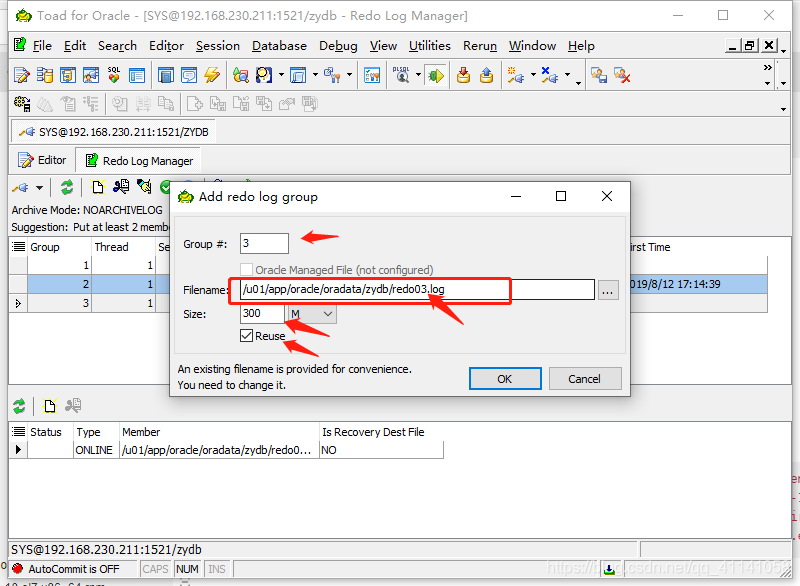
redo日志大小300M
TOAD
查看redo日志
[oracle@ouzy db_1]$ cd /u01/app/oracle/oradata/zydb/
[oracle@ouzy zydb]$ ll
3.2 redhat替换为 centos的yum:
redhat centos
替换yum:
rpm -qa|grep yum
rpm -qa|grep yum|xargs rpm -e --nodeps(不检查依赖,直接删除rpm包)
rpm -qa |grep yum (查询确认)
wget http://mirrors.163.com/centos/7/os/x86_64/Packages/yum-3.4.3-161.el7.centos.noarch.rpm wget http://mirrors.163.com/centos/7/os/x86_64/Packages/yum-metadata-parser-1.1.4-10.el7.x86_64.rpm wget http://mirrors.163.com/centos/7/os/x86_64/Packages/yum-plugin-fastestmirror-1.1.31-50.el7.noarch.rpm wget http://mirrors.163.com/centos/7/os/x86_64/Packages/yum-utils-1.1.31-50.el7.noarch.rpm rpm -ivh *.rpm
wget -O /etc/yum.repos.d/Centos-7.repo http://mirrors.aliyun.com/repo/Centos-7.repo
配置/subscription-manager.conf:
vi /etc/yum/pluginconf.d/subscription-manager.conf
enabled=0
将下载的Centos-7.repo文件中的 $releasever 全部修改为目标版本 7.6.1810
yum clean all #清理yum缓存,使设置生效
yum makecache #将服务器上的软件包信息缓存到本地,以提高搜索安装软件的速度
替换yum完成。
3.3开始安装emcc
安装前:
启动监听:[oracle@ouzy ~]$ lsnrctl start
启动数据库:
SQL> startup
SQL> select status from v i n s t a n c e ; 检 查 是 否 为 非 C D B 数 据 库 : S Q L > d e s c v instance; 检查是否为非CDB数据库: SQL> desc v instance;检查是否为非CDB数据库:SQL>descvdatabase;
SQL> select cdb from v$database;
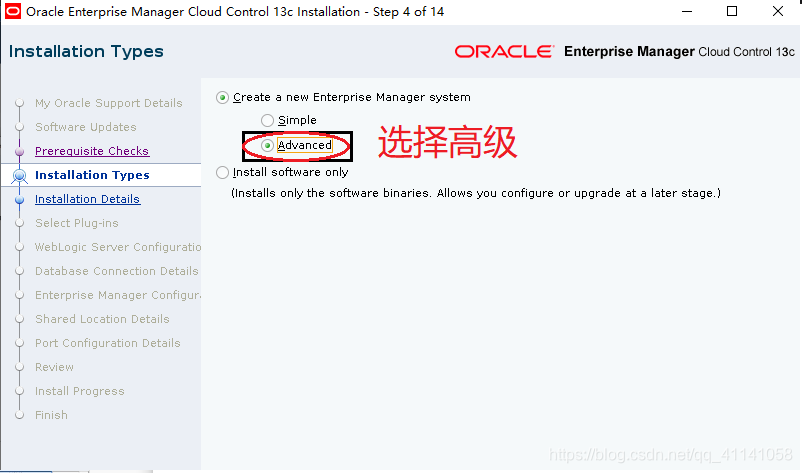
开始安装emcc:(到软件存放目录下执行)
[oracle@ouzy soft]$ ./em13300_linux64.bin
根据提示安装缺包:
yum install glibc-devel.i686
选择路径:
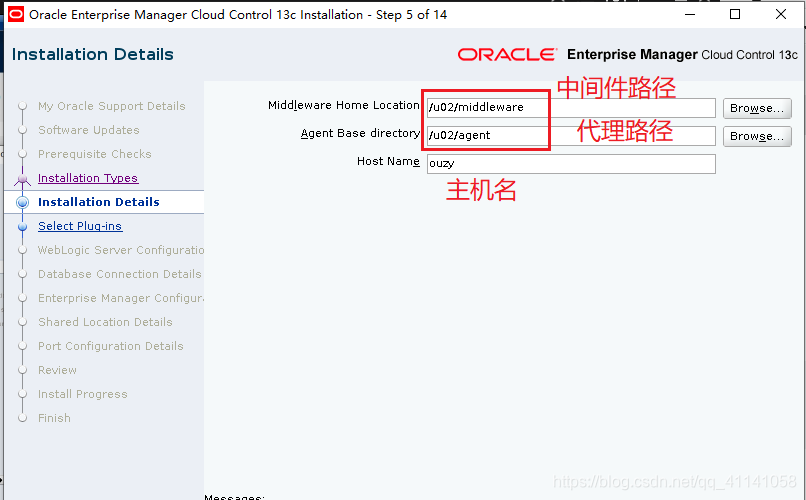
设置密码:(统一设置为:Oracle123)
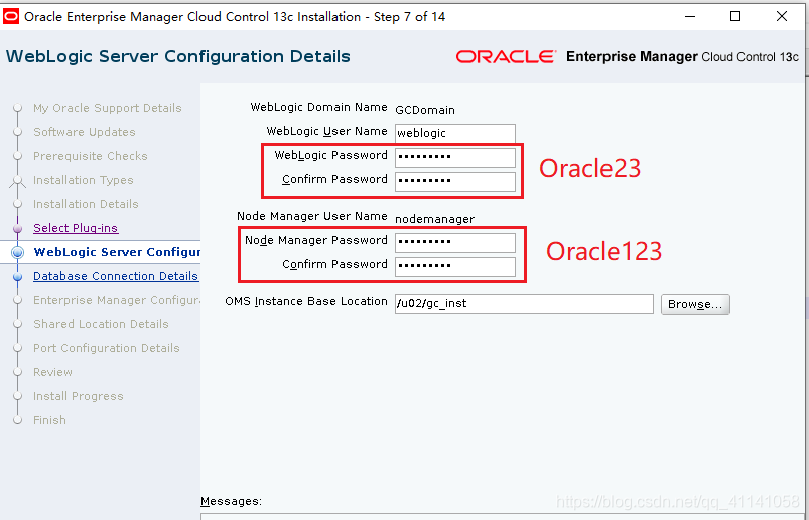
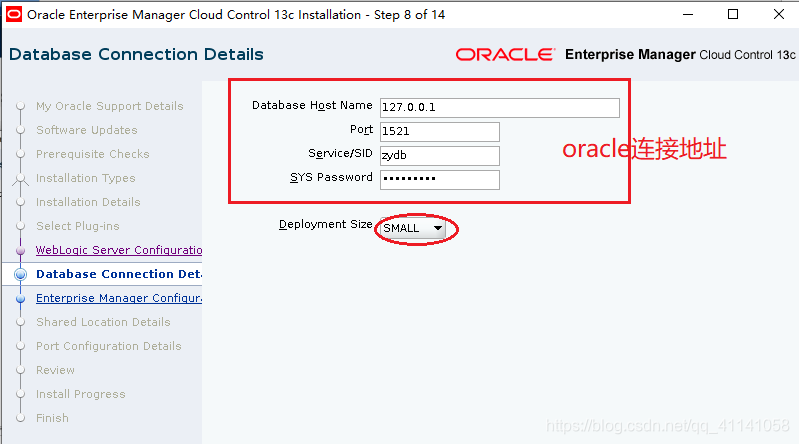
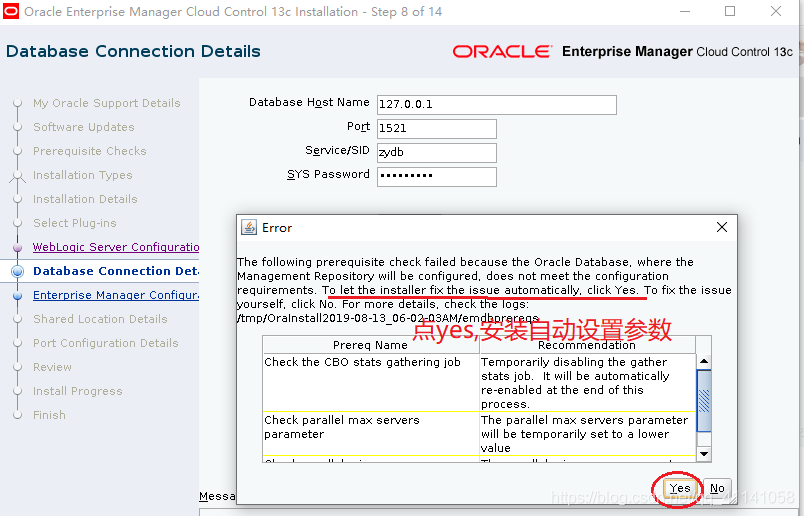
设置sysman/agent密码:(Oracle123)
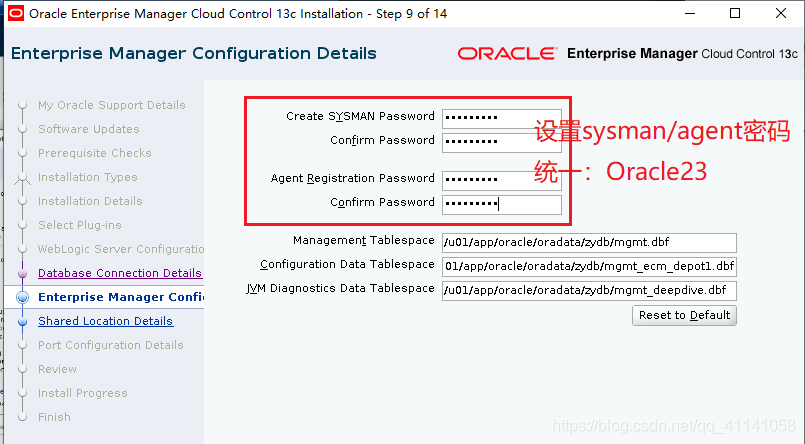
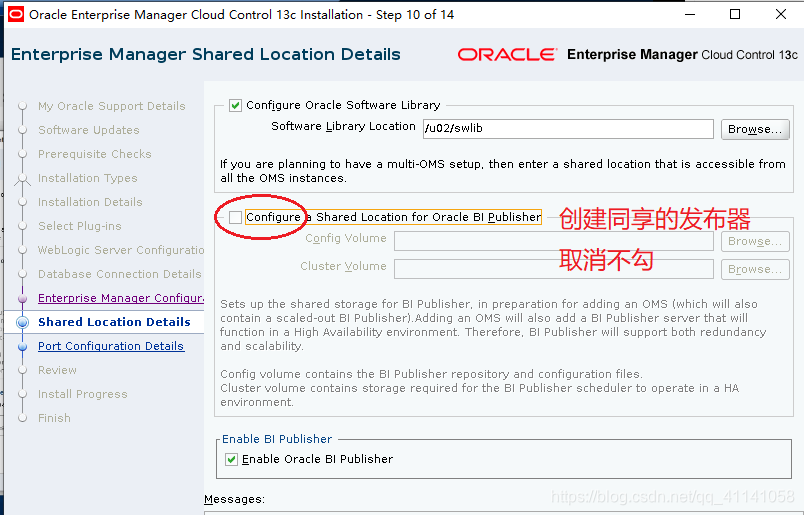
不创建同享的发布器
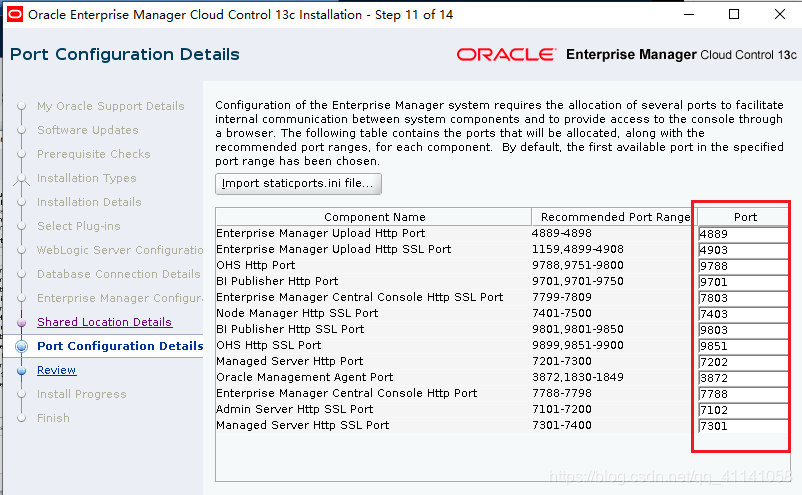
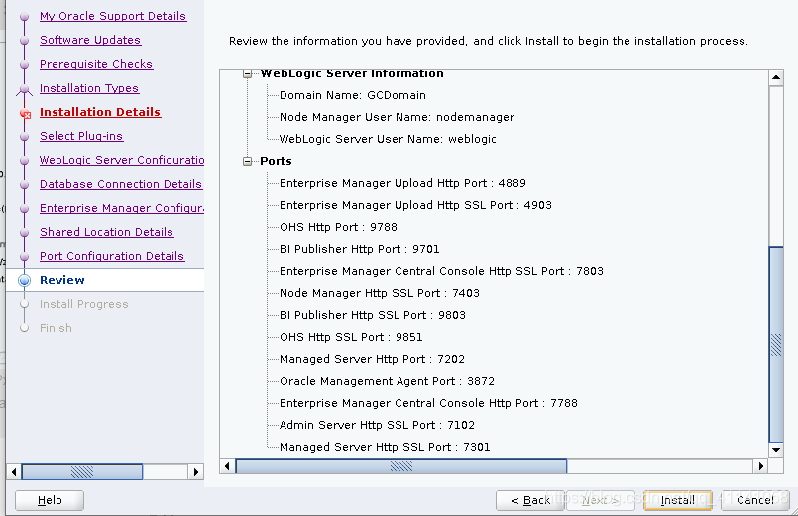
端口保存备忘:
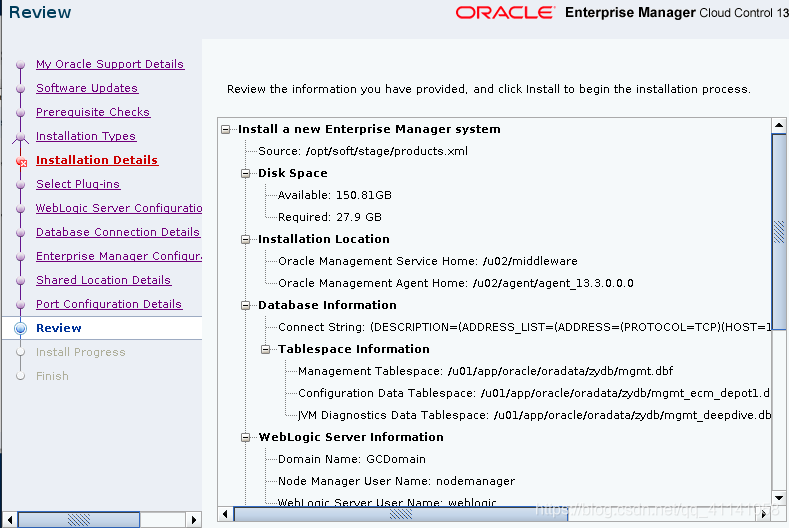
概要:
root用户执行提示命令:
/u02/middleware/allroot.sh
安装时间非常长:1个半小时左右
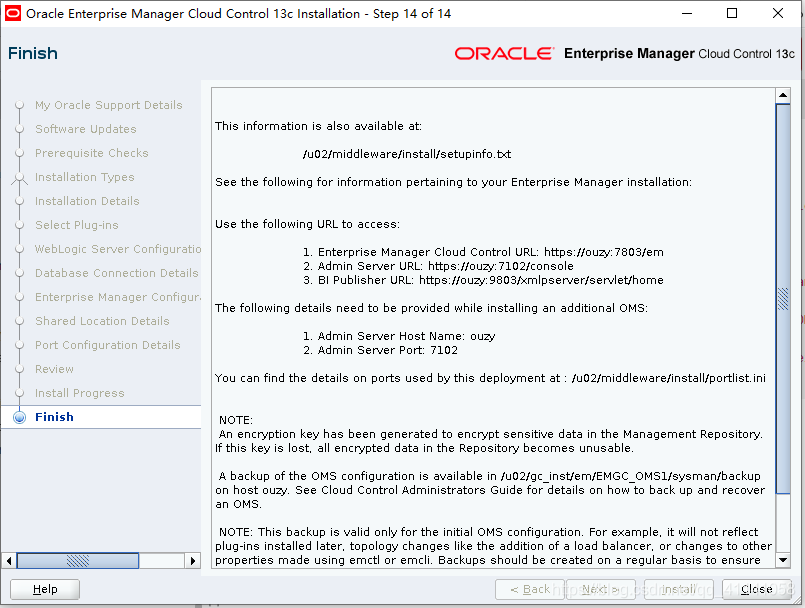
讯享网This information is also available at: /u02/middleware/install/setupinfo.txt See the following for information pertaining to your Enterprise Manager installation: Use the following URL to access: 1. Enterprise Manager Cloud Control URL: https://ouzy:7803/em 2. Admin Server URL: https://ouzy:7102/console 3. BI Publisher URL: https://ouzy:9803/xmlpserver/servlet/home The following details need to be provided while installing an additional OMS: 1. Admin Server Host Name: ouzy 2. Admin Server Port: 7102 You can find the details on ports used by this deployment at : /u02/middleware/install/portlist.ini NOTE: An encryption key has been generated to encrypt sensitive data in the Management Repository. If this key is lost, all encrypted data in the Repository becomes unusable. A backup of the OMS configuration is available in /u02/gc_inst/em/EMGC_OMS1/sysman/backup on host ouzy. See Cloud Control Administrators Guide for details on how to back up and recover an OMS. NOTE: This backup is valid only for the initial OMS configuration. For example, it will not reflect plug-ins installed later, topology changes like the addition of a load balancer, or changes to other properties made using emctl or emcli. Backups should be created on a regular basis to ensure they capture the current OMS configuration. Use the following command to backup the OMS configuration: /u02/middleware/bin/emctl exportconfig oms -dir <backup dir>
web地址:
emcc地址:
https://192.168.230.211:7803/em
sysman/Oracle123
weblogic控制台地址:
https://192.168.230.211:7102/console
weblogic/Oracle123

BI Publisher地址:
https://192.168.230.211:9803/xmlpserver/servlet/home
https://192.168.230.211:9851/xmlpserver/servlet/home
sysman/Oracle123
4-EMCC管理(OMS/agent管理)
jps命令
查询jps位置: [root@ouzy ~]# find /u02 -name java [root@ouzy ~]# cd /u02/middleware/oracle_common/jdk/bin 设置root环境变量(根目录cd ~): [root@ouzy ~]# vi .bash_profile export PATH=/u02/middleware/oracle_common/jdk/bin:$PATH [root@ouzy ~]# source .bash_profile(使环境变量设置生效) [root@ouzy ~]# jps(查看进程) 设置oracle环境变量(根目录cd ~): [root@ouzy ~]# vi .bash_profile export PATH=/u02/middleware/oracle_common/jdk/bin:$PATH [root@ouzy ~]# source .bash_profile(使环境变量设置生效) ps -ef|grep java(查看进程)
2.启动oms
<OMS_HOME>
cd /u02/middleware/bin(执行文件路径)
讯享网./emctl getversion oms(查看版本) ./emctl status oms(查看状态) ./emctl status oms -details(查看oms详细信息) ./emctl status oms -details -sysman_pwd Oracle123(指定密码查看详细) ./emctl list properties(查看属性) ./emctl stop oms ./emctl start oms(启动oms)
修改OMS的JVM内存:
./emctl get property -name OMS_HEAP_MAX -sysman_pwd Oracle123 ./emctl set property -name OMS_HEAP_MAX -value 2048M -sysman_pwd Oracle123 ./emctl get property -name OMS_HEAP_MIN -sysman_pwd Oracle123 ./emctl set property -name OMS_HEAP_MIN -value 512M -sysman_pwd Oracle123 数据采集端口:4903
/u02/middleware/install/portlist.ini(查看端口信息)
/u02/middleware/install/eminstall.info(查看路径信息)
/u02/middleware/install/setupinfo.txt(查看安装信息)
3.启动agent
<AGENT_HOME>
cd /u02/agent/agent_13.3.0.0.0/bin(路径)
讯享网./emctl getversion agent(查看版本) ./emctl status agent(查看agent状态) ./emctl stop agent ./emctl start agent ./emctl pingOMS(测试agent是否与OMS连通) ./emctl upload agent(上传agent至服务端OMS)
端口:3872
停止云控制及其所有组件
执行路径:cd /u02/middleware/bin/
<OMS_HOME>
./emctl stop oms -all 停止云控制及其所有组件
执行路径:cd /u02/agent/agent_13.3.0.0.0/bin/
<AGENT_HOME>
./emctl stop agent
./emctl reload agent
/u02/agent/agent_13.3.0.0.0/install/eminstall.info(查看agent信息)
/u02/agent/agent_13.3.0.0.0/agent.rsp(端口信息)
/u02/agent/agent_inst/sysman/config/emd.properties(查看属性文件)
web地址:
emcc地址:
https://192.168.230.211:7803/em
sysman/Oracle123
weblogic控制台地址:
https://192.168.230.211:7102/console
weblogic/Oracle123
五、添加主机
添加主机(windows和linux)
添加数据库(非CDB)
添加数据库(CDB)
添加集群数据库(RAC)
5.1添加主机目标:
1️⃣配置etc/hosts:
192.168.230.101 ouzy
设置-添加目标-手动添加目标-在主机上安装代理-
添加-手动-输入添加主机IP,选择对应平台-下一步-设置安装基目录:/u02/agent
验证填oracle、root用户身份证明信息(默认设置密码Oracle123,方便记忆,密码另存为改为root或者Oracle)-安装部署代理-完成
查看部署日志:(tail -f 文件名)(emcc主机上)
tail -f /u02/gc_inst/em/EMGC_OMS1/sysman/agentpush/2019-08-20_20-55-47-PM/applogs/192.168.230.100_deploy.log 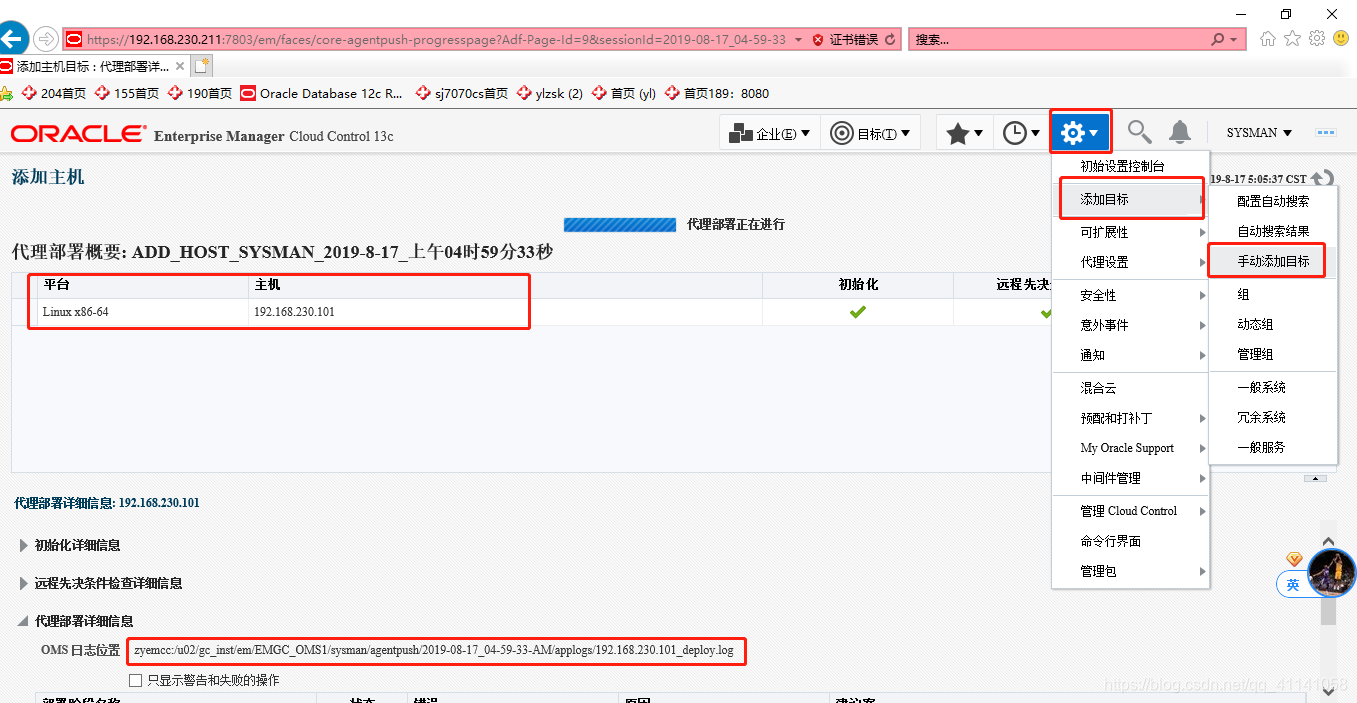
安装完成后在agent上查看安装情况(oracle)
/u02/agent/agent_13.3.0.0.0/bin
[oracle@ouzy bin]$ ./emctl status agent
[oracle@ouzy bin]$ ./emctl upload agent(手动上传)
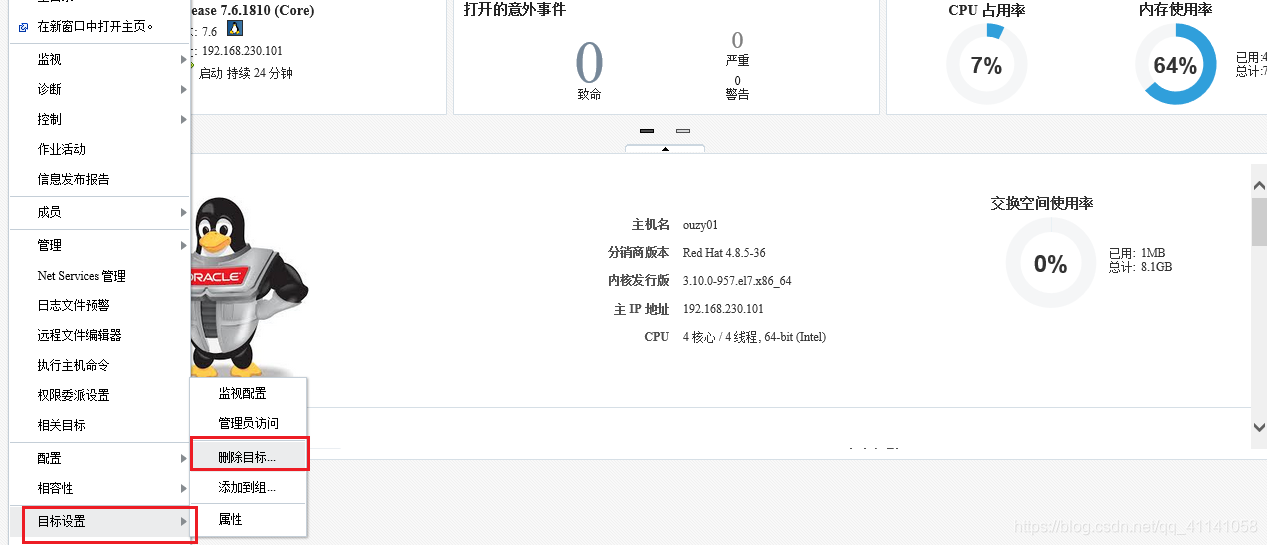
删除目标主机:
主机-目标设置-删除目标
全选-移去
代理:
点击无法删除的代理主机-代理-目标设置-取消代理使用(先停止代理agent)
5.2 添加数据库
目标-数据库-搜索列表
添加-Oracle数据库-选择主机
配置身份证明-监视口令、监听配置
5.3 添加集群数据库(RAC):
11.2.0.4 RAC
1.批量添加主机
2.添加集群和高可用服务
3.添加集群数据库
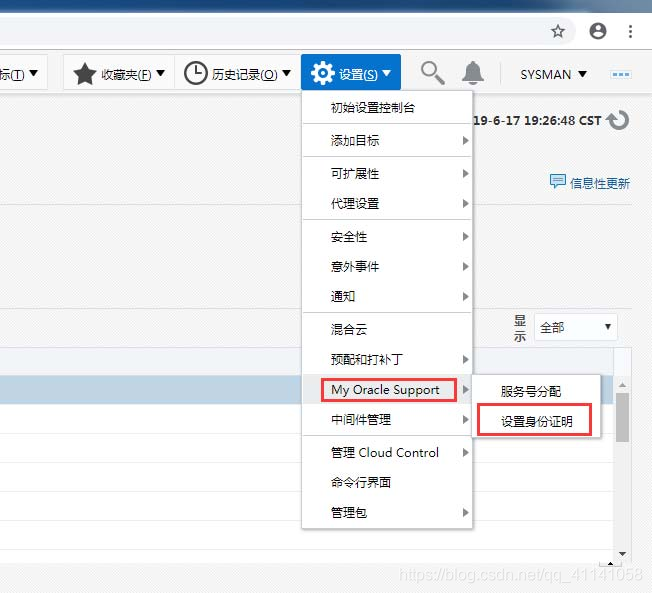
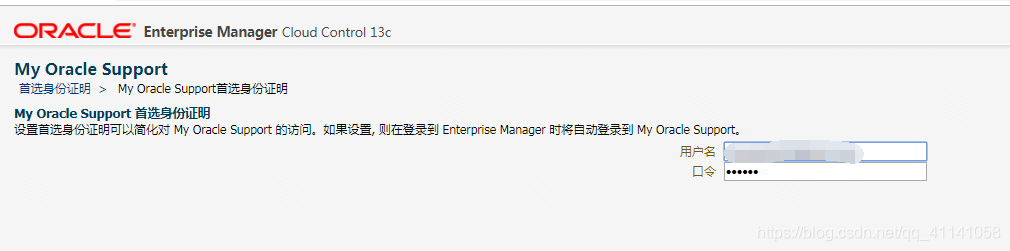
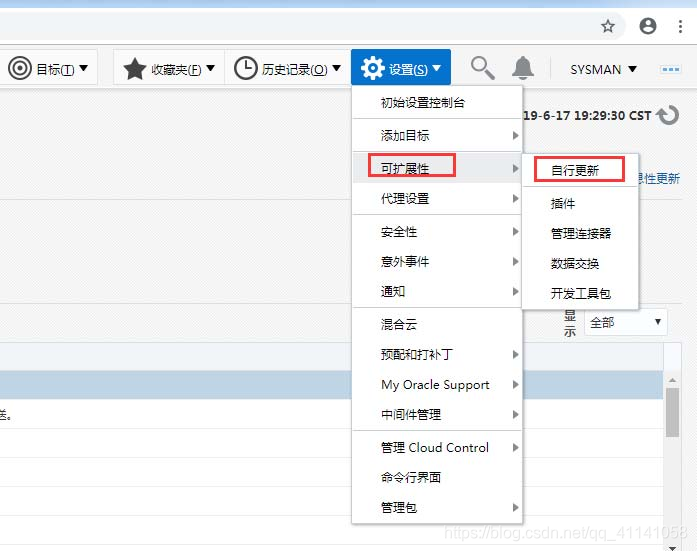
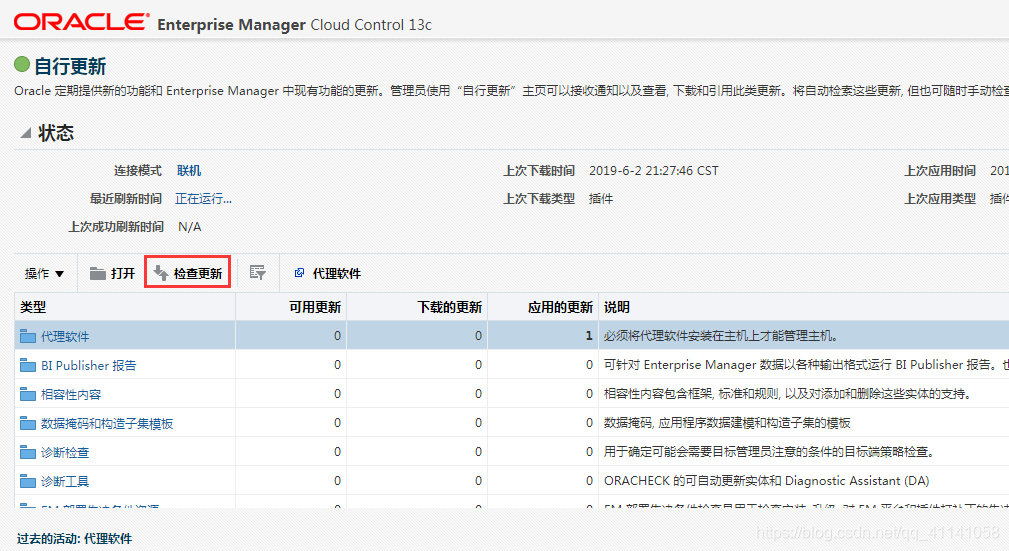
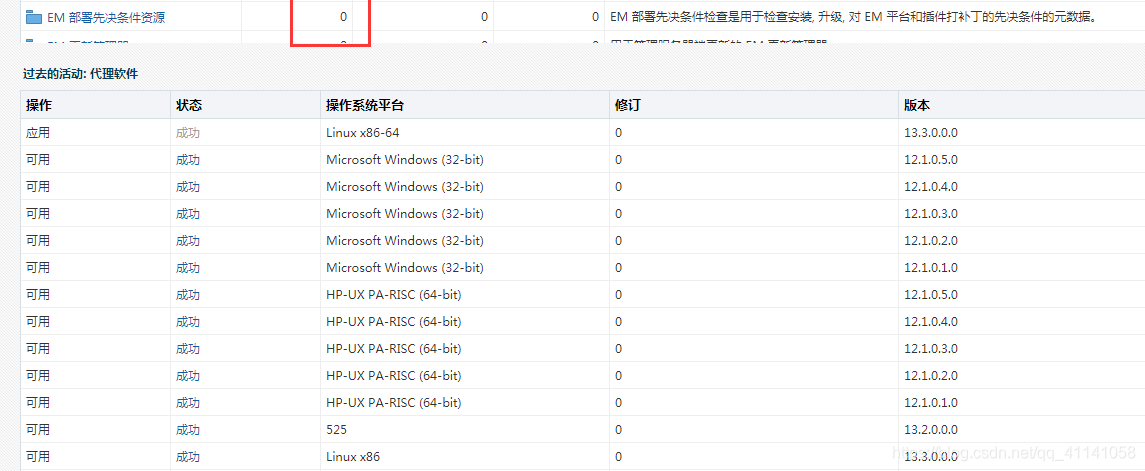
下载agent:
./emcli login -username=sysman -password=Oracle123
./emcli get_supported_platforms
综述:
添加主机:
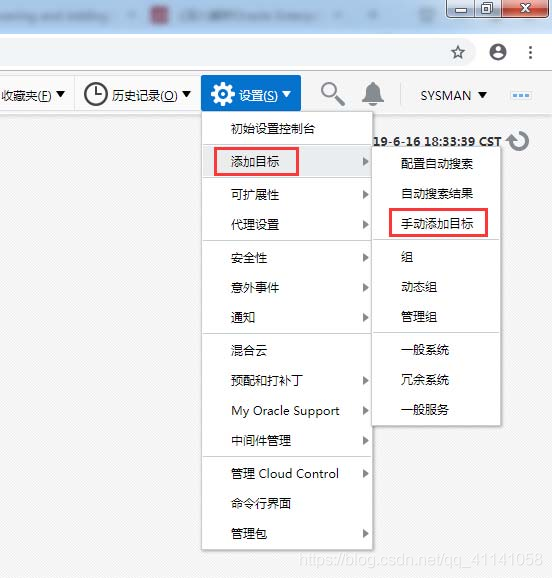
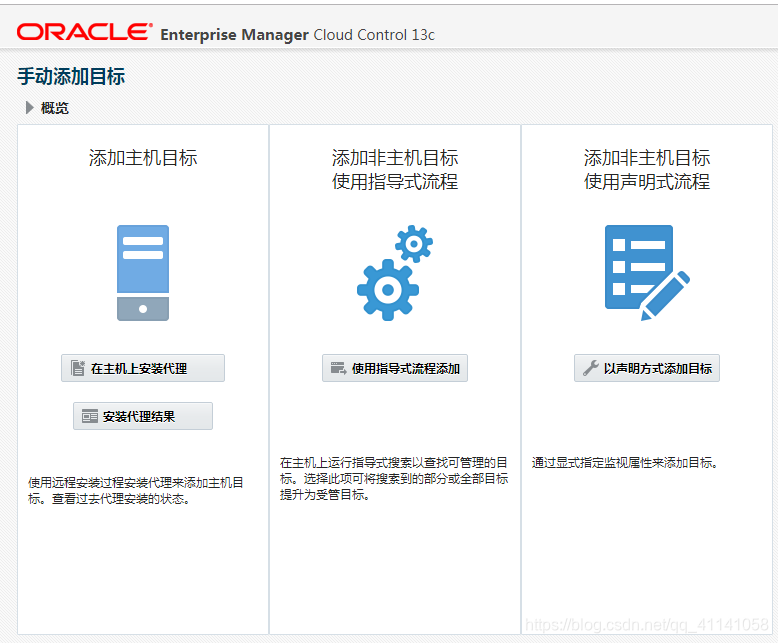
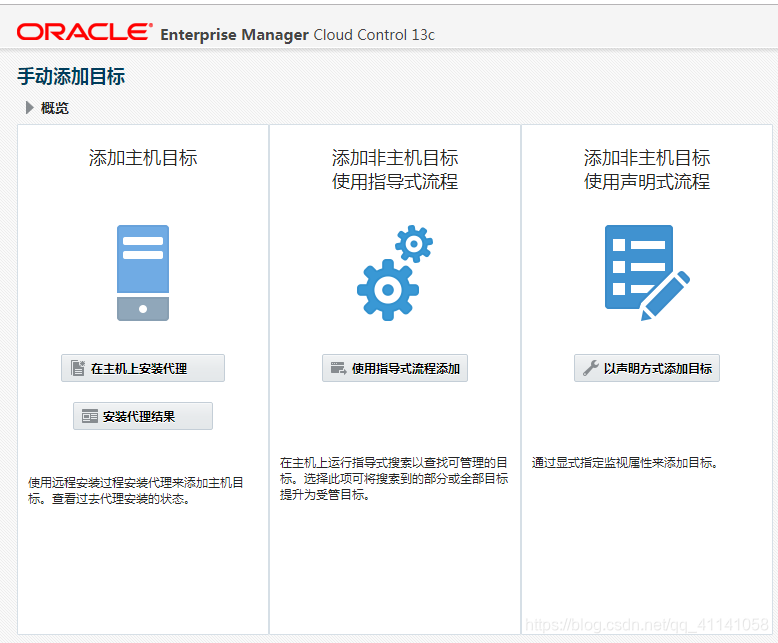
添加数据库(CDB)

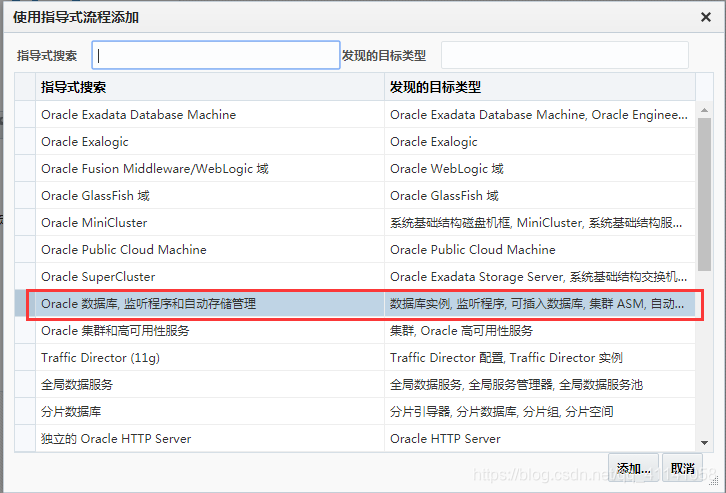
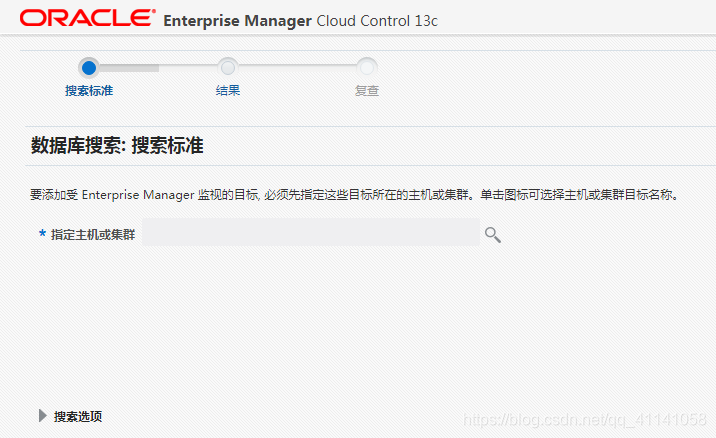
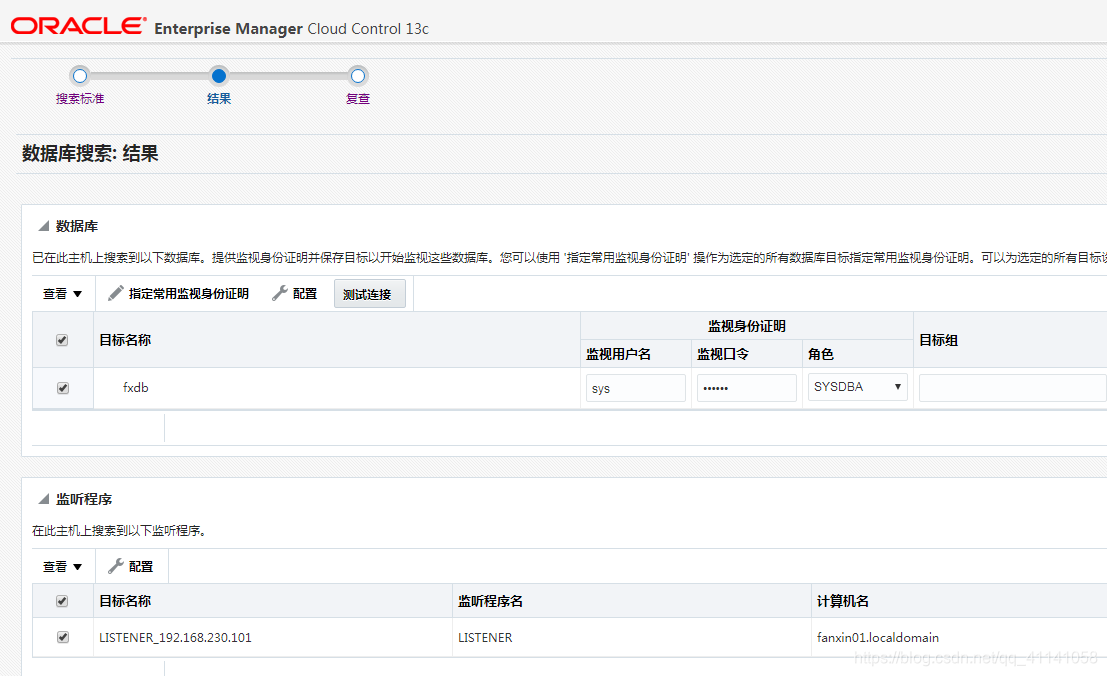
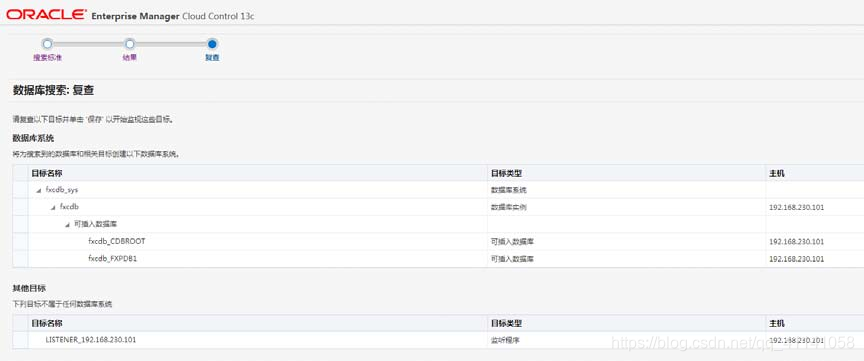
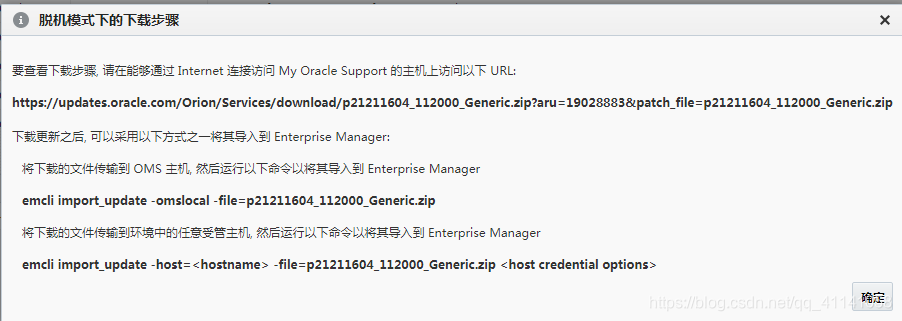
下载 agent:
版权声明:本文内容由互联网用户自发贡献,该文观点仅代表作者本人。本站仅提供信息存储空间服务,不拥有所有权,不承担相关法律责任。如发现本站有涉嫌侵权/违法违规的内容,请联系我们,一经查实,本站将立刻删除。
如需转载请保留出处:https://51itzy.com/kjqy/122677.html