
思路:创建登入界面(login),再创建登入成功与登入失败界面(loginsuccess与loginfail),再创建注册成功界面(registersuccess)与注册界面(register)以及总控制文件(check)通过form标签的action将他们连接起来。
号外号外,我最近发现了一个非常棒的人工智能学习网站,它的内容通俗易懂,风趣幽默,让人印象深刻。我想和大家分享这个网站,点击链接即可访问。
第一步
首先我们来看看效果
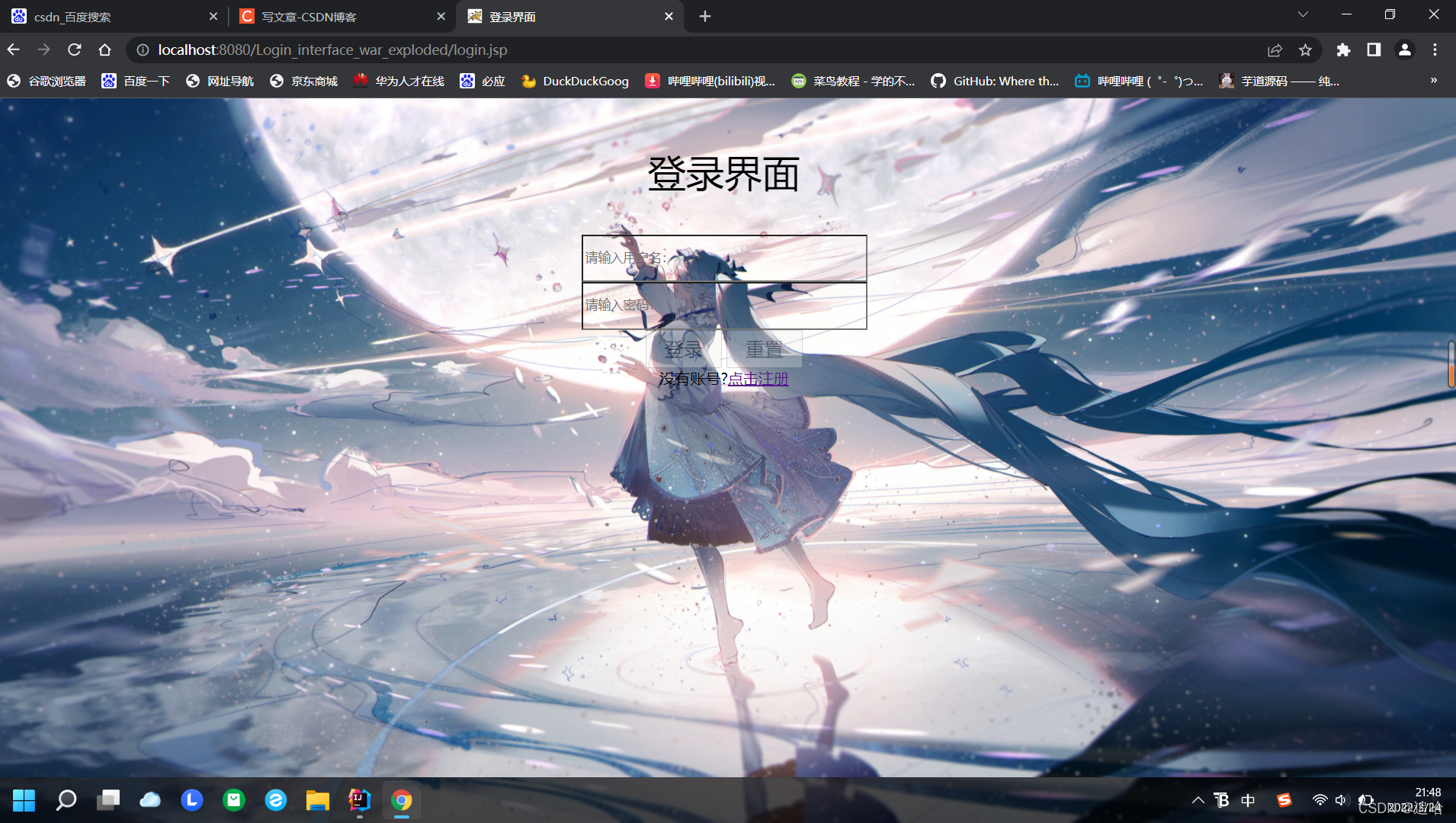
登入界面(login)
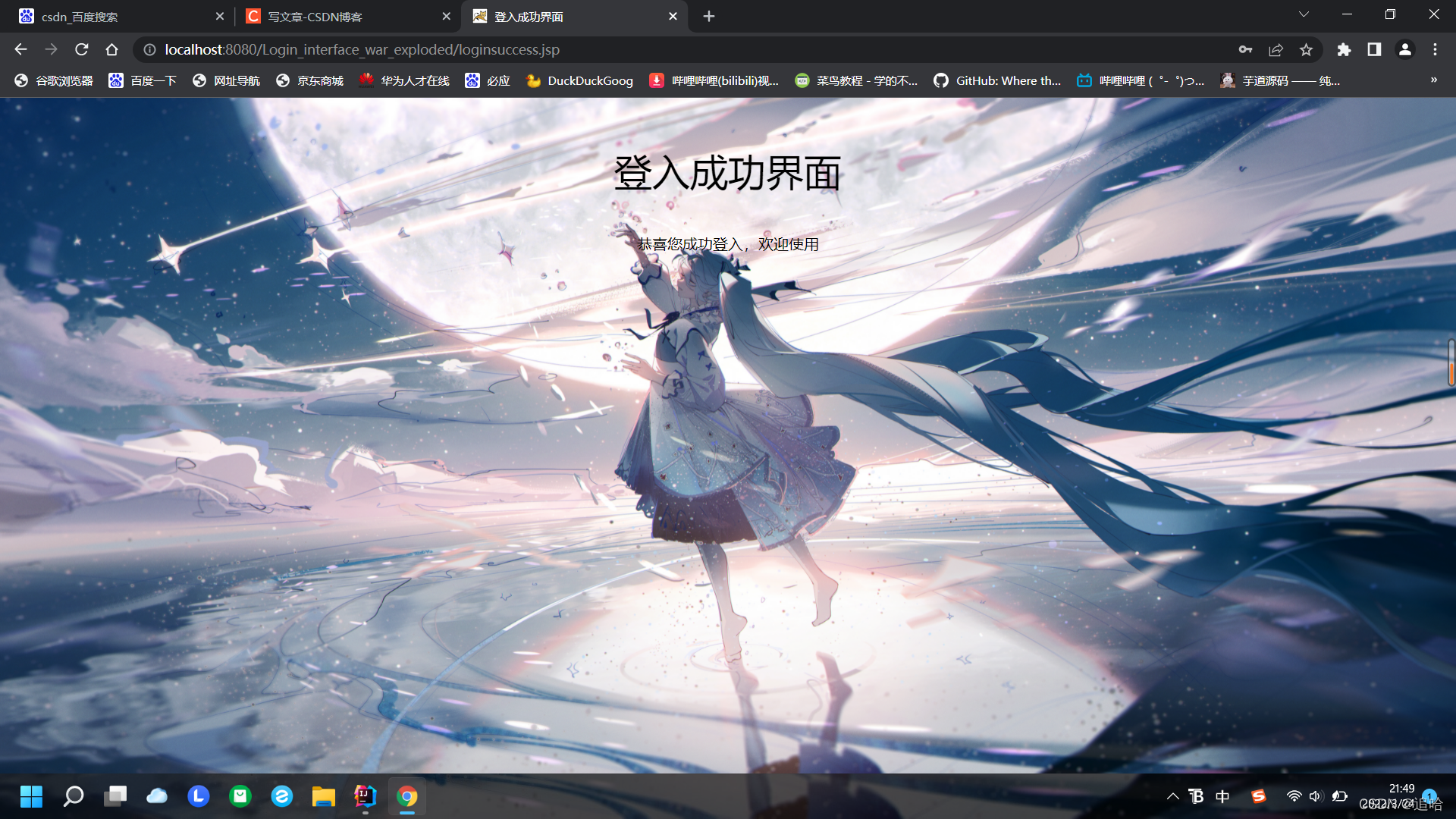
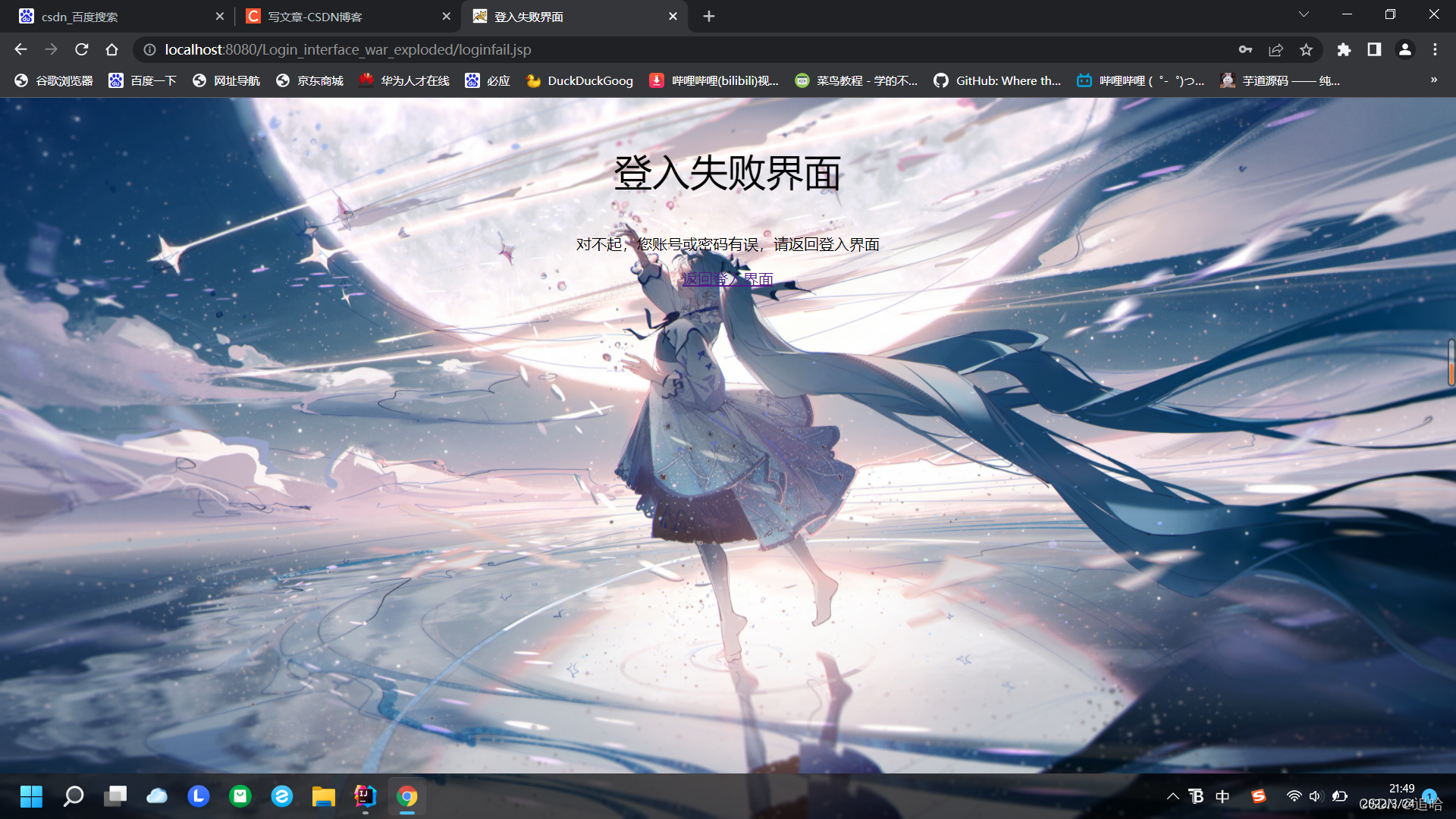
登入成功与登入失败(loginsuccess与loginfail)
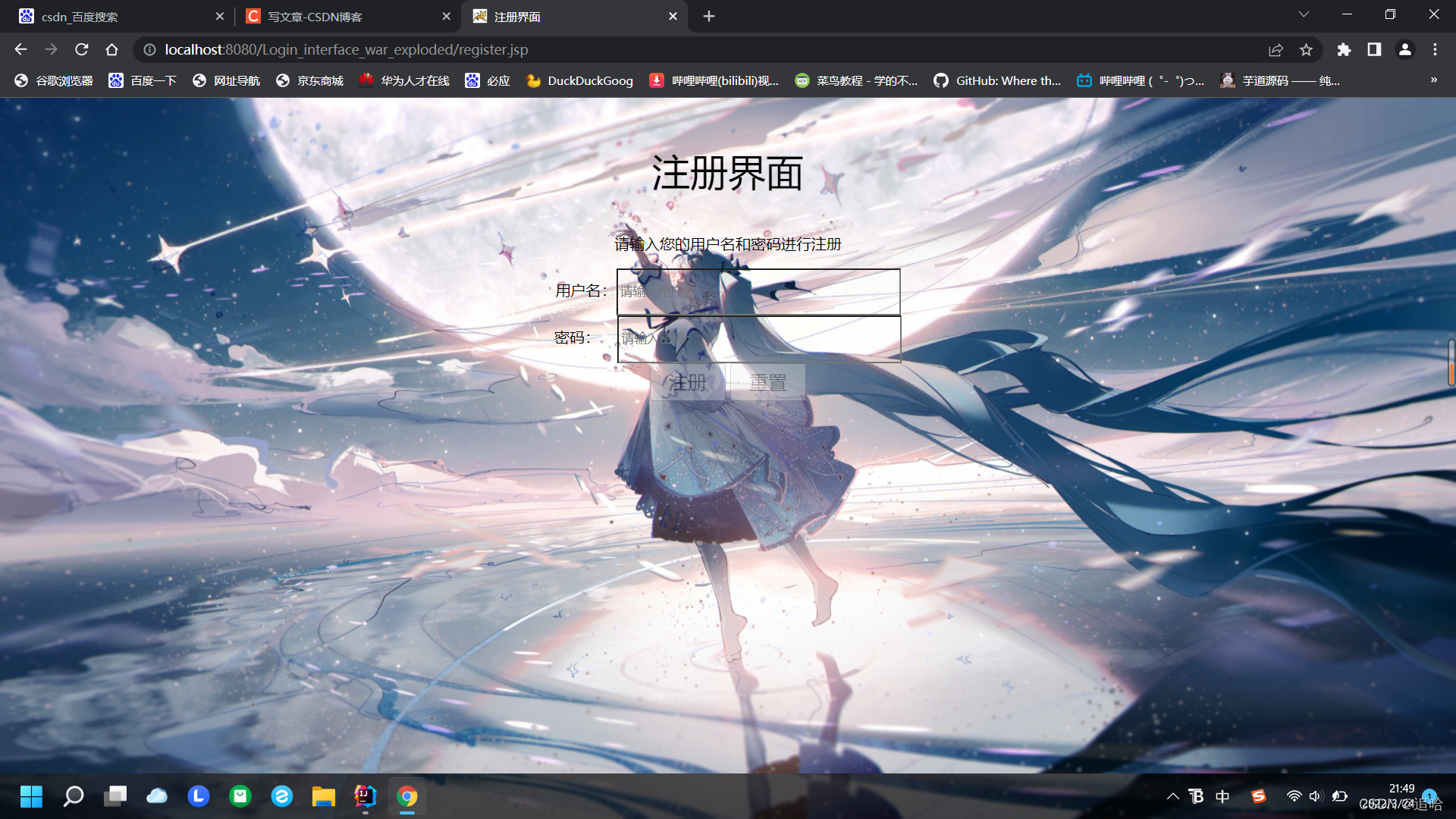
注册界面(register)
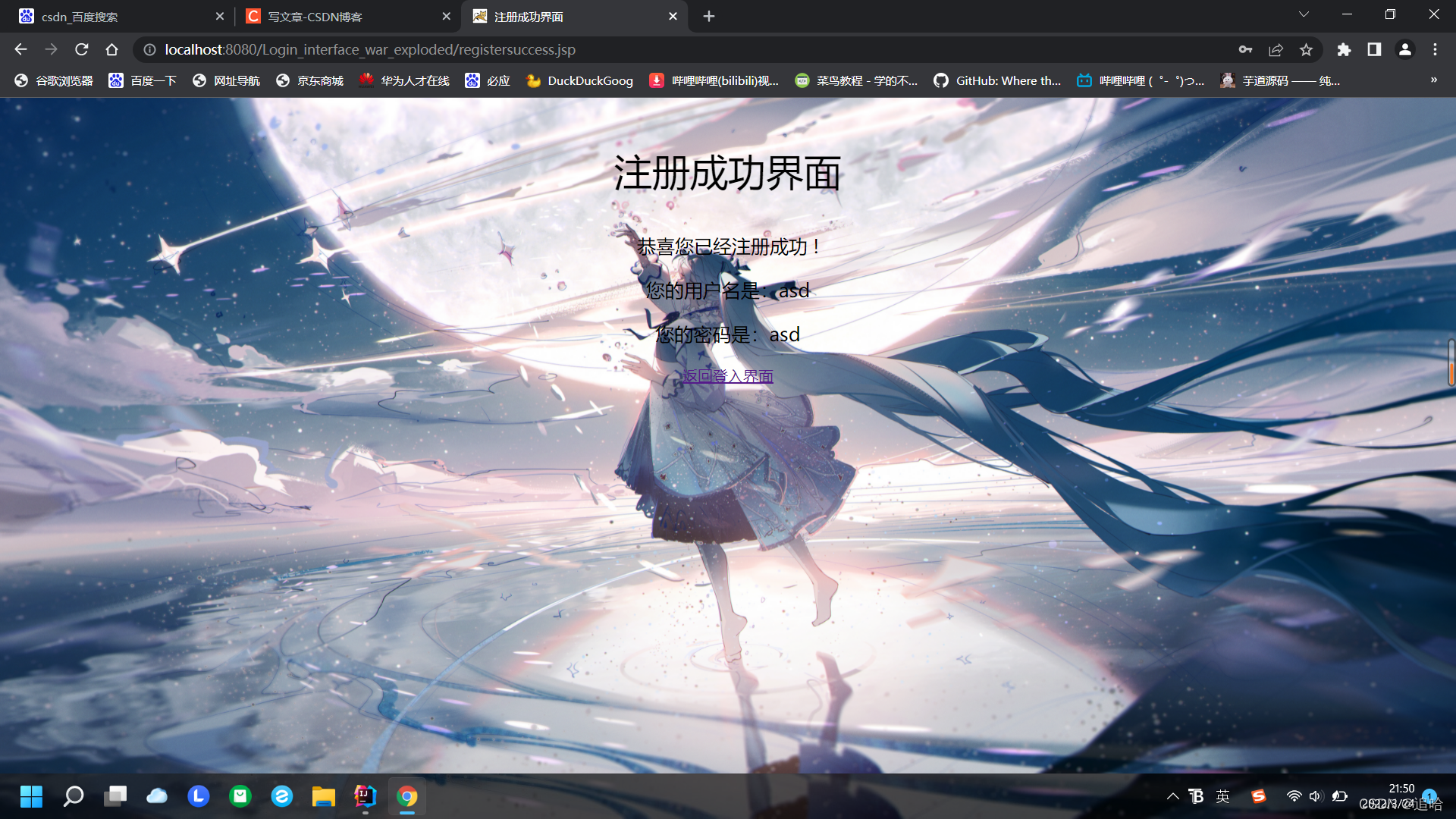
注册成功(registersuccess)
第二步
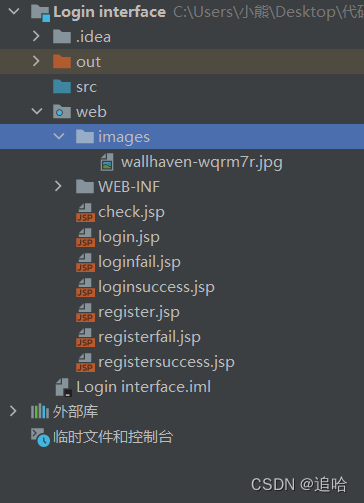
创建项目,再添加框架支持,把文件全部创建到通一个目录里面,新建image文件夹,放入我们的背景图片(可爱的小姐姐),如图:
在login文件写入
<%@ page contentType="text/html;charset=UTF-8" language="java" %> <html> <head> <title>登入界面</title> </head> <body> <h1>登录界面</h1> <form method="post" action="check.jsp"> <input type="text" name="user"><br> <input type="password" name="pass"><br> <button type="submit" value="login">登入</button> <a href="register.jsp">注册</a> </form> </body> </html> 讯享网
在register文件写入
讯享网<%@ page contentType="text/html;charset=UTF-8" language="java" %> <html> <head> <title>Title</title> </head> <body> <h2>注册界面</h2> <form method="post" action="registersuccess.jsp"> 请输入您的用户名:<input type="text" name="user" size="20"><br> 请输入您的密码:<input type="password" name="pass" size="20"><br> <button type="submit" value="login">注册</button> <button type="reset" value="reset">重置</button> </form> </body> </html>
在registersuccess文件写入
<%@ page contentType="text/html;charset=UTF-8" language="java" %> <html> <head> <title>Title</title> </head> <body> <form method="post" action="check.jsp"> <% String user = "a"; String pass = "b"; if(request.getParameter("user")!=null && request.getParameter("pass") != null) {
    user = request.getParameter("user"); session.setAttribute("user",user); pass = request.getParameter("pass"); session.setAttribute("pass",pass); } %> <h2>恭喜您注册成功!</h2><br> 您的用户名是:<%=user%> <br> 您的密码是:<%=pass%> </form> <a href="login.jsp">返回登录界面</a> </body> </html>
在loginsuccess文件写入

讯享网<%@ page contentType="text/html;charset=UTF-8" language="java" %> <html> <head> <title>Title</title> </head> <body> <h2 align="center">登录成功</h2> </body> </html>
在loginfail文件写入
<%@ page contentType="text/html;charset=UTF-8" language="java" %> <html> <head> <title>Title</title> </head> <body> <h2 align="center">登录失败</h2> <h3 align="center"><a href="login.jsp" style="color:#FAAF46; font-size:10px">返回登录页面</a></h3> </body> </html> 在check文件写入
讯享网<%-- Created by IntelliJ IDEA. User: 小熊 Date: 2022/3/24 Time: 15:53 To change this template use File | Settings | File Templates. --%> <%@ page contentType="text/html;charset=UTF-8" language="java" %> <html> <head> <title>Title</title> </head> <body> <form method="post" action=""> <% String user=(String)session.getAttribute("user"); String pass=(String)session.getAttribute("pass"); String name=request.getParameter("user"); session.setAttribute("name", name); String password1=request.getParameter("pass"); session.setAttribute("password", password1); if(user.equals(name)&&password1.equals(pass)) {
    response.sendRedirect("loginsuccess.jsp");} else response.sendRedirect("loginfail.jsp"); %> </form> </body> </html>
那么我们来看看效果:
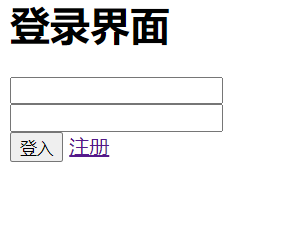
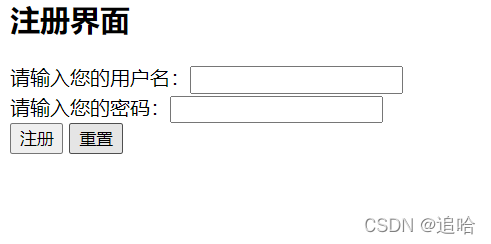
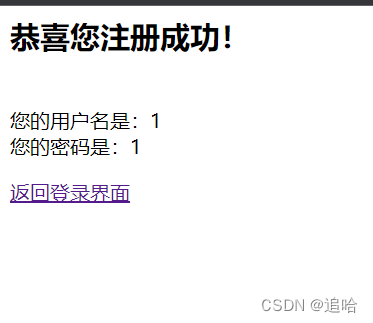
巨丑无比
第三步
我们加点css美化一下:
在login文件加入(字体居中效果,背景图片,按钮的透明度,输入框的透明度等)
<%@ page contentType="text/html;charset=UTF-8" language="java" %> <html> <head> <title>注册失败界面</title> <style type="text/css"> .center{
    text-align:center; margin-top: 50px; } .fon{
    font-size: 40px; } .fon1{
    font-size: 20px; } body{
    background: url("images/wallhaven-wqrm7r.jpg"); background-size: 100% 100%; } input {
    background-color: transparent; outline: none; color: black; } </style> </head> <body> <h2></h2> <div class="center"> <p class="fon">注册失败界面</p> <p class="fon1">对不起,您输入的有误,请返回注册界面</p> <a href="register.jsp">返回注册界面</a> </div> </body> </html>
在loginsuccess文件加入(字体居中效果,背景图片)
讯享网<%@ page contentType="text/html;charset=UTF-8" language="java" %> <html> <head> <title>登入成功界面</title> <style type="text/css"> .center{
    text-align:center; margin-top: 50px; } .fon{
    font-size: 40px; } body{
    background: url("images/wallhaven-wqrm7r.jpg"); background-size: 100% 100%; } input {
    background-color: transparent; outline: none; color: black; } </style> </head> <body> <div class="center"> <p class="fon">登入成功界面</p> <p class="fon1">恭喜您成功登入,欢迎使用</p> </div> </body> </html>
在loginfail文件加入(字体居中效果,背景图片)
<%@ page contentType="text/html;charset=UTF-8" language="java" %> <html> <head> <title>登入失败界面</title> <style type="text/css"> .center{
    text-align:center; margin-top: 50px; } .fon{
    font-size: 40px; } body{
    background: url("images/wallhaven-wqrm7r.jpg"); background-size: 100% 100%; } input {
    background-color: transparent; outline: none; color: black; } </style> </head> <body> <div class="center"> <p class="fon">登入失败界面</p> <p class="fon1">对不起,您账号或密码有误,请返回登入界面</p> <a href="login.jsp">返回登入界面</a> </div> </body> </html>
在register文件加入(字体居中效果,背景图片,按钮的透明度,输入框的透明度等)
讯享网<%@ page contentType="text/html;charset=UTF-8" language="java" %> <html> <head> <title>注册界面</title> <style type="text/css"> .center{
text-align:center; margin-top: 50px; } .fon{
font-size: 40px; } body{
background: url("images/wallhaven-wqrm7r.jpg"); background-size: 100% 100%; } input {
background-color: transparent; outline: none; color: black; } .clear{
opacity:0.3; } </style> </head> <body> <div class="center"> <p class="fon">注册界面</p> <p>请输入您的用户名和密码进行注册</p> <form method="post" action="registersuccess.jsp"> 用户名:<input type="text" name="user" name="user" style="width: 300px;height: 50px" placeholder="请输入用户名:" > <br> 密码: <input type="password" name="pass" name="user" style="width: 300px;height: 50px" placeholder="请输入密码:" > <br> <button type="submit" style="width:80px;height:40px; font-size: 20px" class="clear">注册</button> <button type="reset" style="width:80px;height:40px; font-size: 20px" class="clear">重置</button> <br> </form> </div> </body> </html>
在registersuccess文件加入(字体居中效果,背景图片)
<%@ page contentType="text/html;charset=UTF-8" language="java" %> <html> <head> <title>注册成功界面</title> <style type="text/css"> .center{
    text-align:center; margin-top: 50px; } .fon{
    font-size: 40px; } .fon1{
    font-size: 20px; } body{
    background: url("images/wallhaven-wqrm7r.jpg"); background-size: 100% 100%; } input {
    background-color: transparent; outline: none; color: black; } </style> </head> <body> <form method="post" action="check.jsp"> <% String user = null; String pass = null; if(request.getParameter("user")!=null && request.getParameter("pass") != null) {
    user = request.getParameter("user"); session.setAttribute("user",user); pass = request.getParameter("pass"); session.setAttribute("pass",pass); } %> <div class="center"> <p class="fon">注册成功界面</p> <p class="fon1">恭喜您已经注册成功 !</p> <p class="fon1">您的用户名是:<%=user%></p> <p class="fon1">您的密码是:<%=pass%></p> <a href="login.jsp">返回登入界面</a> </div> </form> </body> </html>
check不变
讯享网<%@ page contentType="text/html;charset=UTF-8" language="java" %> <html> <head> <title>检查界面</title> </head> <body> <form method="post" action=""> <% String user = (String) session.getAttribute("user"); String pass = (String) session.getAttribute("pass"); String user1 = request.getParameter("user"); session.setAttribute("user1",user1); String pass1 = request.getParameter("pass"); session.setAttribute("pass1",pass1); if (user.equals(user1) && pass.equals(pass1)) {
    response.sendRedirect("loginsuccess.jsp"); } else {
    response.sendRedirect("loginfail.jsp"); } %> </form> </body> </html>
(编辑好配置)点击运行效果就出来了。
<%-- /* # _oo0oo_ # oo # 88" . "88 # (| -_- |) # 0\ = /0 # ___/`---'\___ # .' \\| |// '. # / \\||| : |||// \ # / _||||| -:- |||||- \ # | | \\\ - /// | | # | \_| ''\---/'' |_/ | # \ .-\__ '-' ___/-. / # ___'. .' /--.--\ `. .'___ # ."" '< `.___\_<|>_/___.' >' "". # | | : `- \`.;`\ _ /`;.`/ - ` : | | # \ \ `_. \_ __\ /__ _/ .-` / / # =====`-.____`.___ \_____/___.-`___.-'===== # `=---=' # # # ~~~~~~~~~~~~~~~~~~~~~~~~~~~~~~~~~~~~~~~~~~~ # # 佛祖保佑 永无BUG */ --%>
版权声明:本文内容由互联网用户自发贡献,该文观点仅代表作者本人。本站仅提供信息存储空间服务,不拥有所有权,不承担相关法律责任。如发现本站有涉嫌侵权/违法违规的内容,请联系我们,一经查实,本站将立刻删除。
如需转载请保留出处:https://51itzy.com/kjqy/121502.html