
udhcpc -i eth0 讯享网
讯享网mount -t nfs -o nolock 172.16.70.182:/home/zhh/work nfs cp nfs/YT312/02_YT312?????/zytk_YT312/zytk_312 /home/zytk_312/app/ sync
#挂载虚拟机 route add default gw 172.16.70.253 ifconfig eth0 172.16.70.185 netmask 255.255.255.0 mount -t nfs -o nolock 172.16.70.182:/home/zhh/nfs nfs mount -t nfs -o nolock 192.168.1.124:/home/zhh/nfs nfs cp ~/nfs/yt328_code/zytk_reader /data/zytk_reader/app/ wpa_supplicant -Dnl80211 -iwlan0 -c /data/wifi/wpa_supplicant.conf -B export QWS_MOUSE_PROTO="Tslib:/dev/input/event0 IntelliMouse:/dev/input/mice" # 清除缓存 echo 1 > /proc/sys/vm/drop_caches # 打包 cd ~/work/052_YT328智通终端/01.开发库/050.软件开发/020.源代码/ export PATH=/usr/bin:/usr/bin:/bin:/usr/local/games:/usr/games:${
   PWD}/toolchain/gcc-linaro-5.5.0-2017.10-x86_64_arm-linux-gnueabihf/bin udhcpc -i eth0 -n -T 5 # 启动ftpd tcpsvd -vE 0.0.0.0 21 ftpd -w /
tot更新内核
讯享网set serverip 172.16.70.17 set ipaddr 172.16.70.185 set uboot-file u-boot_yt312.img set loaduboot "tftp 0x ${uboot-file}; nand erase 0x80000 0x1e0000; nand write 0x 0x80000 0x1e0000;" set mlo-file MLO_yt312 set loadMLO "tftp 0x ${mlo-file}; nand erase 0x0 0x20000; nand write 0x 0x0 0x20000;" set kernel-file uImage_yt312_blk set loadkernel "tftp 0x ${kernel-file}; nand erase 0x 0x; nand write 0x 0x 0x;" set serverip 172.16.70.17;set ipaddr 172.16.70.185;set uboot-file u-boot_yt312.img;set loaduboot "tftp 0x ${uboot-file}; nand erase 0x80000 0x1e0000; nand write 0x 0x80000 0x1e0000;";set mlo-file MLO_yt312;set loadMLO "tftp 0x ${mlo-file}; nand erase 0x0 0x20000; nand write 0x 0x0 0x20000;";set kernel-file uImage_yt312_blk;set loadkernel "tftp 0x ${kernel-file}; nand erase 0x 0x; nand write 0x 0x 0x;"
select * from systeminfo; update systeminfo set value='6720' where key='face_feat_version'; select * from face_img_info; 打包工程
讯享网cd /;tar zcvf data.tar.gz data/;ls
data.tar.gz拿出来

讯享网
拿出工程
1、ftp方式
启动ftp

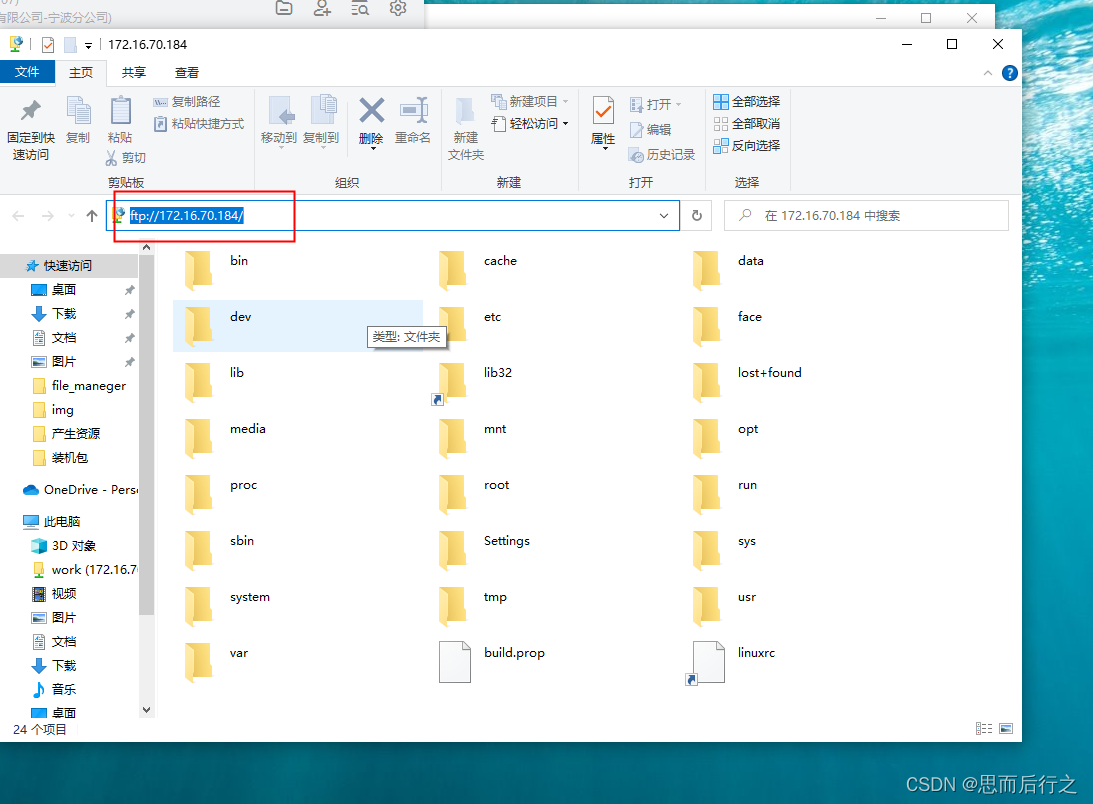
tcpsvd -vE 0.0.0.0 21 ftpd -w / Windows登录ftp浏览文件夹,
例如我的IP地址是:172.16.70.184
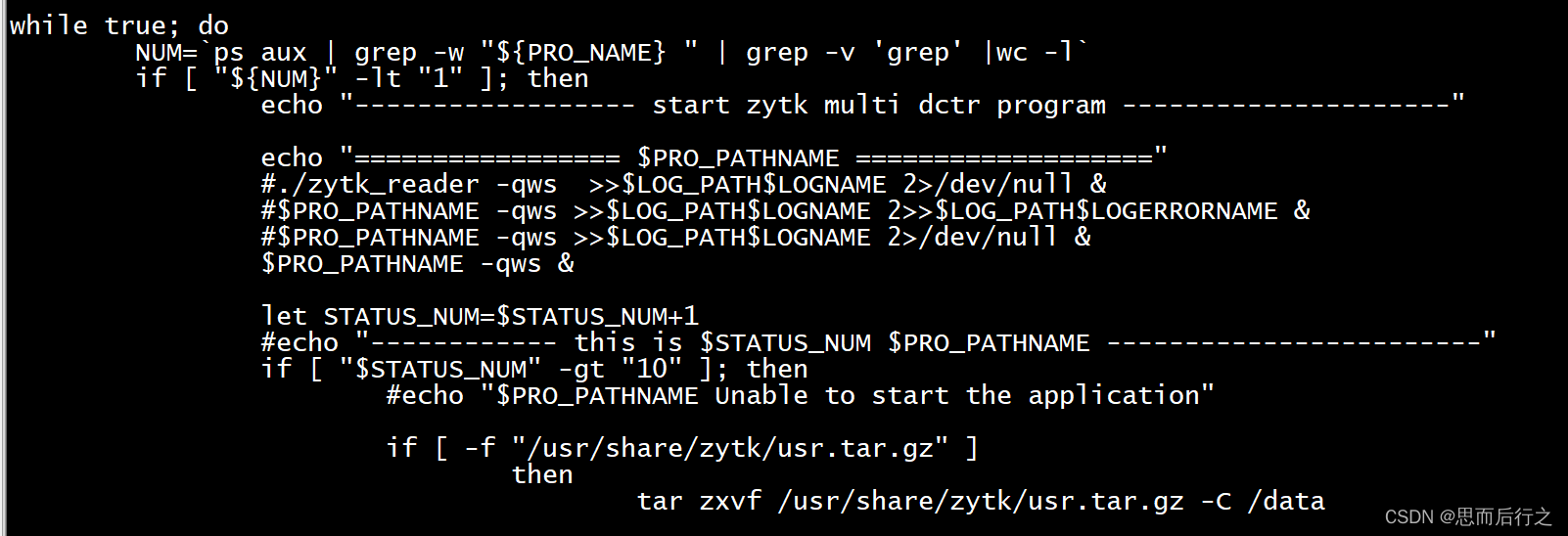
修改启动脚本
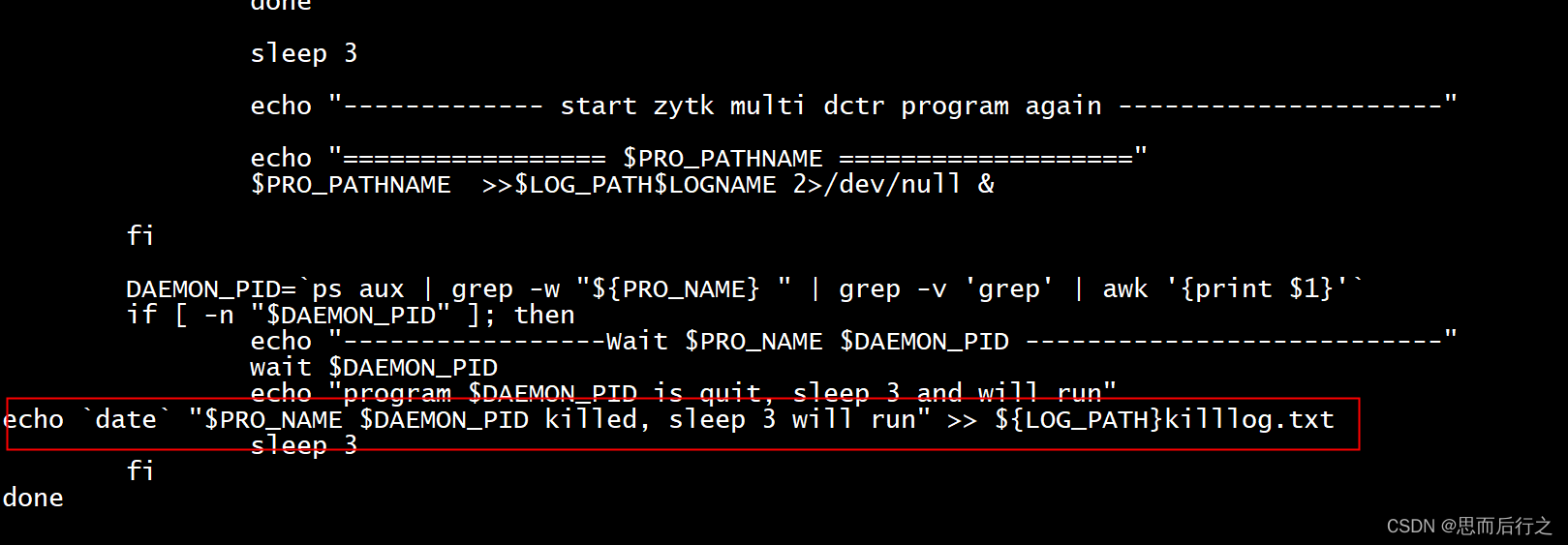
讯享网echo `date` "$PRO_NAME $DAEMON_PID killed, sleep 3 will run" >> ${LOG_PATH}killlog.txt
版权声明:本文内容由互联网用户自发贡献,该文观点仅代表作者本人。本站仅提供信息存储空间服务,不拥有所有权,不承担相关法律责任。如发现本站有涉嫌侵权/违法违规的内容,请联系我们,一经查实,本站将立刻删除。
如需转载请保留出处:https://51itzy.com/kjqy/112727.html