
大纲:
🌵 1、avue中如何上传图片
Avue官网 : Avue
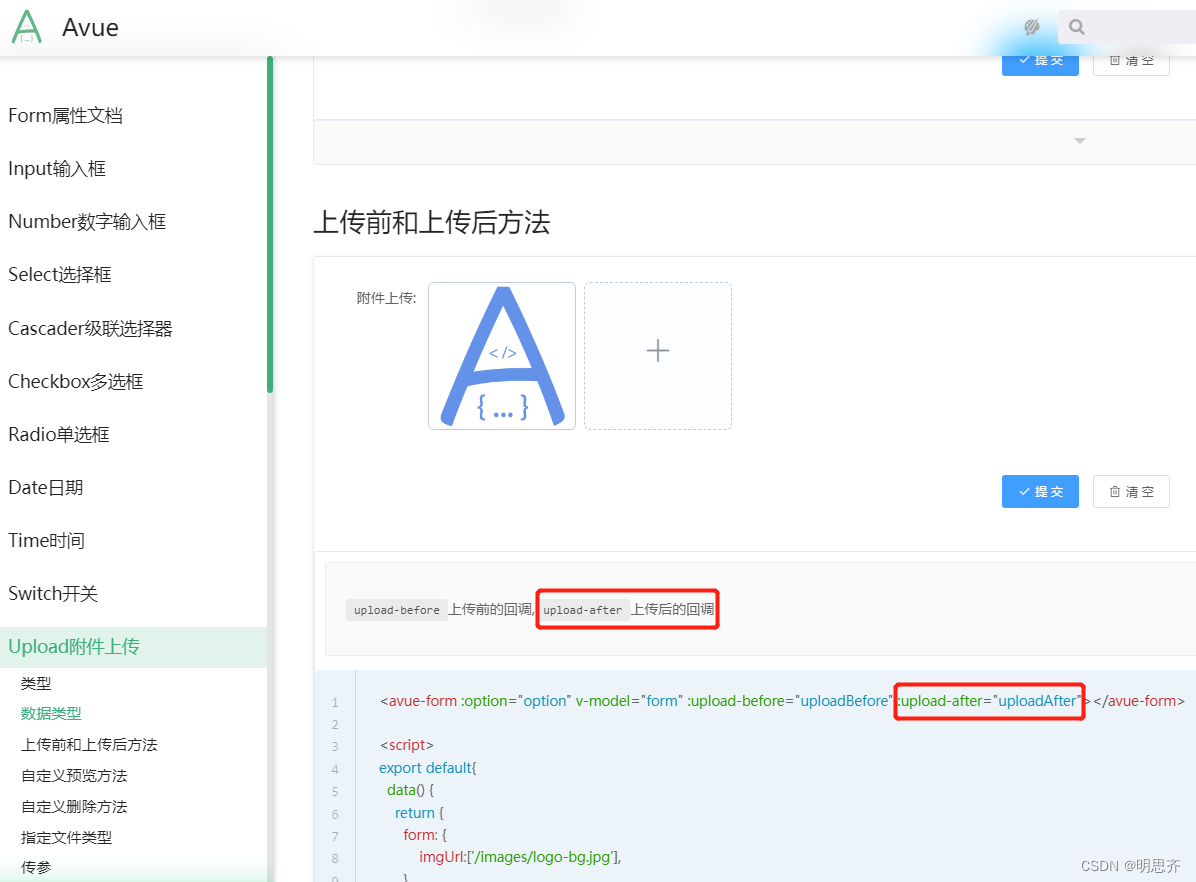
在Avue官网中找到 Upload附件上传。本案例为了满足项目需求,我只用了上传后的方法
:upload-after="uploadAfter"
🍆 Avue上传图片案例代码
<template> <div> <avue-crud :option="option" :data="data" v-model="form" ref="crud" @row-save="rowSave" @:upload-after="uploadAfter"></avue-crud> </div> </template>讯享网
讯享网 export default { data() { return { /* data:[]后端获取到的数据列表。option表格配置项.form 表单*/ data: [], form: {}, option: { column: [{ label: '图片路径', //表头 prop: 'imagePath', //键值 listType: 'picture-card', type: 'upload', span: 24, action: '/api/admin/upload/images/2', },{ label: '菜种', //表头 prop: 'name', //键值 }, ] }, } }, mounted() {}, methods: { //上传图片 uploadAfter(e){ //this.form.imagePath = '服务器地址:端口8084/image-api/' + '' this.form.imagePath = 'http://127.0.0.1:8084/image-api/' + e.data } } }
🌵 2、 elementUI上传图片

🍆 ElementUI上传图片案例代码
<el-form-item label="图片"> <el-upload class="avatar-uploader" action="/api/admin/upload/images/3" :show-file-list="false" :on-success="handleAvatarSuccess" :before-upload="beforeAvatarUpload"> <img v-if="form.img" :src="picture+form.img" class="avatar"> <i v-else class="el-icon-plus avatar-uploader-icon"></i> </el-upload> </el-form-item>讯享网export default { data() { return { data: [], form: {}, img: '', picture:'http://192.168.5.40:8082/image-api/', }; }, mounted() {}, methods: { //图片上传 handleAvatarSuccess(res, file) { console.log('file',file) //获取到file下面的响应数据 this.form.img= file.response.data console.log('图片路径:',this.form.menuIcon) }, //判断用户上传的图片格式和大小 beforeAvatarUpload(file) { const isJPG = file.type === 'image/jpeg'; const isLt2M = file.size / 1024 / 1024 < 2; if (!isJPG) { this.$message.error('上传头像图片只能是 JPG 格式!'); } if (!isLt2M) { this.$message.error('上传头像图片大小不能超过 2MB!'); } return isLt2M; return isJPG && isLt2M; } } };
picture:'http://192.168.5.40:8082/image-api/', //显示图片路径
🌸 因为ip有可能会变,所以我就把它定义成变量了,如果ip变了,修改的时候也只需要改一个地方就行了。
🌸 所以存数据把 img/avatar//802_460.png存到数据库就可以了

注意:
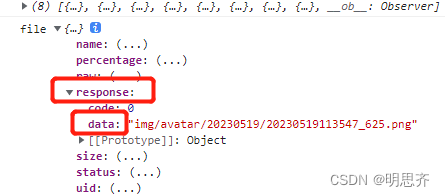
1、当不需要存入全路径时,则 this.form.img = file.response.data
详解:file是指上传文件相关的信息对象,response 则是指上传文件后返回的响应数据对象。其中,response.data 代表响应数据中的 data 字段的值,即文件上传后的 URL 地址或其他相关数据。

2、若图片显示不出来就:查看后端Nginx是否启动、IP地址是否正确

效果展示


版权声明:本文内容由互联网用户自发贡献,该文观点仅代表作者本人。本站仅提供信息存储空间服务,不拥有所有权,不承担相关法律责任。如发现本站有涉嫌侵权/违法违规的内容,请联系我们,一经查实,本站将立刻删除。
如需转载请保留出处:https://51itzy.com/kjqy/111382.html