
简要介绍
数据集 Canadian Adverse Driving Conditions Dataset(CADC)是全球首个针对寒冷环境的自动驾驶数据集,其内包含:
- 56,000 张相机图像;
- 7,000 次 LiDAR 扫描;
- 75 个场景,每个场景 50-100 帧;
- 10 个注释类;
- 完整的传感器套件:1 个 LiDAR,8 个摄像头,后处理 GPS / IMU;
论文下载地址:https://arxiv.org/abs/2001.10117
项目源码下载地址:https://gitee.com/yangmissionyang/cadc_devkit
关于数据集的使用方法,在readme中已经做出了讲解:
首先需要下载该数据集,运行download_cadcd.py,博主只下载了2019_02_27的数据集,这个数据集是在冰雪环境下制作的。
博主选用这个数据集来研究在冰雪环境下的自动驾驶的目标检测问题。
数据集标注转换
该数据集的标注方式是3D标注方式,如下图:
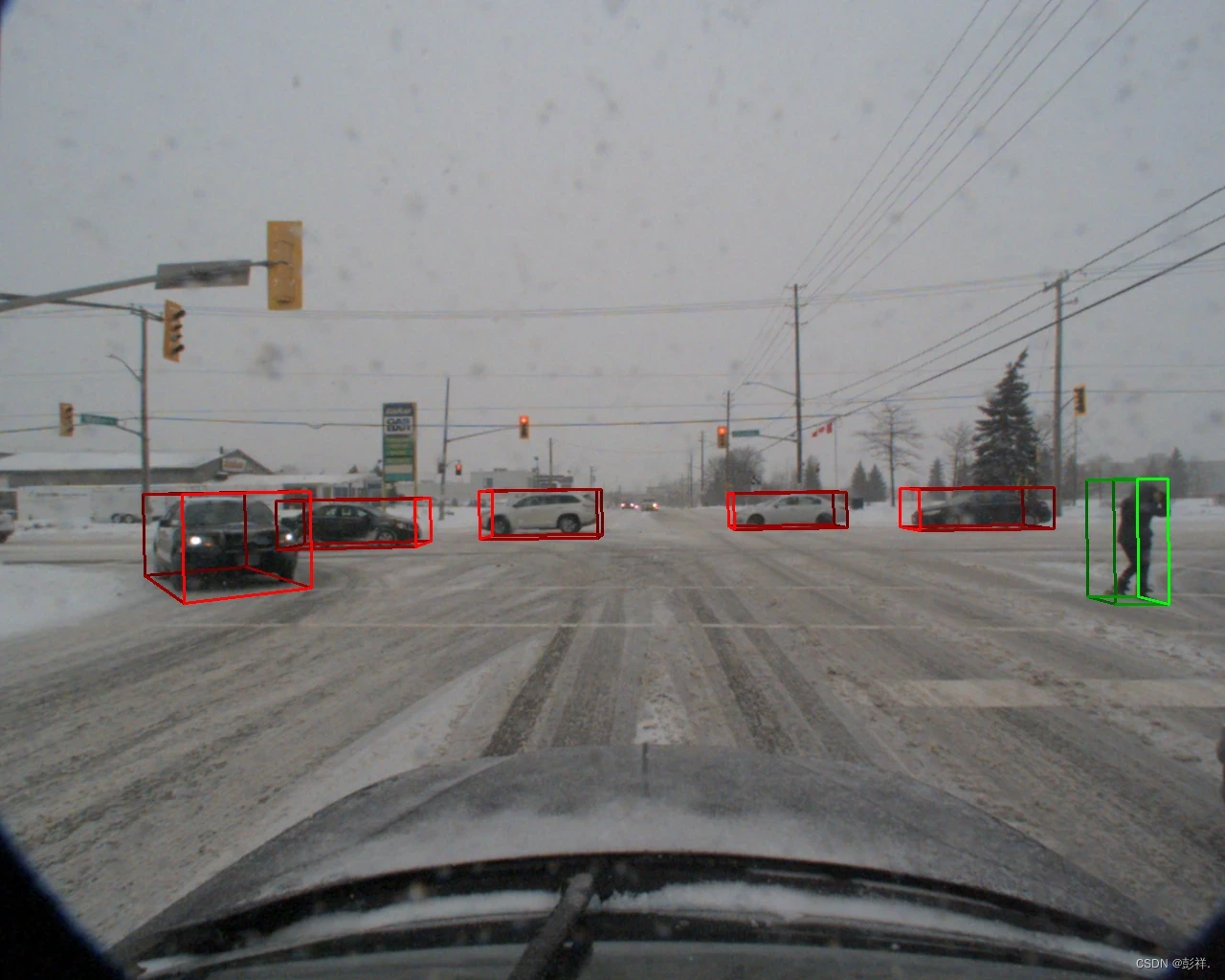
讯享网
而博主需要的是2D标注形式,因此需要转换一下,我们在 cadc_devkit 的 issue 中看到了有相关问题的解决方法,将其改为 KITTI 数据集的标注格式,我们下载了他的工具包:cadc_kitti_convert_final.py,在运行之前需要将代码中的163行取消注释,并将166行代码注释,原因是163行对应是我们处理2019年的代码。
在修改完成后改一下保存位置便可以运行了。
其会帮我们生成两个数据集:training 和 testing
随后在每个数据集中生成四个文件夹:
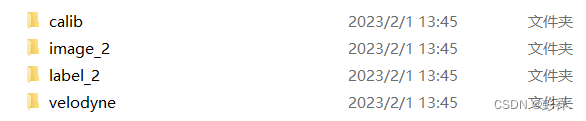
其依次为标定校准文件,图像数据,标注数据,激光雷达数据
下面对其进行简要介绍:
标定校准文件
存储方式为txt格式,标定校准数据的主要作用是把激光雷达坐标系测得的点云坐标转换到相机坐标中去。
激光雷达数据
velodyne文件夹下存储了点云文件,以bin格式存储。激光雷达坐标系中,z方向是高度方向,x方向是汽车前进方向,前进左手边方向为y方向,满足右手定则。
以“000000.bin”文件为例,点云数据以浮点二进制文件格式存储,每行包含8个数据,每个数据由四位十六进制数表示(浮点数),每个数据通过空格隔开。一个点由四个浮点数数据构成,分别表示点云的x、y、z、r(强度 or 反射值)。
点云的存储格式有很多,KITTI中采用的是bin格式,bin格式将全部数据放在一行中,读取代码如下。
from mayavi import mlab import numpy as np def viz_mayavi(points, vals="distance"): x = points[:, 0] # x position of point y = points[:, 1] # y position of point z = points[:, 2] # z position of point fig = mlab.figure(bgcolor=(0, 0, 0), size=(640, 360)) mlab.points3d(x, y, z, z, # Values used for Color mode="point", colormap='spectral', # 'bone', 'copper', 'gnuplot' # color=(0, 1, 0), # Used a fixed (r,g,b) instead figure=fig, ) mlab.show() if __name__ == '__main__': points = np.fromfile('000001.bin', dtype=np.float32).reshape([-1, 4]) viz_mayavi(points) 讯享网
图像数据
KITTI数据集种共包含了4相机数据,2个灰度相机和2个彩色相机,其中image_2存储了左侧彩色相机采集的RGB图像数据(RGB)。(在这里我们提取的是正方向的相机拍摄的图片)
相机坐标系中,y方向是高度方向,以向下为正方向;z方向是汽车前进方向;前进右手边方向为x方向(车身方向),满足右手定则。
标注数据
Car 1 0 3.21 538.0 511.0 552.0 522.0 1.708 4.190 1.873 -16.578 2.094 101.156 3.04279
第1列
目标类比别(type),共有8种类别,分别是Car、Van、Truck、Pedestrian、Person_sitting、Cyclist、Tram、Misc或’DontCare。DontCare表示某些区域是有目标的,但是由于一些原因没有做标注,比如距离激光雷达过远。但实际算法可能会检测到该目标,但没有标注,这样会被当作false positive(FP)。这是不合理的。用DontCare标注后,评估时将会自动忽略这个区域的预测结果,相当于没有检测到目标,这样就不会增加FP的数量了。此外,在 2D 与 3D Detection Benchmark 中只针对 Car、Pedestrain、Cyclist 这三类。
第2列
截断程度(truncated),表示处于边缘目标的截断程度,取值范围为0~1,0表示没有截断,取值越大表示截断程度越大。处于边缘的目标可能只有部分出现在视野当中,这种情况被称为截断。
第3列
遮挡程度(occlude),取值为(0,1,2,3)。0表示完全可见,1表示小部分遮挡,2表示大部分遮挡,3表示未知(遮挡过大)。
第4列
观测角度(alpha),取值范围为(− π , π -\pi, \pi−π,π)。是在相机坐标系下,以相机原点为中心,相机原点到物体中心的连线为半径,将物体绕相机y轴旋转至相机z轴,此时物体方向与相机x轴的夹角。这相当于将物体中心旋转到正前方后,计算其与车身方向的夹角。
第5-8列
二维检测框(bbox),目标二维矩形框坐标,分别对应left、top、right、bottom,即左上(xy)和右下的坐标(xy)。

第9-11列
三维物体的尺寸(dimensions),分别对应高度、宽度、长度,以米为单位。
第12-14列
中心坐标(location),三维物体中心在相机坐标系下的位置坐标(x,y,z),单位为米。
第15列
旋转角(rotation_y),取值范围为(-pi, pi)。表示车体朝向,绕相机坐标系y轴的弧度值,即物体前进方向与相机坐标系x轴的夹角。rolation_y与alpha的关系为alpha=rotation_y - theta,theta为物体中心与车体前进方向上的夹角。alpha的效果是从正前方看目标行驶方向与车身方向的夹角,如果物体不在正前方,那么旋转物体或者坐标系使得能从正前方看到目标,旋转的角度为theta。
第16列
置信度分数(score),仅在测试评估的时候才需要用到。置信度越高,表示目标越存在的概率越大,此处不可见。
KITTI 转换 VOC
我们的项目原使用的是VOC数据集格式,这里我们也不再修改了,将KITTI数据集格式转换为VOC数据集格式。
初始工作
step 1:新建文件夹Annotation(存放xml文件)、ImageSets(存放一个Main文件夹用来存放各类的train.txt test.txt val.txt)和JPEGImages(存放所有带有标签的图片)
类别转化
bus person car sign light truck
原本在CAD中的数据集为:
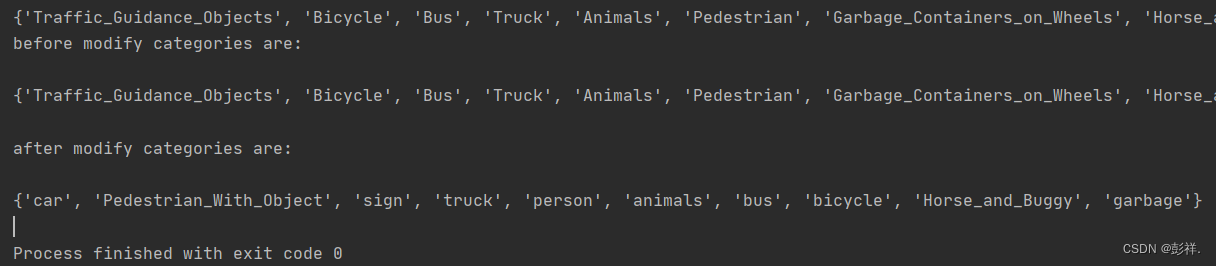
‘Truck’, ‘Car’, ‘Pedestrian’, ‘Garbage_Containers_on_Wheels’, ‘Bus’, ‘Animals’, ‘Pedestrian_With_Object’, ‘Horse_and_Buggy’, ‘Bicycle’, ‘Traffic_Guidance_Objects’
其中我们将’Pedestrian’,‘Person_sitting’,‘Cyclist’ 统称为persion,
‘Truck’,‘Van’,‘Tram’ 统称为truck,Car仍为car
对某些进行重命名:Garbage_Containers_on_Wheels 改为garbage
Bus 改为 bus,Animals改为animals,Traffic_Guidance_Objects改为sign,Bicycle改为bicycle,其余不作处理,
讯享网# modify_annotations_txt.py # encoding:utf-8 import glob import string #txt_list = glob.glob('./KITTITrainLabels/label_2/*.txt') # 原始kitti labels文件夹所有txt文件路径 txt_list = glob.glob('E:/graduate/datasets/cadcd/kitti/training/label_voc/*.txt') def show_category(txt_list): category_list= [] for item in txt_list: try: with open(item) as tdf: for each_line in tdf: labeldata = each_line.strip().split(' ') # 去掉前后多余的字符并把其分开 category_list.append(labeldata[0]) # 只要第一个字段,即类别 except IOError as ioerr: print('File error:'+str(ioerr)) print(set(category_list)) # 输出集合 show_category(txt_list) def merge(line): each_line='' for i in range(len(line)): if i!= (len(line)-1): each_line=each_line+line[i]+' ' else: each_line=each_line+line[i] # 最后一条字段后面不加空格 each_line=each_line+'\n' return (each_line) print('before modify categories are:\n') show_category(txt_list) for item in txt_list: new_txt=[] try: with open(item, 'r') as r_tdf: for each_line in r_tdf: labeldata = each_line.strip().split(' ') if labeldata[0] in ['Car']: # 合并汽车类 labeldata[0] = labeldata[0].replace(labeldata[0],'car') if labeldata[0] in ['Truck','Van','Tram']: # 合并卡车类 labeldata[0] = labeldata[0].replace(labeldata[0],'truck') if labeldata[0] in ['Pedestrian','Person_sitting','Cyclist']: # 合并行人类 labeldata[0] = labeldata[0].replace(labeldata[0],'person') if labeldata[0] == 'DontCare': # 忽略Dontcare类 continue if labeldata[0] == 'Misc': # 忽略Misc类 continue new_txt.append(merge(labeldata)) # 重新写入新的txt文件 with open(item,'w+') as w_tdf: # w+是打开原文件将内容删除,另写新内容进去 for temp in new_txt: w_tdf.write(temp) except IOError as ioerr: print('File error:'+str(ioerr)) print('\nafter modify categories are:\n') show_category(txt_list)
转换为xml
step3:将转换后labels下的txt标注信息转化成xml格式,并存储在Annotation文件夹下面,使用工具文件txt_to_xml.py。
# txt_to_xml.py # encoding:utf-8 # 根据一个给定的XML Schema,使用DOM树的形式从空白文件生成一个XML import os from xml.dom.minidom import Document import cv2 def generate_xml(name,split_lines,img_size,class_ind): doc = Document() # 创建DOM文档对象 annotation = doc.createElement('annotation') doc.appendChild(annotation) title = doc.createElement('folder') title_text = doc.createTextNode('KITTI') title.appendChild(title_text) annotation.appendChild(title) img_name=name+'.png' title = doc.createElement('filename') title_text = doc.createTextNode(img_name) title.appendChild(title_text) annotation.appendChild(title) source = doc.createElement('source') annotation.appendChild(source) title = doc.createElement('database') title_text = doc.createTextNode('The KITTI Database') title.appendChild(title_text) source.appendChild(title) title = doc.createElement('annotation') title_text = doc.createTextNode('KITTI') title.appendChild(title_text) source.appendChild(title) size = doc.createElement('size') annotation.appendChild(size) title = doc.createElement('width') title_text = doc.createTextNode(str(img_size[1])) title.appendChild(title_text) size.appendChild(title) title = doc.createElement('height') title_text = doc.createTextNode(str(img_size[0])) title.appendChild(title_text) size.appendChild(title) title = doc.createElement('depth') title_text = doc.createTextNode(str(img_size[2])) title.appendChild(title_text) size.appendChild(title) for split_line in split_lines: line=split_line.strip().split() if line[0] in class_ind: object = doc.createElement('object') annotation.appendChild(object) title = doc.createElement('name') title_text = doc.createTextNode(line[0]) title.appendChild(title_text) object.appendChild(title) bndbox = doc.createElement('bndbox') object.appendChild(bndbox) title = doc.createElement('xmin') title_text = doc.createTextNode(str(int(float(line[4])))) title.appendChild(title_text) bndbox.appendChild(title) title = doc.createElement('ymin') title_text = doc.createTextNode(str(int(float(line[5])))) title.appendChild(title_text) bndbox.appendChild(title) title = doc.createElement('xmax') title_text = doc.createTextNode(str(int(float(line[6])))) title.appendChild(title_text) bndbox.appendChild(title) title = doc.createElement('ymax') title_text = doc.createTextNode(str(int(float(line[7])))) title.appendChild(title_text) bndbox.appendChild(title) # 将DOM对象doc写入文件 f = open('/home/huichang/wj/yolo_learn/kitti_VOC/Annotations/'+name+'.xml','w') # create a new xml file f.write(doc.toprettyxml(indent = '')) f.close() # #source code if __name__ == '__main__': class_ind=('person', 'car', 'truck') #cur_dir=os.getcwd() # current path #labels_dir=os.path.join(cur_dir,'labels') # get the current path and build a new path.and the result is'../yolo_learn/labels' labels_dir='/home/huichang/wj/yolo_learn/kitti/training (copy)/label_2' for parent, dirnames, filenames in os.walk(labels_dir): # 分别得到根目录,子目录和根目录下文件 for file_name in filenames: full_path=os.path.join(parent, file_name) # 获取文件全路径 f=open(full_path) split_lines = f.readlines() name= file_name[:-4] # 后四位是扩展名.txt,只取前面的文件名 img_name=name+'.png' img_path=os.path.join('/home/huichang/wj/yolo_learn/kitti/data_object_image_2/training/image_2',img_name) # 路径需要自行修改 print(img_path) img_size =cv2.imread(img_path).shape generate_xml(name,split_lines,img_size,class_ind) print('all txts has converted into xmls') 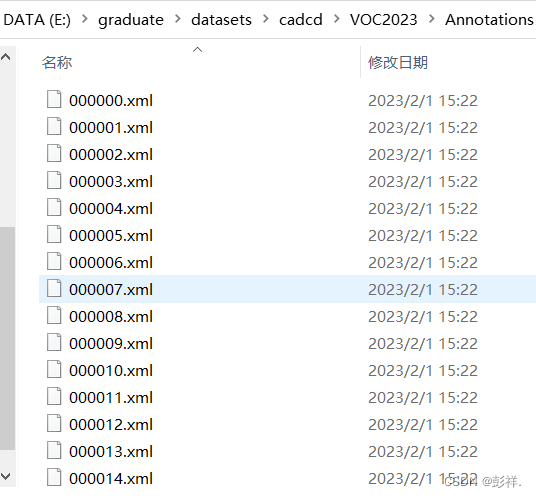
数据集划分
step4:生成训练\验证\测试集列表(生成比例可修改,目前按8:1:1生成),使用工具create_train_test_txt.py,文件保存在ImageSets文件夹Main下
讯享网# create_train_test_txt.py # encoding:utf-8 import pdb import glob import os import random import math def get_sample_value(txt_name, category_name): label_path = '/home/huichang/wj/yolo_learn/kitti/training (copy)/label_2/' txt_path = label_path + txt_name+'.txt' try: with open(txt_path) as r_tdf: if category_name in r_tdf.read(): return ' 1' else: return '-1' except IOError as ioerr: print('File error:'+str(ioerr)) txt_list_path = glob.glob('/home/huichang/wj/yolo_learn/kitti/training (copy)/label_2/*.txt') txt_list = [] for item in txt_list_path: temp1,temp2 = os.path.splitext(os.path.basename(item)) txt_list.append(temp1) txt_list.sort() print(txt_list,'\n\n') # 有博客建议train:val:test=8:1:1,先尝试用一下 num_trainval = random.sample(txt_list, int(math.floor(len(txt_list)*9/10.0))) # 可修改百分比 num_trainval.sort() print(len(num_trainval),'\n\n') num_train = random.sample(num_trainval, int(math.floor(len(num_trainval)*8/9.0))) # 可修改百分比 num_train.sort() print(num_train,'\n\n') num_val = list(set(num_trainval).difference(set(num_train))) num_val.sort() print(num_val,'\n\n') num_test = list(set(txt_list).difference(set(num_trainval))) num_test.sort() print(num_test,'\n\n') #pdb.set_trace() Main_path = '/home/huichang/wj/yolo_learn/kitti_VOC/ImageSets/Main/' train_test_name = ['trainval','train','val','test'] category_name = ['person','car','truck'] # 循环写trainvl train val test for item_train_test_name in train_test_name: list_name = 'num_' list_name += item_train_test_name train_test_txt_name = Main_path + item_train_test_name + '.txt' try: # 写单个文件 with open(train_test_txt_name, 'w') as w_tdf: # 一行一行写 for item in eval(list_name): w_tdf.write(item+'\n') # 循环写person car truck for item_category_name in category_name: category_txt_name = Main_path + item_category_name + '_' + item_train_test_name + '.txt' with open(category_txt_name, 'w') as w_tdf: # 一行一行写 for item in eval(list_name): w_tdf.write(item+' '+ get_sample_value(item, item_category_name)+'\n') except IOError as ioerr: print('File error:'+str(ioerr))
step5:根据Annotation,使用工具create_kitti_label.py生成最终的labels文件夹和训练、测试列表
# encoding:utf-8 import xml.etree.ElementTree as ET import pickle import os from os import listdir, getcwd from os.path import join sets=['train', 'val','test'] classes = ["person", "bicycle" , "car" , "motorcycle", "bus" , "truck"] def convert(size, box): dw = 1./(size[0]) dh = 1./(size[1]) x = (box[0] + box[1])/2.0 - 1 y = (box[2] + box[3])/2.0 - 1 w = box[1] - box[0] h = box[3] - box[2] x = x*dw w = w*dw y = y*dh h = h*dh return (x,y,w,h) def convert_annotation(image_id): in_file = open('/home/huichang/wj/yolo_learn/kitti_VOC/Annotations/%s.xml'%(image_id)) out_file = open('labels/%s.txt'%(image_id), 'w') tree=ET.parse(in_file) root = tree.getroot() size = root.find('size') w = int(size.find('width').text) h = int(size.find('height').text) for obj in root.iter('object'): cls = obj.find('name').text if cls not in classes: continue cls_id = classes.index(cls) xmlbox = obj.find('bndbox') b = (float(xmlbox.find('xmin').text), float(xmlbox.find('xmax').text), float(xmlbox.find('ymin').text), float(xmlbox.find('ymax').text)) bb = convert((w,h), b) out_file.write(str(cls_id) + " " + " ".join([str(a) for a in bb]) + '\n') wd = getcwd() for image_set in sets: if not os.path.exists('labels/'): os.makedirs('labels/') image_ids = open('/home/huichang/wj/yolo_learn/kitti_VOC/ImageSets/Main/%s.txt'%(image_set)).read().strip().split() list_file = open('%s.txt'%(image_set), 'w') for image_id in image_ids: list_file.write('/home/huichang/wj/yolo_learn/kitti_VOC/JPEGImages/%s.png\n'%(image_id)) convert_annotation(image_id) list_file.close() os.system("cat train.txt val.txt > train_val.txt") os.system("cat train.txt val.txt test.txt > train.all.txt") 最终我们得到了VOC格式的数据集,接下来便可以进行炼丹了。
版权声明:本文内容由互联网用户自发贡献,该文观点仅代表作者本人。本站仅提供信息存储空间服务,不拥有所有权,不承担相关法律责任。如发现本站有涉嫌侵权/违法违规的内容,请联系我们,一经查实,本站将立刻删除。
如需转载请保留出处:https://51itzy.com/kjqy/108642.html