
参考 https://cloud.tencent.com/developer/article/
tar文件
mac自带有打开压缩包命令tar,我们打开terminal,键入man tar查看该命令方法。在DESCRIPTION那栏能够看到该命令解释,他能打开或者压缩多种文件,例如zip,7z,tar等后缀文件。
DESCRIPTION tar creates and manipulates streaming archive files. This implementation can extract from tar, pax, cpio, zip, jar, ar, xar, rpm, 7-zip, and ISO 9660 cdrom images and can create tar, pax, cpio, ar, zip, 7-zip, and shar archives. 讯享网
故若我们想打开tar压缩文件可以在terminal中定位到该文件,然后输入如下操作便可。
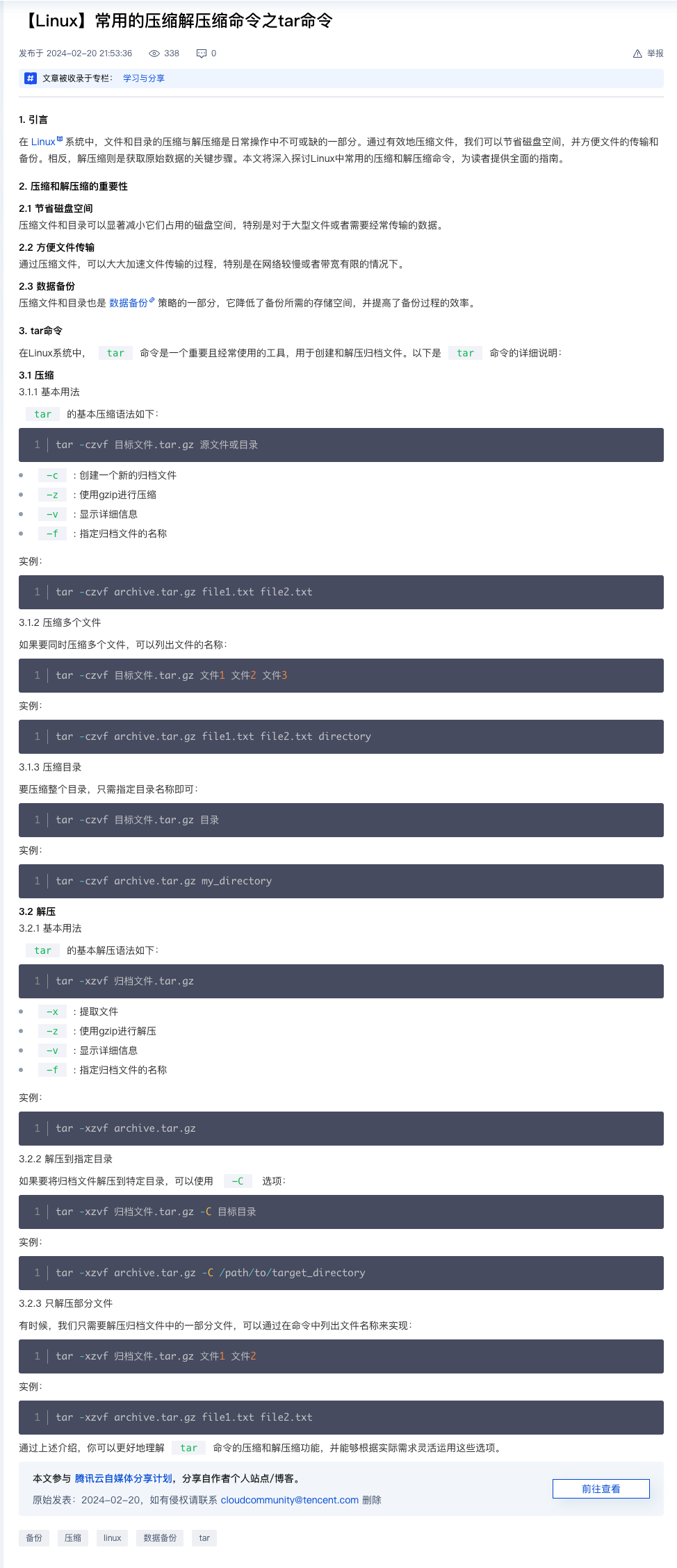
讯享网# compress tar -cvf test.tar test # tar -cvf [target file.tar] [source file] # extract tar -xvf test.tar
命令参数的详细翻译可以参看http://c.biancheng.net/view/788.html
zip文件
zip,7z文件的解压缩同理

# compress zip test.zip test # extract unzip test.zip whl文件
- wheel命令
whl文件也是压缩文件,可以使用wheel命令解压缩
讯享网wheel unpack test.whl
- python
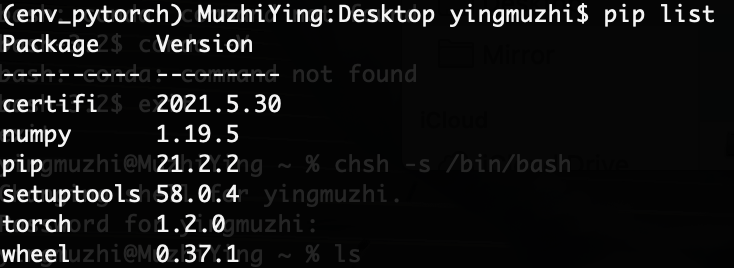
当然往往我们的情况是需要安装.whl文件,在这个时候我们需要使用到python的库wheel,安装该库后再安装.whl文件,如下:
# install wheel pip intall wheel pip install torch-1.2.0-cp36-none-macosx_10_7_x86_64.whl # pip [source file] 之后你便可以在你的pip list中找到该文件
tar 常用命令
版权声明:本文内容由互联网用户自发贡献,该文观点仅代表作者本人。本站仅提供信息存储空间服务,不拥有所有权,不承担相关法律责任。如发现本站有涉嫌侵权/违法违规的内容,请联系我们,一经查实,本站将立刻删除。
如需转载请保留出处:https://51itzy.com/kjqy/108109.html