
Rewrite跳转实现
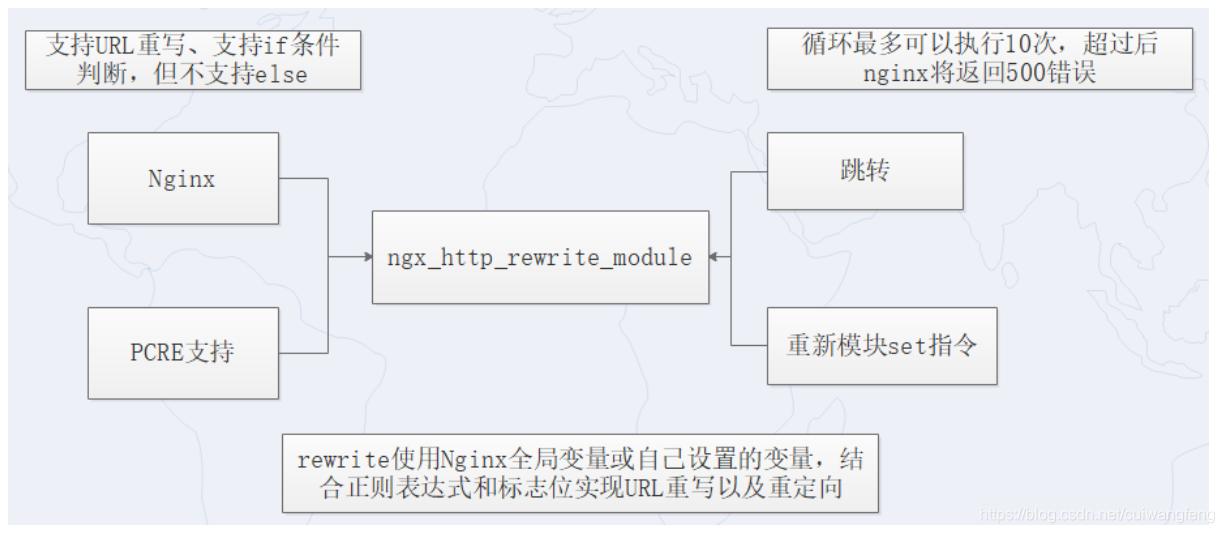
讯享网
Rewrite实际场景
Nginx跳转需求的实现方式
使用rewrite进行匹配跳转
使用if匹配全局变量后跳转
使用location匹配再跳转
rewrite放在server{},if{},location{}段中
location只对域名后边的除去传递参数外的字符串起作用
对域名或参数字符串
使用if全局变量匹配
使用proxy_pass反向代理
字符
说明
^
匹配输入字符串的起始位置
$
匹配输入字符串的结束位置
匹配前面的字符零次或多次
匹配前面的字符一次或多次
?
匹配前面的字符零次或一次
.
匹配除”\n”之外的任何单个字符
\
将后面接着的字符标记为一个特殊字符或一个原义字符或一个向后引用
\d
匹配纯数字
{n}
重复n次
{n,}
重复n次或更多次
[c]
匹配单个字符c
[a-z]
匹配a-z小写字母的任意一个
[a-zA-Z]
匹配a-z小写字母或A-Z大写字母的任意一个

1 rewrite [flag];
2 :正则表达式
3 :跳转后的内容
4 [flag]rewrite支持的flag标记
flag标记说明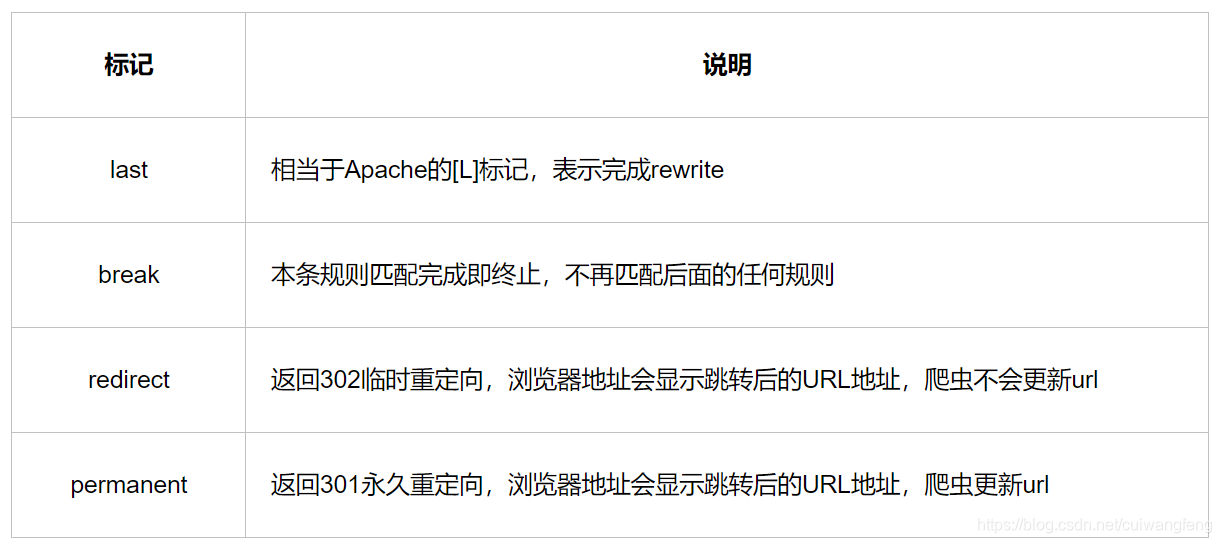
1)last:url重写后,马上发起一个新请求,再次进入server块,重试location匹配,超过10次匹配不到报500错误,地址栏不变
2)break:url重写后,直接使用当前资源,不再使用location余下的语句,完成本次请求,地址栏不变
总结:last和break再重定向后,地址栏都不会发生变化,这是他们的相同点,不同点在于last会写在server和if中,break是写在location中,last不会终止重写后的url匹配,break会终止重写后的url匹配
location分类
分类

正则匹配的常用表达式
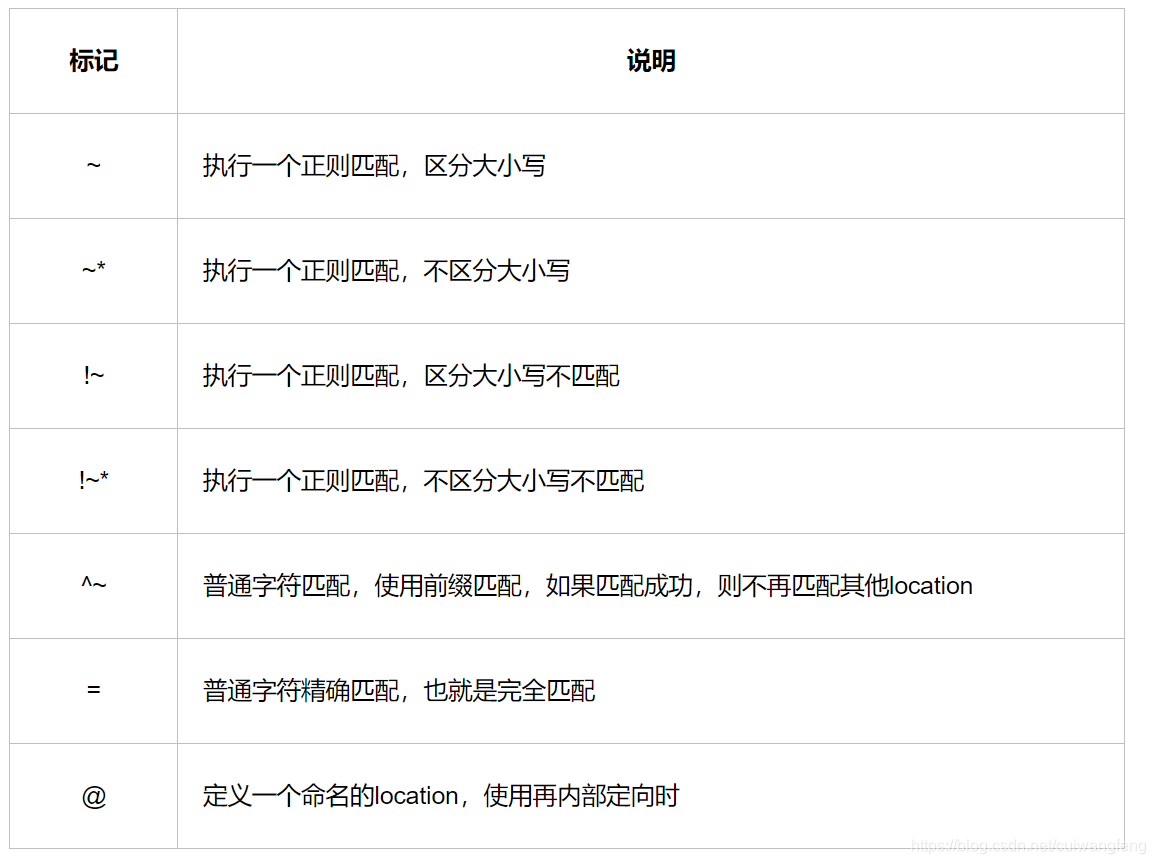
location优先级
相同类型的表达式,字符串长的会优先匹配
按优先级排列

location优先级的示例1
location = / { ①精确匹配/,主机名后面不能带任何字符串
[configuration A]
}
location ~ /documents/abc { ②匹配任何以/documents/abc开头的地址,当后面的正则表达式没有匹配到时,才会起作用
[configuration B]
}
location /documents/ { ③匹配任何以/documents/开头的地址,当后面的正则表达式没有匹配到时,才起作用
[configuration C]
}
location / { ④所有的地址都以/开头,这条规则将匹配到所有请求,但正则表达式和最长字符会优先匹配
[configuration D]
}
location ^~ /images/ { ①以/images/开头的地址,匹配符合后,停止往下匹配
[configuration E]
}
location ~* .(gif|jpg|jpeg)$ { ②匹配所有以gif,jpg或jpeg结尾的请求,因为^~的优先级最高
[configuration F]
}
location ~ /images/abc { ③以/images/abc开头的,优先级次之
[configuration G]
}
location /images/abc/1.html { ④如果和正则~ /images/abc/1.html相比,正则优先级最高
[configuration H]
}
location /images/abc { ⑤最长字符匹配到/images/abc,优先级最低
[configuration I]
}
比较rewrite和location
相同点:都能实现跳转
不同点:
①、rewrite是在同一域名内更改获取资源的路径
②、location是对一类路径控制访问或反向代理,还可以proxy_pass到其他机器
rewrite会写在location里,执行顺序
①、执行server块里面的rewrite指令
②、执行location匹配
③、执行选定的location中的rewrite指令
location优先级规则
匹配某个具体文件
基于域名的跳转
公司旧域名www.aaa.com,因业务需求有变更,需要使用新域名www.bbb.com代替
不能废除旧域名
从旧域名跳转到新域名,且保持其参数不变
修改新站点配置文件(基于LNMP架构),如果没有PHP,可以直接创建index.html文件进行访问
vi /usr/local/nginx/conf/nginx.conf
server {
listen 80;
server_name www.aaa.com;
charset utf-8; access_log logs/host.access.log main; if ($host = 'www.aaa.com') #添加rewrite功能 { rewrite ^/(.*)$ http://www.bbb.com/$1 permanent; } 讯享网
在配置文件末尾添加新域名www.bbb.com的站点位置(保证添加的内容在http括号内)
server {
listen 80;
server_name www.bbb.com;
讯享网    charset utf-8;

    access_log  /var/log/www.bbb.com.access.log  main;
    location / {
        root   /usr/local/share/html;
        index  index.html index.htm;
    }
    location ~ \.php$ {
        root           /usr/local/share/html;
        fastcgi_pass   127.0.0.1:9000;
        fastcgi_index  index.php;
    #    fastcgi_param  SCRIPT_FILENAME  /scripts$fastcgi_script_name;
        include        fastcgi.conf;
    }
重启nginx
1 nginx -t #查看配置文件语法
2 nginx: the configuration file /usr/local/nginx/conf/nginx.conf syntax is ok #输出语法内容
3 nginx: configuration file /usr/local/nginx/conf/nginx.conf test is successful #输出文件配置是否正常
4 systemctl restart nginx #重启
创建新站点的网页
1 mkdir -p /usr/local/share/html/php
2 vi /usr/local/share/html/php/index.php
3 <?php
4 phpinfo();
5 ?>
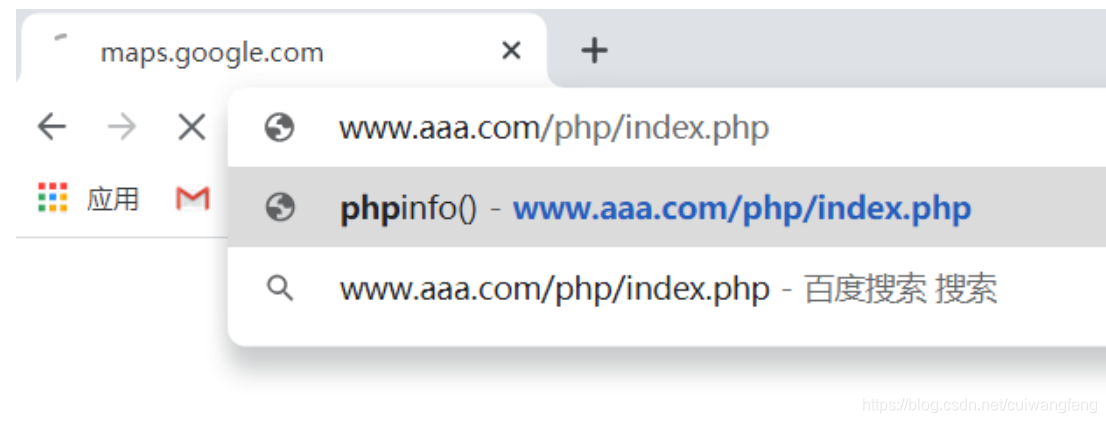
客户端测试
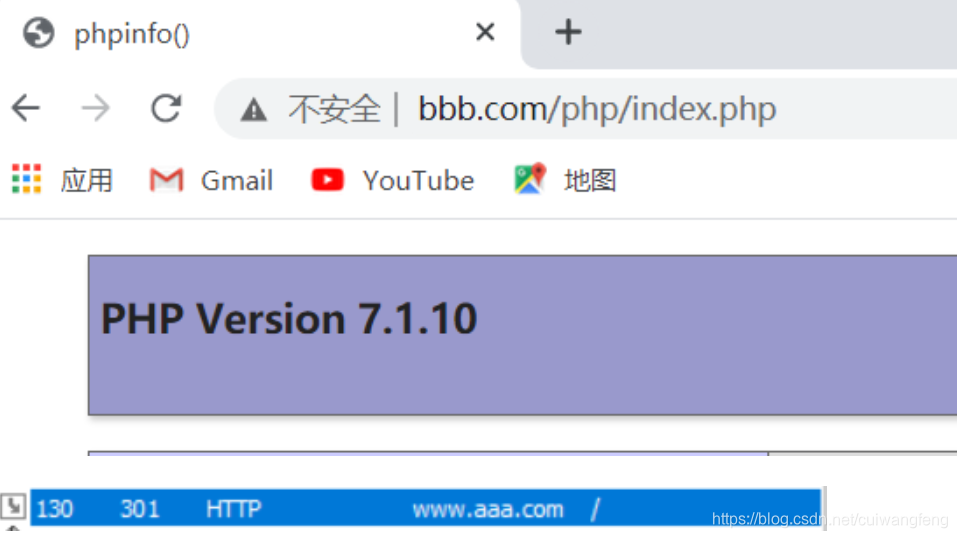
基于客户端IP访问跳转
今天公司业务版本上线,所有IP访问任何内容都显示一个固定维护页面,只有公司IP访问正常
修改默认站点配置文件
vi /usr/local/nginx/conf/nginx.conf
server {
listen 80;
server_name www.aaa.com;
set r e w r i t e t r u e ; i f ( rewrite true; if ( rewritetrue;if(remote_addr = “20.0.0.10”){
set KaTeX parse error: Expected 'EOF', got '}' at position 24: …false; }̲ if (rewrite = true){
rewrite (.+) /maintenance.html;
}
location = /maintenance.html {
root /usr/local/nginx/html;
}
省略部分内容
}
将上个项目里的末尾添加的内容删除,修改重定向的网页

重启并测试

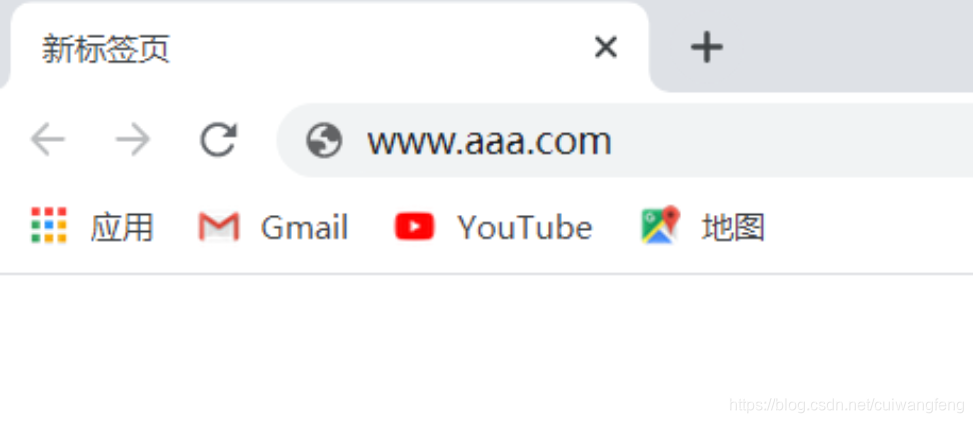
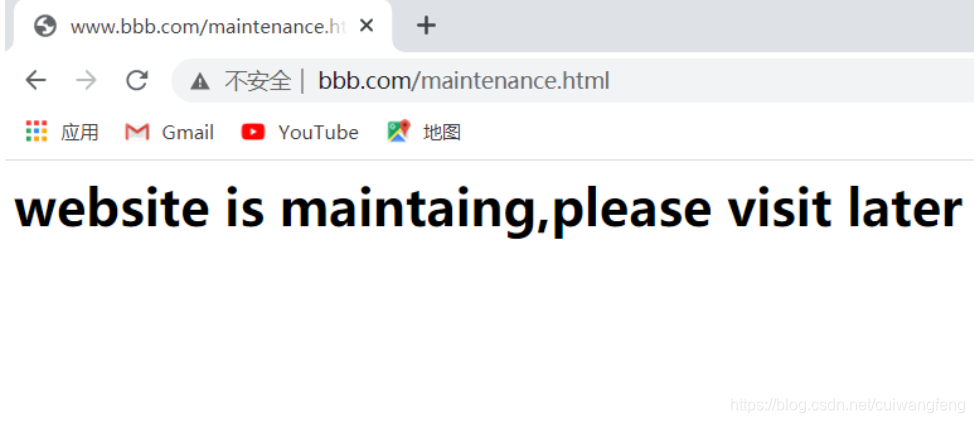
基于旧、新域名跳转并加目录
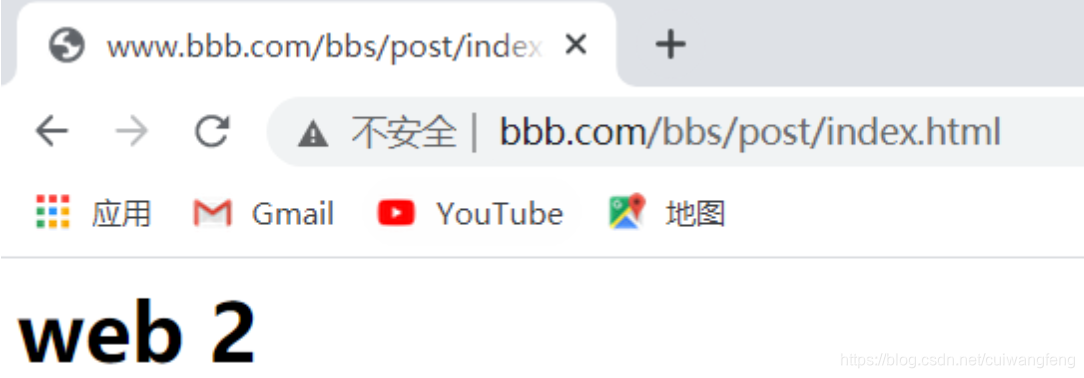
将域名http://www.aaa.com下面的发帖都跳转到http://www.bbb.com/bbs,且域名跳转后保持参数不变
修改默认站点配置文件
vi /usr/local/nginx/conf/nginx.conf
server {
listen 80;
server_name www.aaa.com;
    charset utf-8;

    access_log  logs/host.access.log  main;
    location /post
     {
        rewrite (.+) http://www.bbb.com/bbs$1 permanent;
    }
    location / {
        root   html;
        index  index.html index.htm;
    }
省略部分内容
}
下面的内容在末尾添加(保证添加的内容在http括号内)
server {
listen 80;
server_name www.bbb.com;
讯享网    charset utf-8;

    access_log  logs/host.access.log  main;
    location /
     {
         root /usr/local/share/html;
         index   index.html index.htm;
    }
}
创建bbs目录
1 cd /usr/local/share/html/
2 mkdir bbs
3 mv index.html bbs/
4 cd bbs/
5 mkdir post
6 mv index.html post/
重启并测试
1 nginx -t
2 systemctl restart nginx
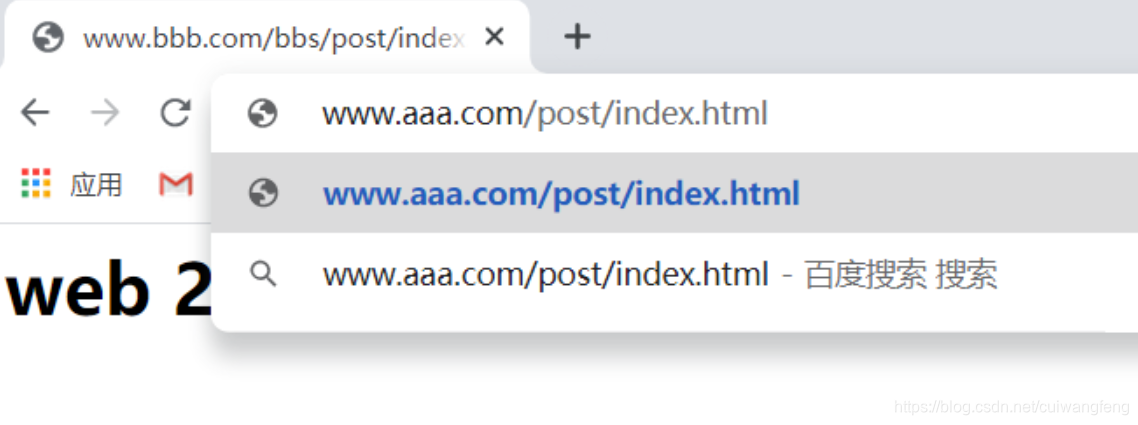
基于参数匹配的跳转
修改默认找点配置文件
vi /usr/local/nginx/conf/nginx.conf
server {
listen 80;
server_name www.aaa.com;
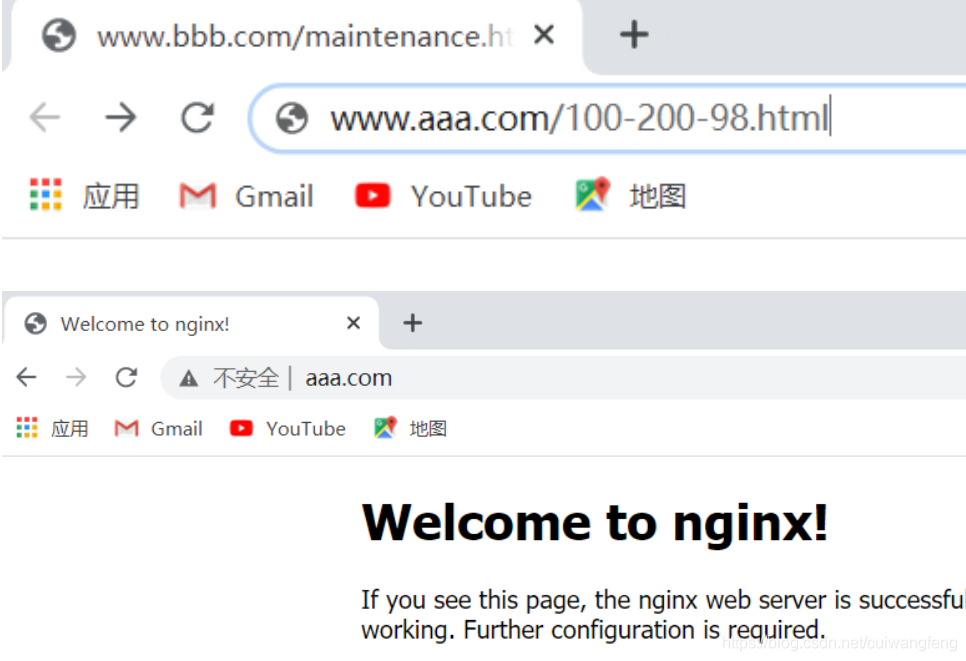
if (KaTeX parse error: Undefined control sequence: \d at position 32: …100-(100|200)-(\̲d̲+).html)
{
rewrite (.+) http://www.aaa.com permanent;
}
    charset utf-8;

    access_log  logs/host.access.log  main;
    location / {
        root   html;
        index  index.html index.htm;
    }
省略部分内容
}
重启并测试
基于目录下所有php文件跳转
修改默认站点配置文件
vi /usr/local/nginx/conf/nginx.conf
server {
listen 80;
server_name www.aaa.com;
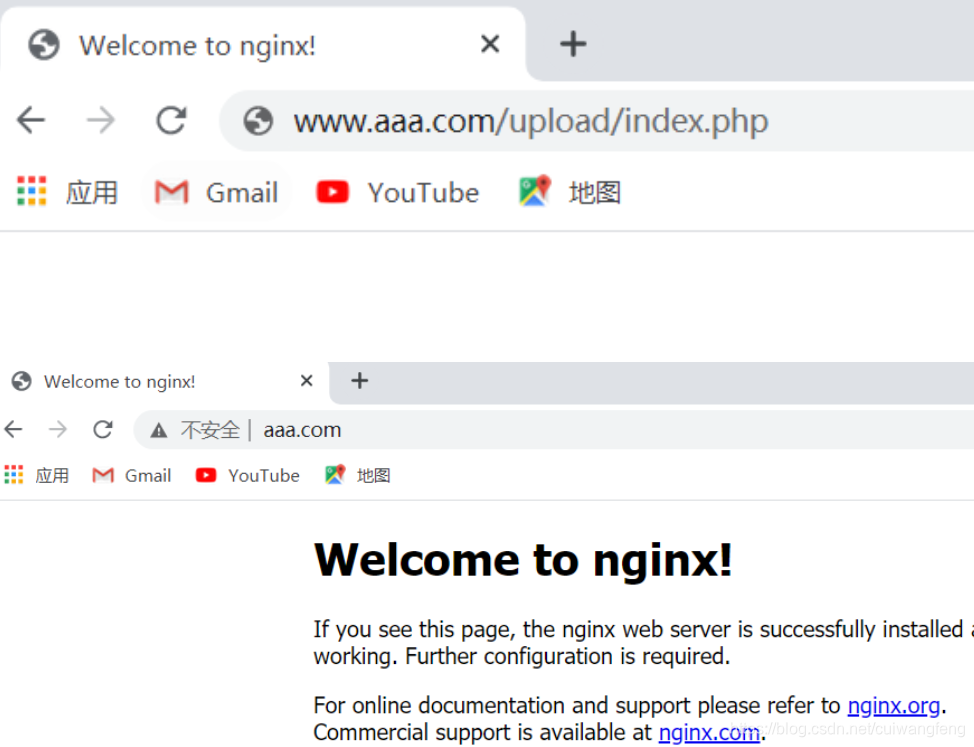
location ~* /upload/.*.php$
{
rewrite (.+) http://www.aaa.com permanent;
}
讯享网    charset utf-8;

    access_log  logs/host.access.log  main;
    location / {
        root   html;
        index  index.html index.htm;
    }
省略部分内容
}
重启并测试

版权声明:本文内容由互联网用户自发贡献,该文观点仅代表作者本人。本站仅提供信息存储空间服务,不拥有所有权,不承担相关法律责任。如发现本站有涉嫌侵权/违法违规的内容,请联系我们,一经查实,本站将立刻删除。
如需转载请保留出处:https://51itzy.com/kjqy/104936.html