
<!DOCTYPE html> <html lang="en"> <head> <meta charset="UTF-8"> <title>Title</title> </head> <body> <article> <h2 class="title">抓取元素</h2> <div class="content"> <p class>文章正文</p> </div> </article> <script> var content = document.querySelector('.content'); var root = content.attachShadow({
    mode: 'open'}); root.innerHTML = '<p class="real_content" style="color: red"> 抓不到的文字!</p>' </script> </body> </html>
讯享网
问题:想获取文字:抓不到的文字!
讯享网# 思路一: # 一般采取selenium的xpath来获取元素 from selenium import webdriver web = webdriver.Chrome('../chromedriver.exe') web.get('http://localhost:63342/test01/h1.html') content = web.find_element_by_xpath('//p[@class="real_content"]') print(content) print(content.text) web.close() web.quit() # 结果没有获取到元素对应的值 控制台打印信息为: <selenium.webdriver.remote.webelement.WebElement (session="510e3aeb9de727ac1450f94756", element="b1-8ccd-4608-8804-8b67d4af8bb2")> # 思路二:使用lxml from lxml import etree f = open('h1.html', 'r', encoding='utf-8')
html = f.read() tree = etree.HTML(html) content = tree.xpath('//p[@class="real_content"]/text()') print(content) # 结果也是没有获取到对应的内容 控制台打印信息: []
到页面来查看元素
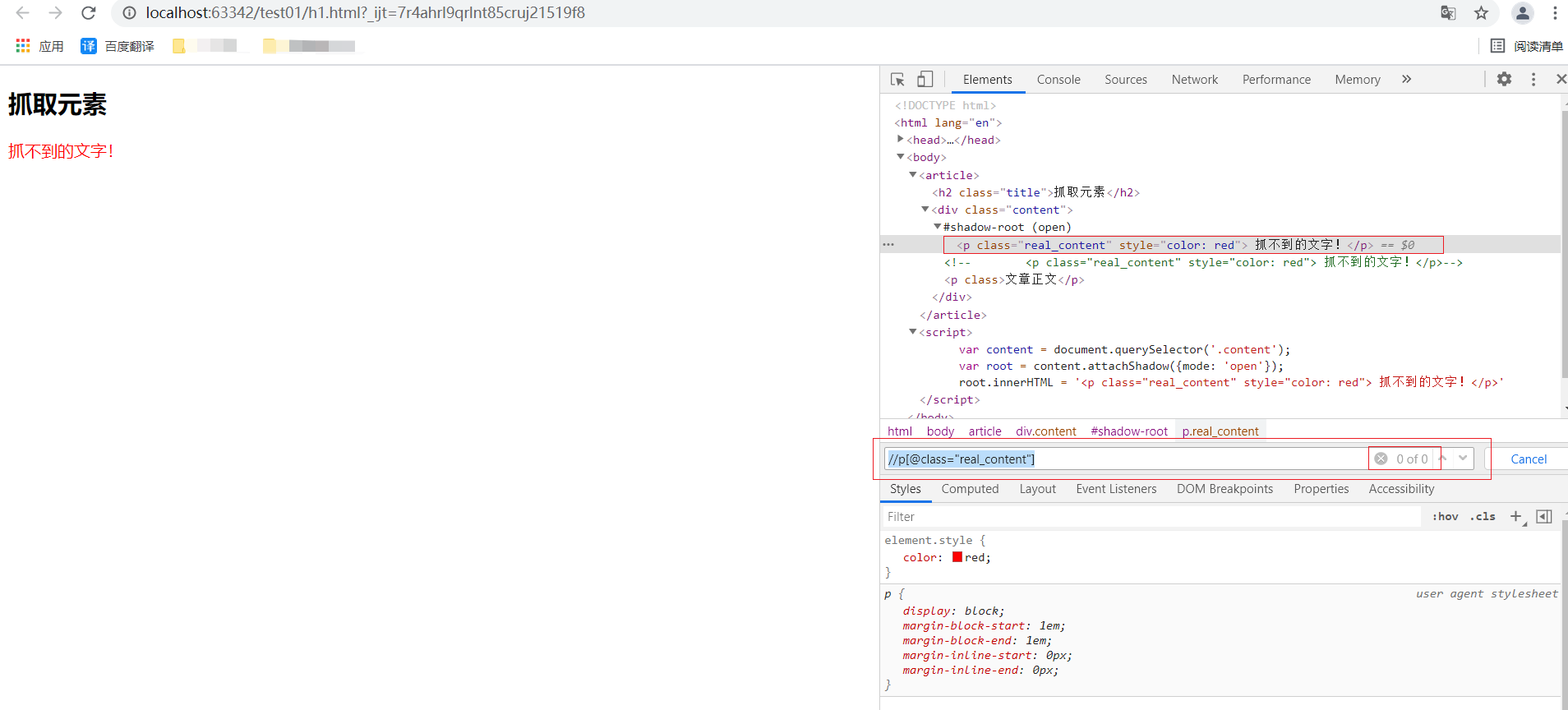

- 并没有找到该元素对应的值,因为这个节点是一个shadow DOM。shadow DOM的行为跟iframe很像,都是把一段html信息嵌入到另一个HTML中,但是不同的是。
iframe被嵌入的地址需要额外再搭建一个HTTP服务,而shadow DOM可以只嵌入一段HTML代码,所以它比iframe更节省资源。 - 所以要想获取到shadow DOM的元素,首先先拿到
shadow-root节点,然后返回这个元素的.shadowRoot属性。拿到属性后就可以直接使用.find_element_by_class_name()方法获取对应的内容。 - 注意:这个拿到
shadow-root节点之后,只能通过css选择器来进一步筛选内容,不能使用xpath(会报错:NoSuchElementException)
结果方案
# 使用js来获取shado-root节点 from selenium import webdriver web = webdriver.Chrome('C:\Program Files\Python39\chromedriver.exe') web.get('http://localhost:63342/test01/h1.html?_ijt=c29nnauam27sd8i6kufkbpq6tv') shadow = web.execute_script('return document.querySelector(".content").shadowRoot') content = shadow.find_element_by_class_name('real_content') print(content) print(content.text) web.close() web.quit() # 结果就可以获取到shadow-root的内容 抓不到的文字! 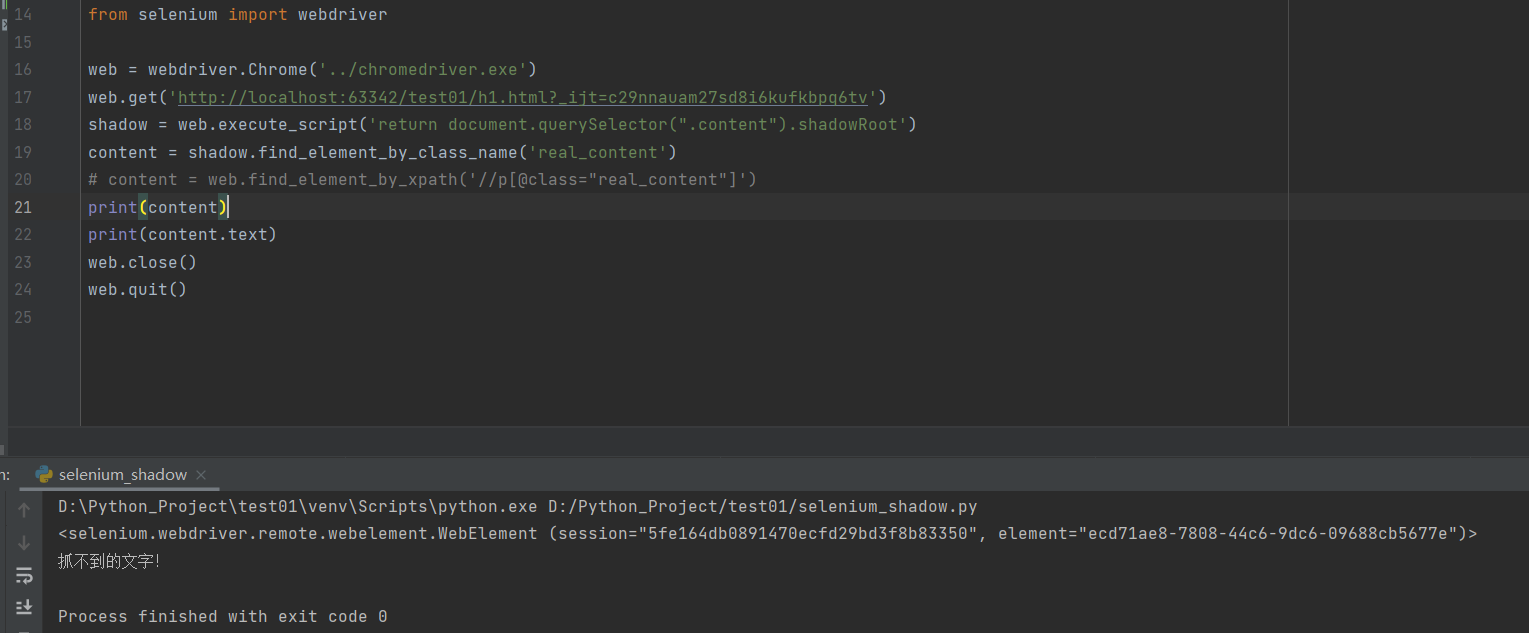
版权声明:本文内容由互联网用户自发贡献,该文观点仅代表作者本人。本站仅提供信息存储空间服务,不拥有所有权,不承担相关法律责任。如发现本站有涉嫌侵权/违法违规的内容,请联系我们,一经查实,本站将立刻删除。
如需转载请保留出处:https://51itzy.com/kjqy/101856.html